
Evaluate the module together with its host, cables and power arrangement.
An industrial controller may remain in service long after its original display has left production. A replacement that fits the opening can still require a new cable, different timing or revised touch firmware. Meanwhile, a display that remains available may no longer meet the machine's readability needs after years of operation. Reliability and supply continuity need separate evidence.
LCD reliability is the ability to keep meeting defined electrical, optical and mechanical requirements under specified conditions. Lifecycle planning covers availability, controlled changes, replacement qualification and service stock. Neither can be established by a backlight-hour figure alone. OEM buyers should approve the display assembly and its support plan together.
What evidence belongs in an LCD reliability review?
Start with the machine's operating profile: hours per day, ambient conditions, enclosure temperature, cleaning exposure and expected service period. Separate normal use from transport and storage. Then agree what counts as a failure, including temporary loss of display or touch response, rather than checking only whether the unit powers on afterward.
| Review area | Evidence to request | What it does not prove |
|---|---|---|
| ESD | Test setup, discharge locations, operating state and recovery criteria | Every enclosure will behave identically |
| EMI and immunity | Results for the host, display, cables and power arrangement tested | A bare panel guarantees system compliance |
| Backlight | Defined brightness threshold, current and temperature conditions | Complete equipment life or warranty |
| Temperature and humidity | Operating and storage limits, test duration and inspection criteria | Condensation or every combined stress is covered |
| Lifecycle | Revision control, change notice process and discontinuation terms | Indefinite availability of an unchanged design |
Ask which exact part revision each report covers. A report for another panel size or a different touch configuration may help explain a method, but it should not silently become evidence for your approved assembly.
Keep assembly ESD control separate from product testing
Electrostatic discharge prevention starts before the module reaches the enclosure. Establish handling, packaging and workstation procedures, then make them part of incoming inspection and assembly training. Sunshine Display's LCD storage and handling guide provides a practical starting point, including an ESD handling section and FPC precautions.
Product-level ESD evaluation asks a different question: what happens when a discharge reaches an accessible surface or connector on the finished equipment? Record where the event is applied, what the unit is doing and whether it recovers as required. A manufacturing handling procedure is not a substitute for that evaluation.
When investigating a failure, preserve the complete setup. Changing the bench supply, cable position or grounding arrangement before documenting the fault can make the original behavior difficult to reproduce. Include photographs and revision identifiers in the test record so the next engineer can rebuild the same configuration.
Evaluate EMI with the actual controller and cables
A display is part of an electrical system. Its host interface, backlight driver, touch controller and interconnecting cables all belong in the integration review. Test the final routing and grounding arrangement rather than assuming an open development bench represents a closed machine panel.
Agree with the responsible compliance engineer which emissions and immunity requirements apply to the finished product. Do not turn a component supplier's general statement into a claim that the complete machine is certified. If a problem occurs, document the operating mode and the affected function: image corruption, resets and false touch events require different investigations.
Retain the working cable specification after testing. An apparently minor cable substitution during production can change the installation being evaluated. Approval should identify the assembly, not just the LCD part number on the purchase order.
 Define the exposure conditions and acceptance criteria before testing.
Read a backlight lifetime number with its conditions
Backlight life commonly describes the time to a stated reduction in brightness under defined conditions. It is not a promise that every part of the display assembly will work for that duration. Sunshine Display's backlight lifetime guide explains brightness thresholds and the importance of current, temperature and use pattern.
Write down the minimum acceptable readability for the installed product. Then ask how the proposed backlight condition supports that requirement. A machine used continuously inside a warm enclosure needs a different assessment from equipment illuminated briefly during inspection.
Use a shared measurement procedure for initial and aged samples. Record brightness settings, measurement position and viewing conditions. Without a repeatable baseline, a statement that a sample looks dimmer is difficult to turn into a purchasing or maintenance decision.
Temperature limits are not a complete environmental plan
Check the specified operating and storage ranges separately. Identify where temperatures will be measured in the assembled equipment and whether nearby electronics create a local hot spot. Keep the proposed test within the supplier's stated constraints unless a separate evaluation has been agreed.
Humidity and condensation also need explicit treatment. Discuss transitions between storage and operation, transport conditions and the enclosure's protection approach. A temperature range alone does not establish performance under damp conditions, repeated cleaning or condensation.
Define inspections before and after exposure: image quality, connectors, mechanical condition and touch operation where applicable. The acceptance plan should say which observations require investigation and who can approve a deviation.
Agree change and discontinuation rules before volume orders
A product change notification, or PCN, should give the buyer enough information to evaluate a proposed change. Agree what changes require notice, what documents accompany it, and whether new samples or testing are needed. Cover the panel, driver, backlight, FPC and touch firmware where they affect the approved design.
An end-of-life notice needs a separate response. Confirm final order and shipment dates, available quantities, service demand and replacement options. Avoid treating a last-time buy as the only solution: stored parts need controlled conditions, traceability and periodic review, and demand forecasts can change.
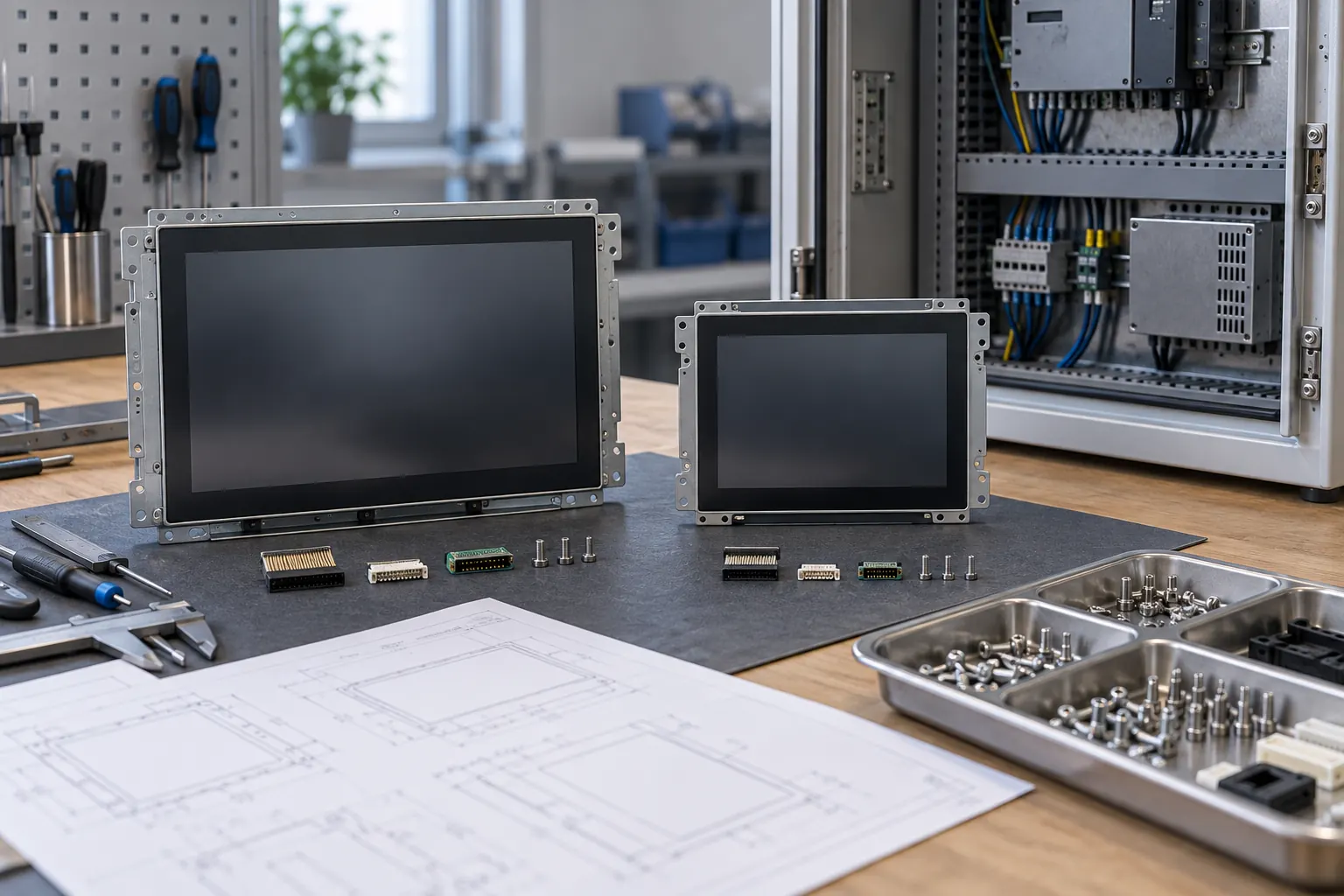 Compare mechanical and electrical compatibility before approving a replacement.
For an alternate module, compare mechanical drawings, pin assignments, timing, power, optics and software behavior. Identical diagonals and resolutions do not establish interchangeability. Keep an approved sample and a documented baseline for the replacement trial.
Turn the findings into a supplier brief
Send the application profile, enclosure drawing, interface details and required evidence alongside the quantity forecast. Identify the intended production period and after-sales support period separately. This gives engineering and procurement the same definition of success.
Contact Sunshine Display with that brief to discuss LCD module selection and integration. Ask for model-specific documentation and written lifecycle terms before approval; general catalogue claims should not replace the requirements agreed for your equipment.
