
Compare usable area and color requirements before selecting a panel size.
Two quotations can both say “e-paper module” while covering very different products. One may include only a display panel and flex cable; another adds a driver board. Neither necessarily includes the battery, wireless connection or software needed for a working label. Comparing those prices without defining the delivery scope can leave an OEM with an unexpected development project.
Choose an e-paper display by delivery level first, then by usable area, color, interface, update behavior and operating temperature. Confirm the exact model and revision with a datasheet and sample. A panel designed for an electronic shelf label is not, by itself, a complete ESL system.
Bare panel, module, terminal or ESL system?
The word “raw” does not necessarily mean that a display has no integrated driver. Read the supplier's block diagram and bill of materials instead of inferring the electronics from a product name.
| Delivery level | Typical scope to clarify | What the buyer still needs to establish |
|---|---|---|
| Bare panel | Display, flex connection and any integrated driver | Power circuitry, host control, waveform support and mechanics |
| Panel with driver board | Panel plus a specified board and connector arrangement | Host software, enclosure and final power design |
| Finished terminal | Enclosure and selected power, input or communication hardware | Application functions, provisioning and maintenance workflow |
| ESL system | Labels plus the offered gateways, management software and integration services | Coverage, update verification, data ownership and system interoperability |
These are procurement distinctions, not universal package definitions. Ask the supplier to mark exactly what is included. A development board can speed up evaluation without being the board intended for your production device.
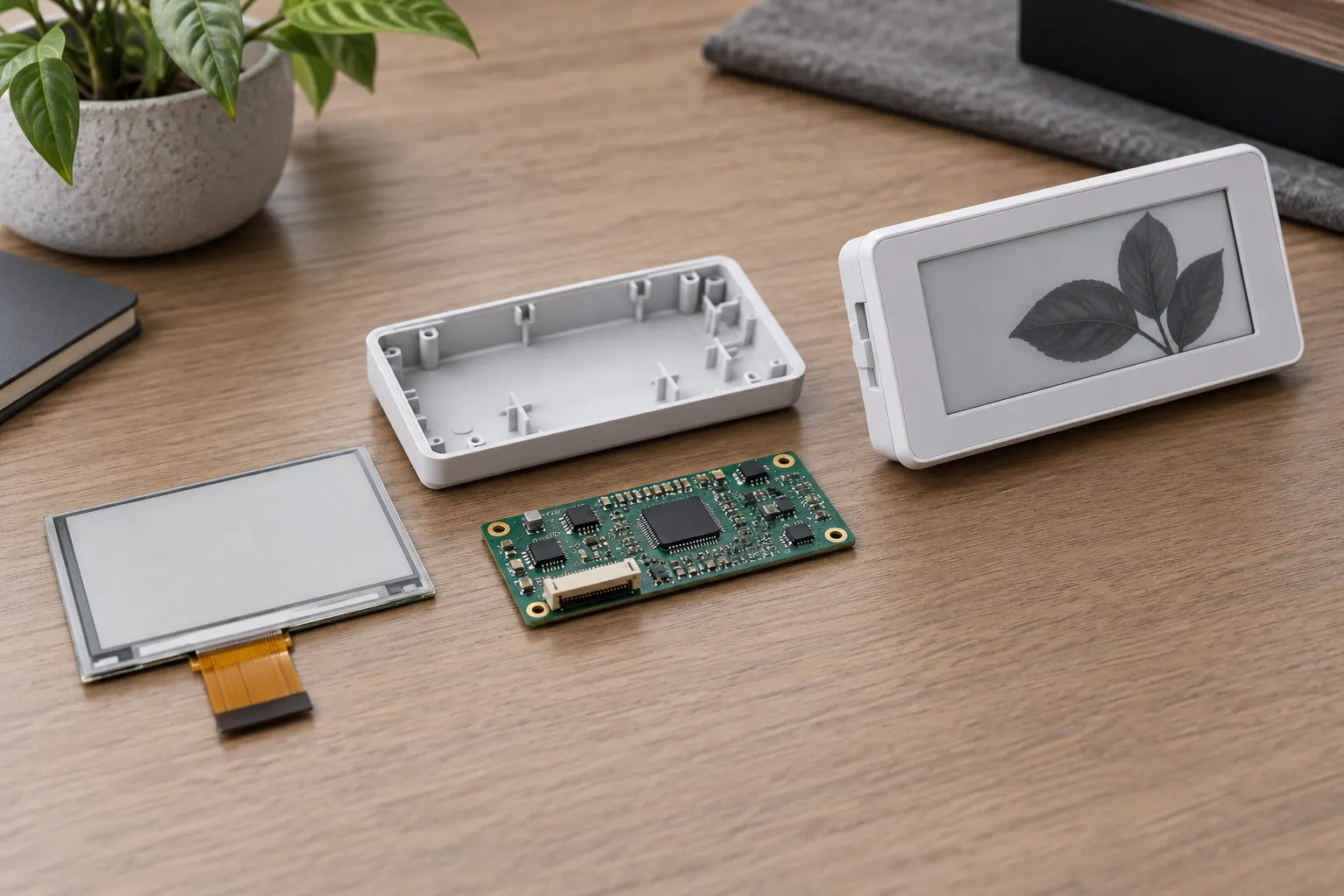 Clarify which hardware and software are included in the quoted product.
Choose the smallest screen that preserves the information
Start with actual content: the longest asset identifier, the smallest necessary text and any code that must be scanned. Lay it out at the panel's physical active area. Resolution describes available pixels; diagonal size alone does not describe the space available for a readable layout.
For a shelf label, test the intended viewing distance through the final window. For an industrial job tag, check whether the operator can identify the assignment and revision while wearing normal work equipment. Do not reduce every field until a crowded mockup fits.
Keep the outline drawing next to the artwork. The visible area, panel outline, flex exit and connector position affect different parts of the design. A display that fits the enclosure width can still leave too little room for the cable or protective frame.
Select color for a specific communication task
Monochrome may be sufficient for identifiers and text. An additional color can separate an exception or a status field, but the choice must be evaluated with the panel's supported update modes and the application's timing requirements. Do not assume that adding red is merely a software palette change.
Use text or a clear symbol alongside a color cue. The reader should understand the condition without depending entirely on color recognition. Keep brand artwork subordinate to the information someone needs at the point of use.
For sample approval, compare dense text, thin lines, large filled areas and successive changes between different layouts. Ask the supplier how to manage residual images and when a full refresh is required. Do not copy refresh instructions from a different panel family without confirmation.
Verify the interface beyond its name
An SPI label on two product pages does not make the modules interchangeable. Compare connector assignments, logic levels, supply requirements, command support and the recommended update sequence. Identify which functions reside on the panel and which need external circuitry or firmware.
Ask how the waveform data and controller configuration are supplied for the exact panel revision. Request a working reference sequence and document any restrictions on update frequency. A successful demonstration on a supplier board is a starting point for integration, not proof that an existing host can drive the panel unchanged.
Budget the complete terminal. The display's ability to retain an image does not remove power consumption from wireless communication, the processor, sensors or optional lighting. Calculate energy from the intended update schedule and operating modes rather than quoting panel image retention as a battery-life guarantee.
Check a real SDE model against the requirements
The published SDE0213NPT-73 product page identifies a 2.13-inch black, white and red e-paper panel with 122 × 250 resolution, SPI interface and a listed operating range of 0–50°C. These are model-specific catalogue values, not specifications for every Sunshine e-paper display.
That model can be an initial candidate when a compact three-color layout matches the application. It should not be assumed suitable for a freezer or another environment outside the listed range. Confirm the current datasheet, update behavior, connection details and availability with Sunshine Display before fixing the design.
Use the e-paper product category to start a broader comparison, then request exact part numbers and drawings for the shortlist. A catalogue comparison is most useful when every row refers to a specific revision and the same delivery level.
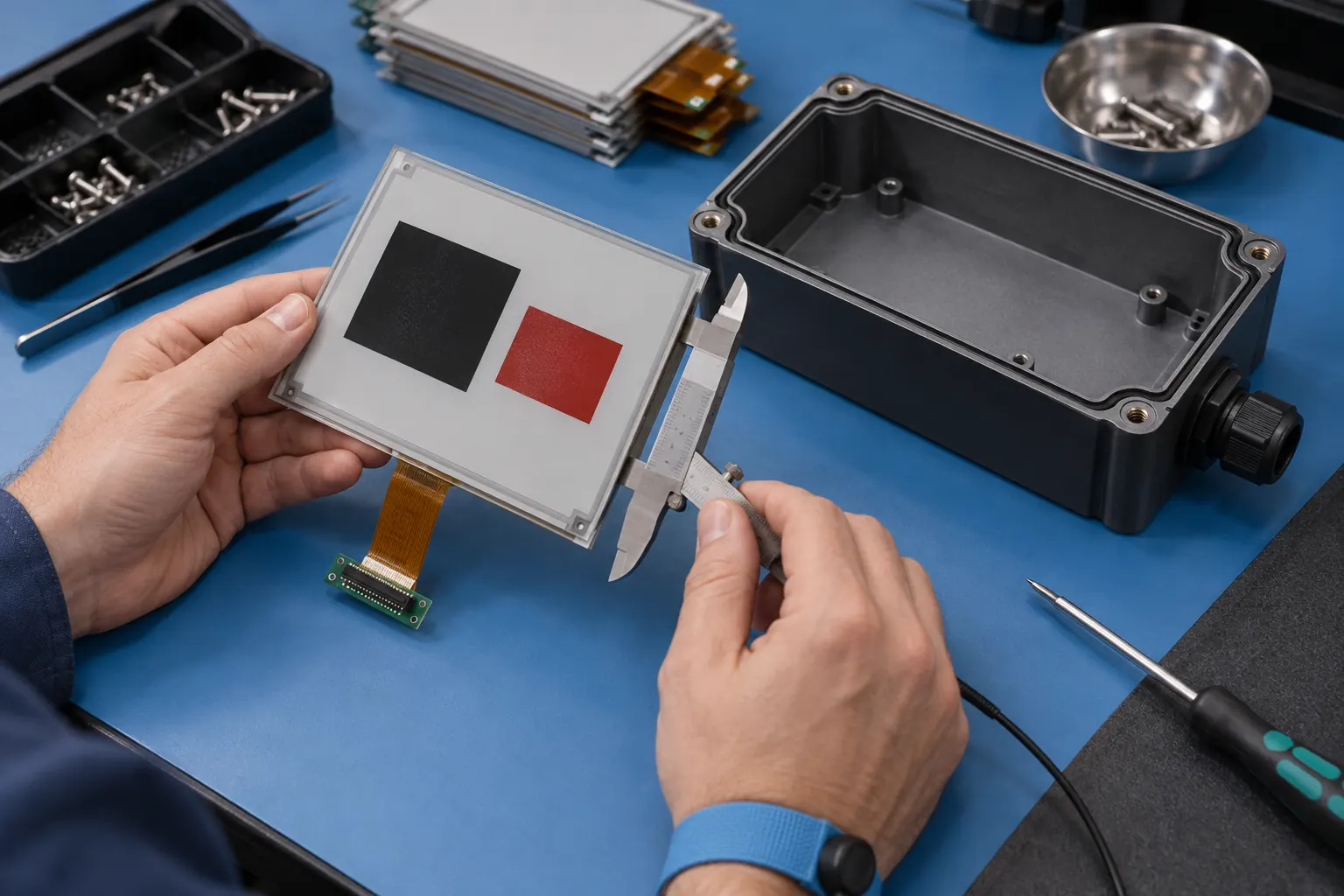 Check the panel outline, flex exit and enclosure clearance together.
Test updates at the temperatures the product will encounter
Distinguish operation, storage and image retention requirements. Ask what the module supports at the low and high ends of the intended operating range. Evaluate the time to complete an update and the appearance of the resulting page under those conditions.
Interrupt an update during the pilot and observe the recovery behavior. The product should have a defined way to determine whether the requested page was completed. An old image can remain readable while the controller is disconnected, so visibility alone is not evidence that the displayed data is current.
For an ESL deployment, expand the trial beyond the panel. Confirm that the selected label, gateway and management platform work together and that failed updates are detectable. Plan how a label is assigned, replaced and removed from service. Those functions belong to the system design, not to a bare display specification.
Send a selection brief that makes quotations comparable
Specify the delivery level, content artwork, viewing distance, enclosure constraints, operating conditions, update schedule and host interface. Add the pilot quantity, production forecast and expected support period. Ask each supplier to identify exclusions and the documentation provided with samples.
Contact Sunshine Display with this brief to discuss SDE module options and OEM integration. Approve a panel only after the intended content, controller and enclosure have been evaluated together. That makes the final choice traceable to the product's requirements rather than to a familiar screen size.
