
A local TFT display can help technicians read equipment state and investigate monitoring data at the point of installation.
Industrial environmental monitoring equipment collects information that can be easy to misread when it is presented as a dense list of values. At the equipment location, a technician usually needs a shorter answer: Is the station operating? Is the displayed information current? Is there an action required before service continues? A local TFT display for industrial environmental monitoring should be designed around those field questions rather than as a miniature copy of a remote dashboard.
The display also has a physical job. It must remain readable through the chosen front panel, work with the controller, tolerate the installed environment, and fit a serviceable enclosure. For OEM teams, the most dependable selection method begins with the real service visit and follows the display through its electrical and mechanical integration.
Start With the Signals a Technician Must Recognize
An outdoor monitoring cabinet may combine gas, particulate, weather, temperature, pressure, or process-adjacent inputs. Not every raw channel belongs on the first screen. Group information by the decision it supports: equipment availability, sensor health, current condition, communication state, and any condition that requires a defined next step.
This is where a color TFT can add practical value. Color can distinguish broad operating states or show a trend alongside a current value, but it should never be the only clue. Labels, grouping, contrast, and an intentional information hierarchy still matter. Standard TFT LCD modules can support changing numerical data and menu navigation; the OEM must decide which details help a user at the cabinet and which belong in the central monitoring platform.
Think through four common field moments before choosing screen size or resolution:
- Arrival: The technician confirms the cabinet is powered, communicating, and showing a current state.
- Routine check: The technician reviews the required values or indicators without navigating through unrelated configuration pages.
- Action-required state: The display makes the condition and permitted next action unambiguous.
- Service recovery: After a component change or restart, the user can confirm that the station has returned to its expected operating state.
Treat Readability as an Installed-System Requirement
Outdoor and semi-outdoor locations create a difficult optical environment. Daylight, sky reflection, protective lenses, cabinet height, rain, and the worker's viewing angle all affect a screen that may have looked excellent on a lab bench. Build a representative front-panel sample early. Review it in the expected mounting position and under the lighting conditions that technicians will encounter.
If several people need to view the screen from different positions, IPS TFT LCD modules can help maintain more consistent color and contrast off axis. The optical review should include the display, air gap or bonding method, cover lens, printed border, gasket, and enclosure geometry. Treating these as a stack avoids late surprises such as glare around a bright status area or a viewing window that clips the active image.
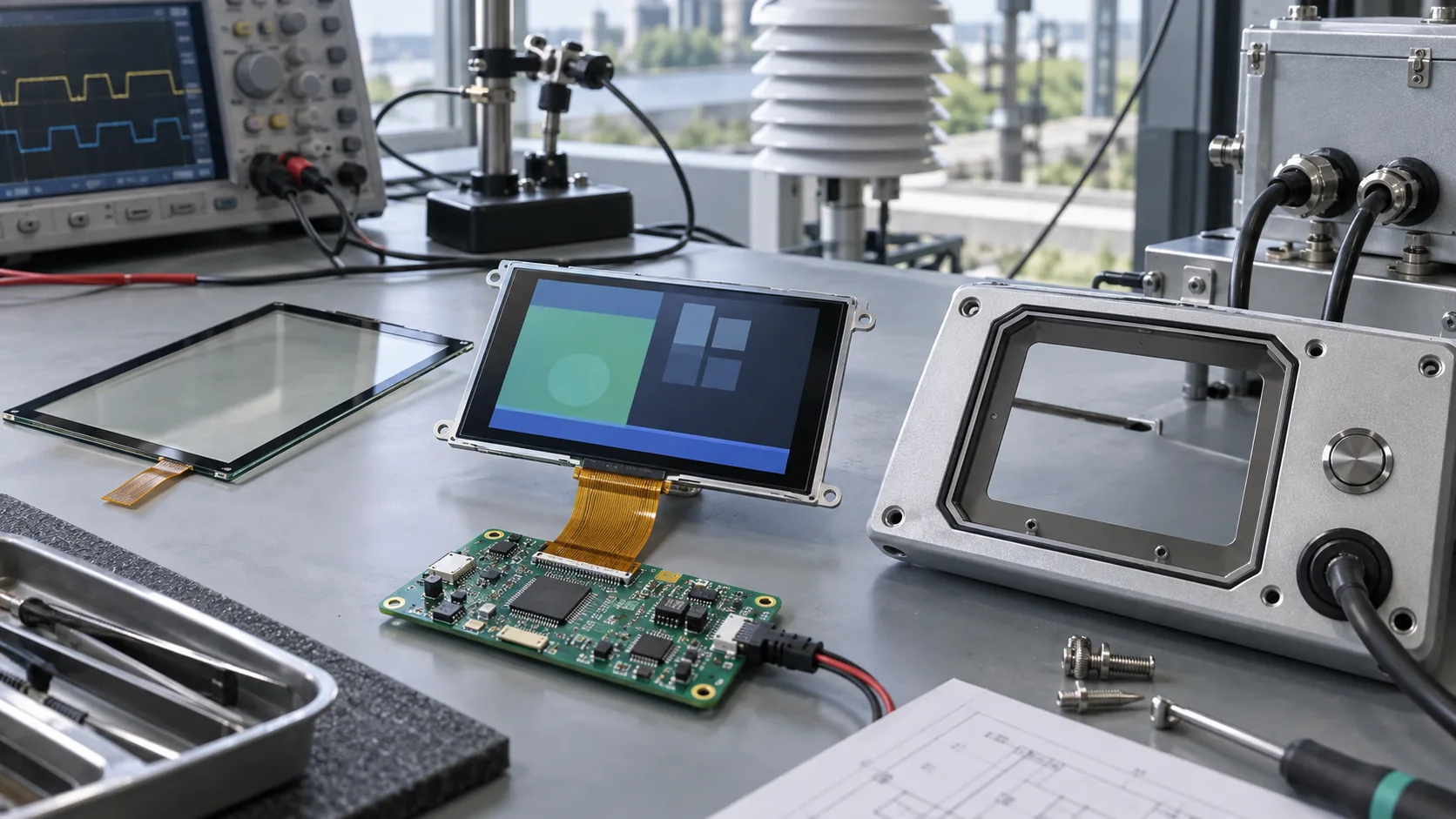 The panel, touch layer, controller, FPC, sealing strategy, and enclosure should be reviewed as one industrial assembly.
Build the Test Article Before the Hardware Is Frozen
The first useful prototype is not only a powered LCD panel. It is a realistic assembly: TFT module, controller, FPC, lens, front frame, gasket, enclosure, cable entry, power arrangement, and representative firmware. That article reveals mechanical and electrical details that a data sheet cannot resolve on its own.
Inspect the FPC bend route and connector access. Check whether fasteners or brackets apply uneven pressure. Validate the sealing method without putting stress on the active area. Confirm that grounding, cable shields, and power wiring do not obstruct service. Where a touch interface is appropriate, test it with the actual lens, gloves, moisture conditions, and input procedure. Capacitive touch TFT LCD modules can be a strong fit for sealed equipment fronts, but only after the complete stack has been evaluated.
Use Service Scenarios, Not a Generic Screen Demo
An attractive demonstration screen proves little about field usefulness. Test the display with a short set of realistic events: a normal start, a sensor communication problem, stale data, an out-of-range indication, a controlled restart, and a return to normal operation. Ask the person performing the task to identify the equipment state and the intended next step without hints.
This review also clarifies the boundary between a local HMI and the broader monitoring system. The cabinet screen can provide immediate operating context, but it should not be treated as a replacement for a regulated record, historian, compliance report, or central alarm-management process. Clear responsibility makes the product easier to validate and support.
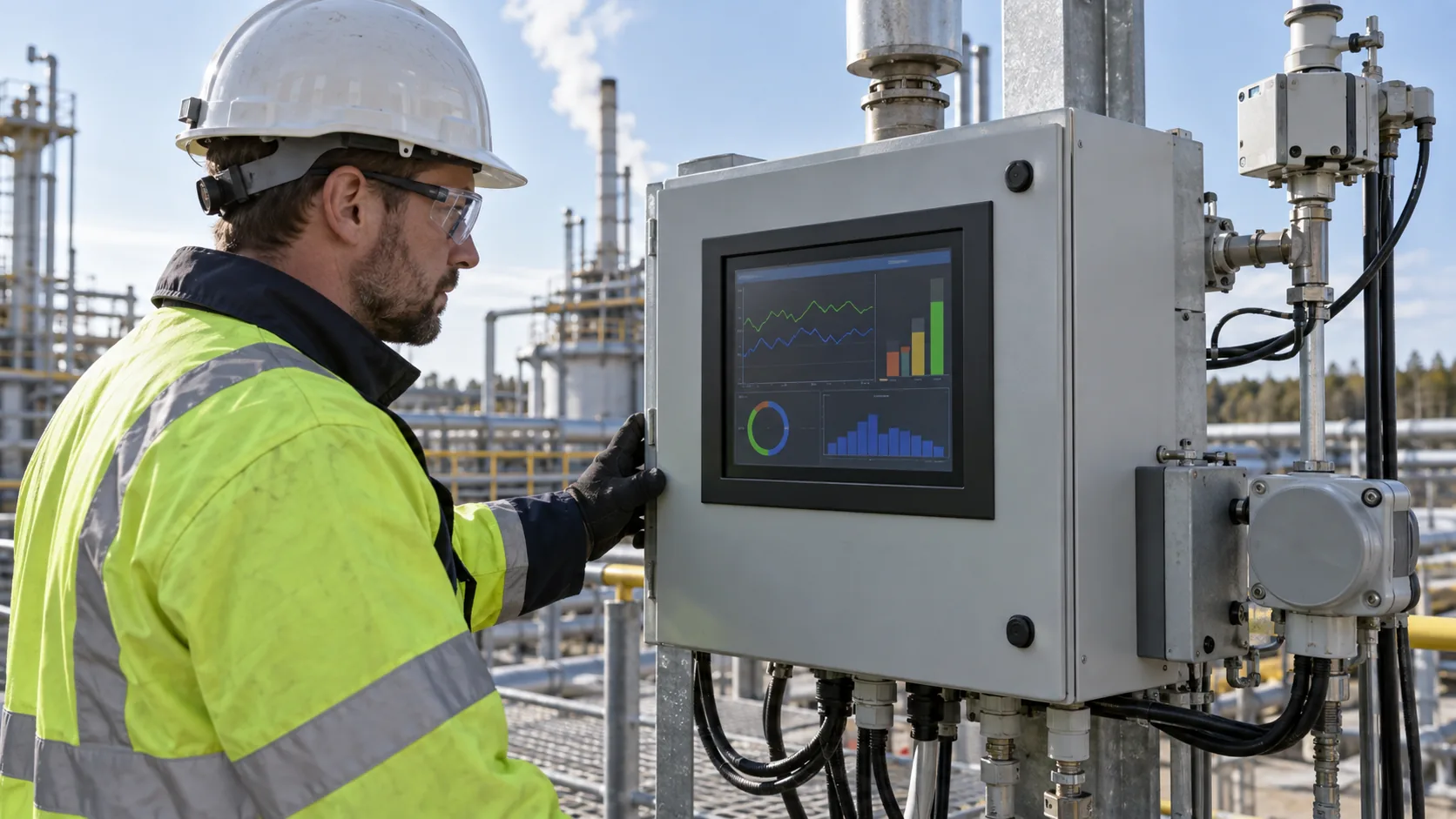 A well-integrated local display can make service checks more direct without replacing the plant's designated data system.
Check the Environment Around the Cabinet
The display's specified operating range is only one input. Review the temperature inside the enclosure, solar loading, condensation risk, local heat sources, cleaning practice, and expected service interval. An enclosure can be considerably warmer than the surrounding air, while a winter service visit may place very different demands on response time and optical behavior.
For demanding installations, compare wide-temperature TFT LCD modules against the actual product requirement. Avoid a vague statement such as “outdoor use” in an RFQ. Give the expected range, mounting construction, lighting condition, protective window, and exposure pattern so the display choice can be reviewed on evidence.
Create an RFQ That Helps Engineering Move Quickly
A useful display RFQ describes the field job as well as the module. Include the monitoring application, target size, active area, resolution, interface, controller platform, preferred input method, front-panel design, mounting limits, ambient and internal temperature targets, viewing distance, annual volume, and lifecycle expectation. A cabinet drawing and a simple screen hierarchy are often more valuable than a long list of generic features.
Also clarify who owns firmware, enclosure tooling, image design, sample acceptance, change notification, and field-service documentation. Sunshine Display supplies industrial display modules for OEM equipment, including TFT LCD modules for control and monitoring products. Contact Sunshine Display to discuss a monitoring-equipment display requirement with the intended installation and service workflow in view.
