
A reflective e-paper display can keep the current setup information visible at a tooling station without continuous power draw.
At a tooling changeover station, the hardest problem is often not finding the instruction. It is making sure the correct, current instruction remains in front of the person who is changing a fixture, die, or machine setup. A paper sheet can become outdated, a conventional monitor needs continuous power, and a message on a remote system may be too far from the work. An e-paper display for tooling changeover stations offers a useful middle ground when the information needs to stay visible for hours or days and only changes at defined points in the process.
E-paper is not a replacement for every industrial screen. Its update behavior makes it a poor fit for fast animation, continuous process visualization, or real-time motion control. But its bistable image, reflective surface, and low standby energy use make it a strong candidate for setup sheets, job state, approved tooling references, maintenance steps, and material-change instructions. For OEM teams, the value comes from fitting that behavior to a real work process rather than treating electronic paper as a generic low-power screen.
Start at the Workstation, Not the Display Specification
Before comparing diagonal sizes or panel colors, watch a representative changeover. Where does the technician stand? Which item is touched first? What information must be confirmed before the next step? Who is allowed to revise the content? A useful display should make the approved setup state easy to recognize without becoming another source of ambiguity.
At many stations, a persistent page can contain a fixture identifier, visual orientation reference, tool locations, inspection reminder, and an escalation route. The exact content depends on the plant's established procedures, but the design principle is simple: show the information that helps complete the local task, and avoid turning the screen into a crowded copy of the MES or production dashboard.
The reflective surface is helpful in bright workshops because it uses ambient light instead of competing with it. Wide viewing angles can also suit a station shared by an operator, technician, and supervisor. When a project requires a fully changing color interface or rapid feedback, standard TFT LCD modules remain the more natural direction. The first engineering decision is therefore about information cadence, not fashion.
A Simple Fit Test for E-Paper
E-paper is worth evaluating when these statements are mostly true:
- The page can remain useful between infrequent, deliberate updates.
- The display must stay readable under normal factory lighting without relying on a high-brightness backlight.
- A temporary interruption of power should not erase the last approved instruction.
- The product benefits from low energy use at a distributed set of stations.
- The content can be designed for the panel's refresh behavior and contrast characteristics.
If a changeover sequence needs a timed countdown, a fast alarm animation, or frequent screen transitions, specify that explicitly. A hybrid product may use an e-paper panel for durable work instructions and a TFT HMI for rapid machine interaction. Both can be part of a coherent industrial display strategy; the application determines the right tool.
Design the Page for a Persistent Medium
An e-paper screen rewards a different layout discipline than a backlit UI. Use a clear hierarchy: the current job or station state, the next verification point, and the information needed to find an approved procedure. Strong shapes, uncomplicated tables, generous spacing, and consistent symbols are usually more useful than dense detail. Content owners should also decide what happens after an update fails, is delayed, or requires a supervisor's release.
The display should not invent a new source of truth. It can receive information from the equipment or plant system, but the integration must define the authority, update trigger, acknowledgment process, and recovery method. This matters especially where an old setup instruction could create a quality or safety risk. Build the exception behavior with the operations team before the screen layout is locked.
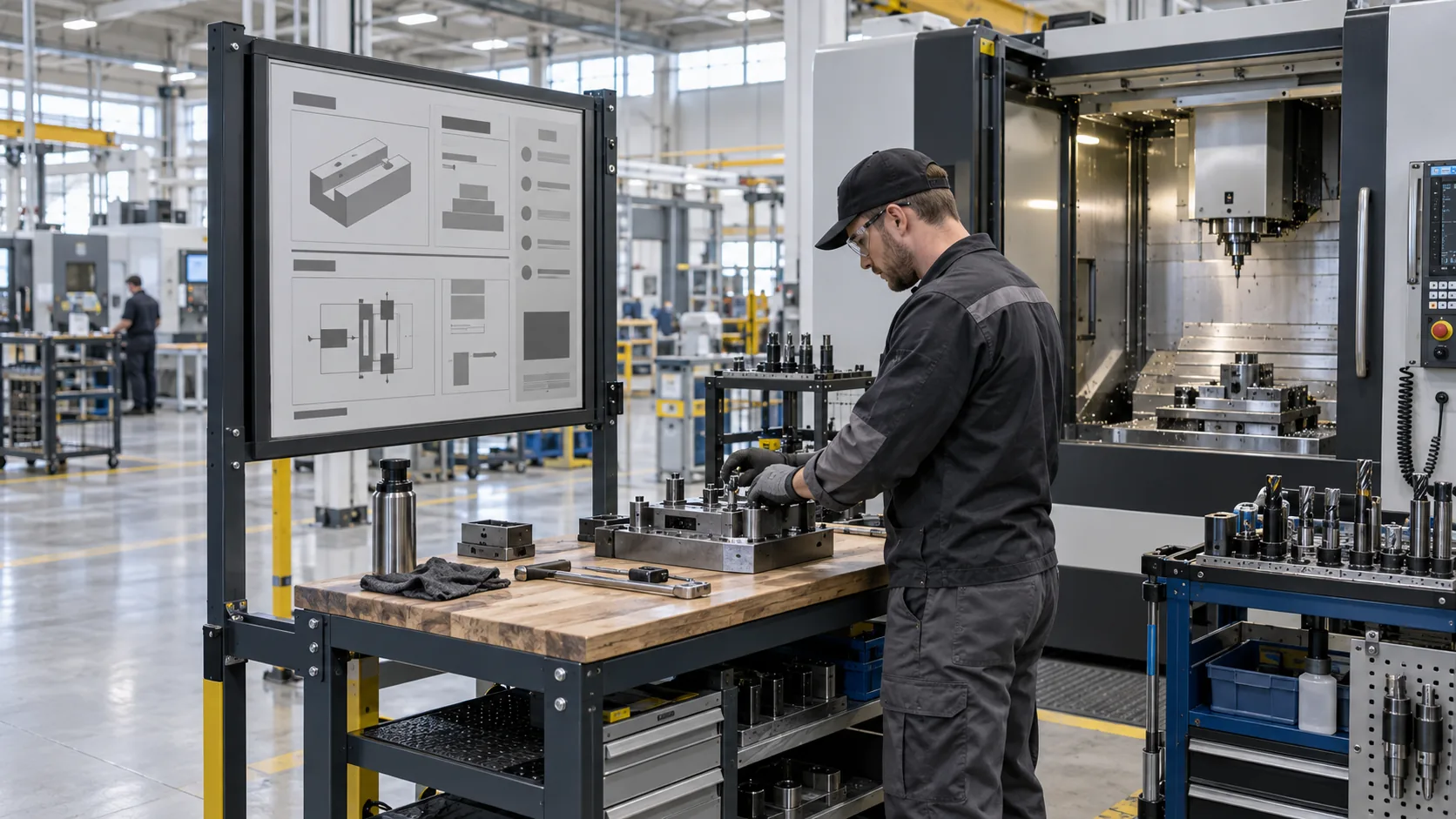 At a changeover point, persistent visual instructions help keep the approved setup sequence close to the fixture and machine.
Treat the Hardware as an OEM Assembly
The module is only one layer of the finished product. A durable changeover display also needs a controller strategy, power budget, protective lens, enclosure, mounting geometry, cable route, and sensible access for service. Industrial display modules are easier to select when the supplier can see the intended front panel and mounting space instead of receiving a feature list alone.
For example, a large exposed display may be readable but vulnerable to impact, cleaning chemicals, or accidental contact. A recessed lens can protect it but might introduce reflections or make an edge-mounted cable difficult to service. Review the bezel, gasket, connector strain relief, fasteners, and tool clearance together. If the product needs an interactive confirmation layer, compare the final lens stack with capacitive touch TFT LCD modules for applications where touch and faster visual feedback are essential.
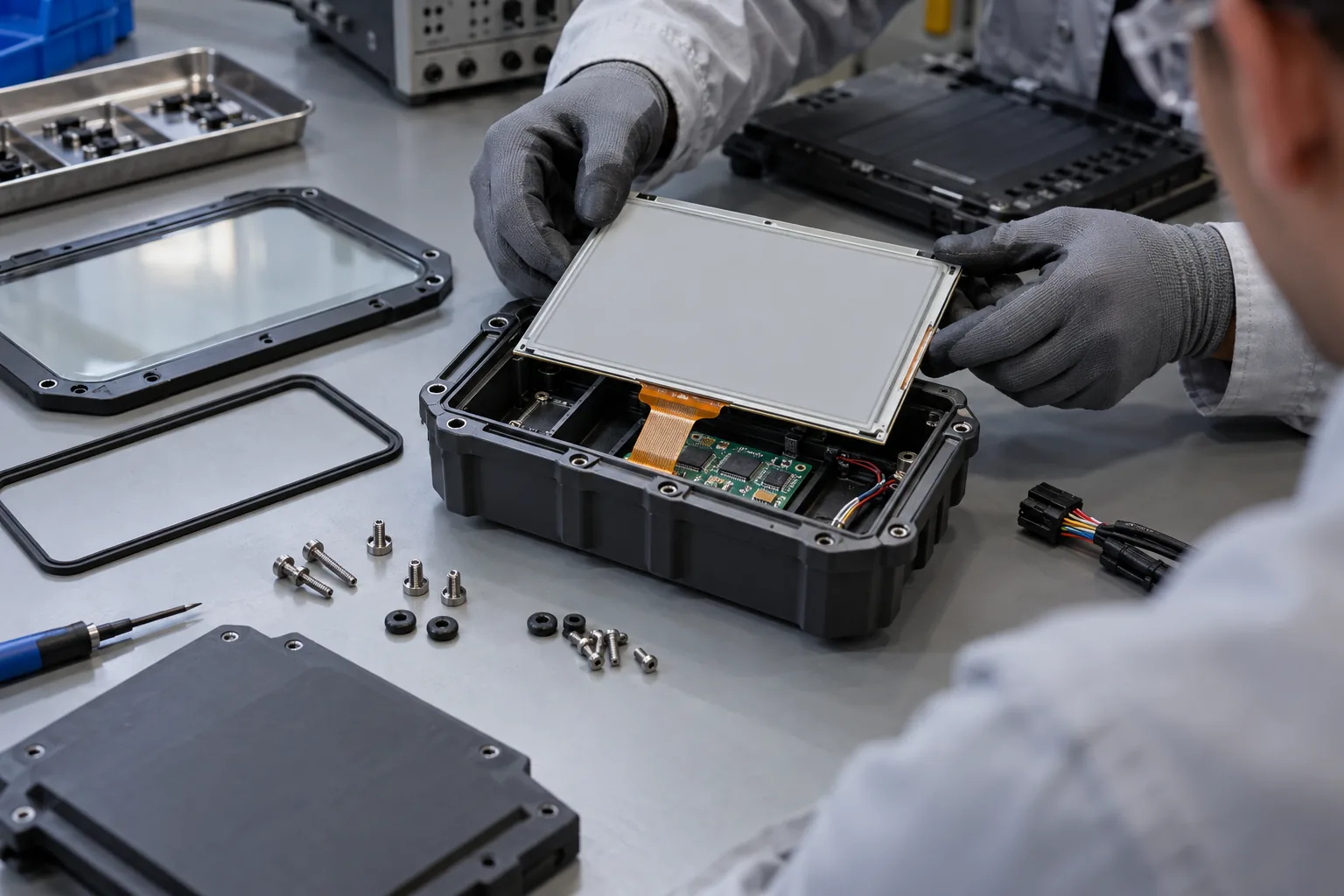 The display, controller, sealing method, cable route, and enclosure must be evaluated as one serviceable industrial assembly.
Validate the Update Journey, Not Just the Image
Bench testing should include more than a clean first image. Use representative updates: a planned product switch, an approved revision, a network interruption, a low-power restart, and a return to service. Confirm that the station shows the expected page, that the last valid page is handled appropriately, and that the person at the station can identify an issue without guesswork.
Test the finished enclosure in its actual lighting and mounting position. Look for reflections from overhead fixtures, visibility across the normal standing zone, access around the fixture, and the effect of dust or cleaning residues on the cover lens. For temperature-challenging equipment, review the installed conditions rather than only the room temperature. Wide-temperature TFT LCD modules may be appropriate when the use case demands more frequent, active display behavior in a difficult thermal environment, while e-paper products should be selected against their own confirmed operating and refresh limits.
The RFQ Details That Save Time Later
A practical RFQ for a custom e-paper display solution describes the task, not just the panel. Include the station function, target active area, page layout, update frequency, expected image types, controller or interface preference, power arrangement, enclosure drawing, lens material, ambient conditions, cleaning exposure, target quantity, and lifecycle expectations. State whether the device is stand-alone, connected to a controller, or part of a larger OEM product.
Sunshine Display supports industrial display modules, including LCD display modules up to 32 inches, TFT LCD modules for OEM applications, and e-paper display modules for low-power product concepts. To review a tooling-station requirement from the work instruction through to the enclosure, contact Sunshine Display with the intended workflow and sample-page requirements.
