
A rugged TFT LCD HMI helps operators monitor checkweighing equipment, reject handling, and line status in real time.
Industrial checkweighing systems make fast decisions on a moving line. Operators need to see setpoints, current results, reject activity, alarms, production counts, and service prompts without leaving the machine. That makes the display more than a decorative screen: it is the operating surface between the weighing controller and the people responsible for product quality and throughput.
For OEMs, selecting a TFT display for industrial checkweighing systems is a system decision. The module must fit the enclosure, match the controller interface, remain readable under factory lighting, tolerate cleaning and vibration, and support the way operators actually work. The right choice depends on the HMI task rather than a single specification such as diagonal size or resolution.
Start With the Operator's Decision Path
Map what an operator must recognize in the first few seconds. During production, that commonly includes normal operation, product selection, gross and net weight information, reject confirmation, line speed, fault state, and whether the machine needs attention. During setup, the same HMI may need recipe selection, calibration functions, access control, and diagnostic pages.
This mix calls for a hierarchy that is easy to scan. Put the current line state and any action-required condition in predictable positions. Use color as reinforcement, not as the only signal. Small text and dense trend information may look acceptable on a desktop mockup but become difficult to use behind a protective lens, at an angle, or when the operator is wearing gloves.
For real-time menus, changing values, and interactive diagnostics, standard industrial TFT LCD modules are a natural foundation. Select the display after defining the information and interaction sequence, not before.
Match Optical Performance to the Installation
Checkweighing machines are installed in many lighting conditions. A bright packaging hall, a window-facing production room, and a dim service area create different reflection and contrast challenges. Evaluate luminance, front-lens treatment, viewing direction, enclosure shading, and the angle at which the machine is normally operated. A good display module can still become hard to read when paired with a glossy lens that reflects overhead fixtures.
Viewing angle matters when a supervisor needs to read a line state from beside the conveyor or when a technician works off-center during setup. IPS TFT LCD modules can be useful where consistent color and contrast across a wider viewing range are important. The final decision should come from a representative assembled sample, not panel-only evaluation.
Design the Front Panel Around Cleaning and Operation
Food, pharmaceutical, and industrial packaging equipment often requires regular cleaning. The HMI face should fit the enclosure's sealing strategy and should be tested with the intended cleaning process. Front glass or a cover lens may improve protection, but thickness, bonding method, gasket compression, and mounting stress must be controlled so they do not reduce touch performance or impose pressure on the LCD module.
Touch is one choice, not an automatic requirement. A sealed capacitive touch surface can simplify cleaning and present a modern operator interface. Yet glove type, water droplets, cleaning residue, and accidental touches can change the experience. When touch is appropriate, review capacitive touch TFT LCD modules with the intended lens stack and controller. Some machines benefit from a mixed approach of touch and dedicated physical controls for emergency or high-frequency actions.
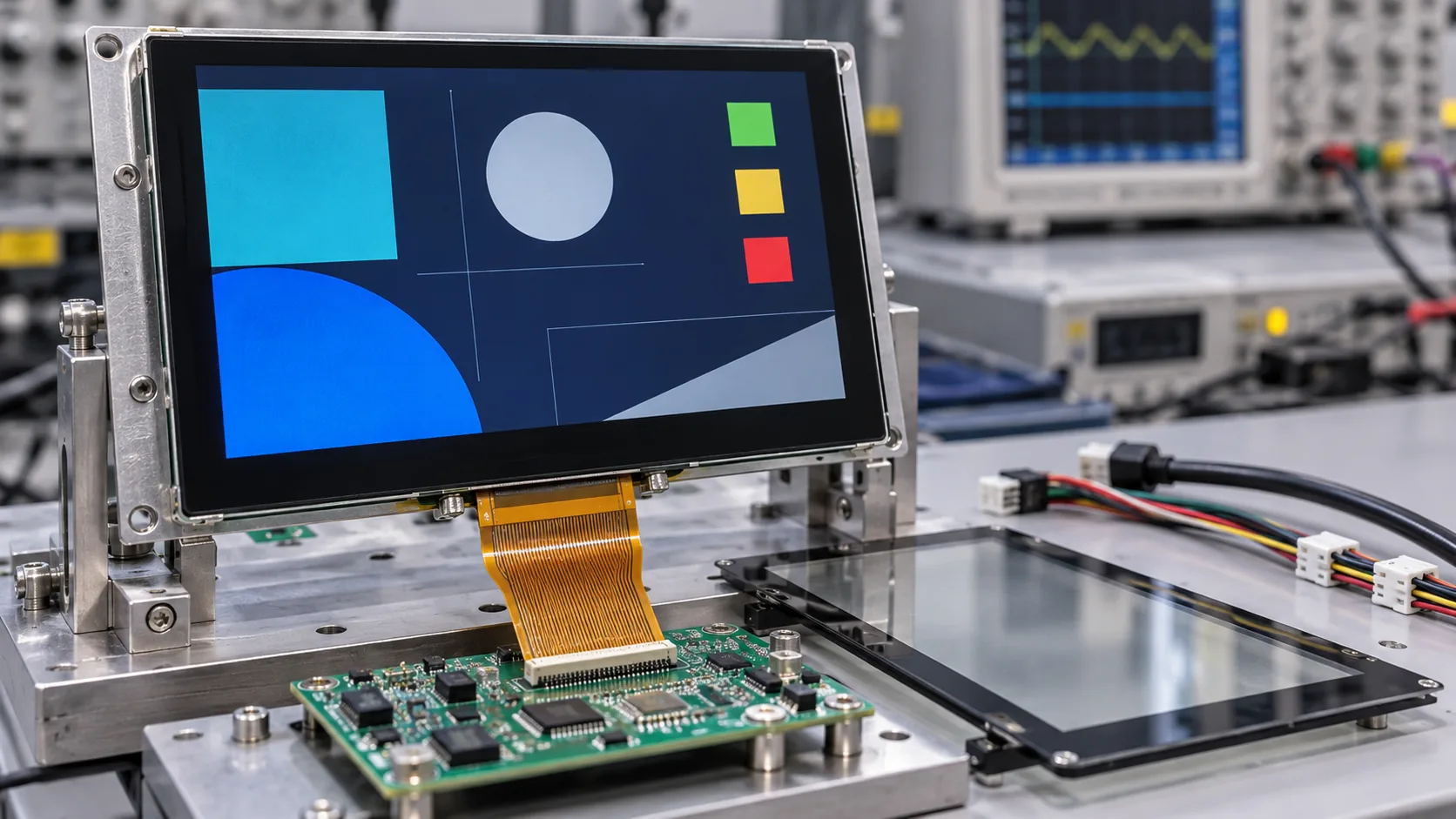 Display module, touch lens, controller, cabling, and enclosure should be tested together before an industrial HMI enters production.
Treat Electronics and Mechanics as One Assembly
The display's active area is only one dimension of the design. Mechanical drawings should define outline, viewing area, mounting land, lens opening, cable exit, bend radius, connector clearance, and access for service. The controller board, FPC, backlight power, grounding path, and electromagnetic environment all need room inside the cabinet.
Vibration from conveyors, nearby motors, and reject mechanisms can make marginal cabling or mounting problems appear only after installation. Review connector retention, strain relief, screw locations, and panel support during the prototype phase. For machines installed in demanding environments, evaluate temperature exposure at the actual display location; a controller cabinet can be warmer than the general room. Wide-temperature TFT LCD modules may be relevant where the completed HMI must operate beyond ordinary indoor conditions.
Validate the Live Workflow, Not Just the Datasheet
A data sheet is an important starting point, but it cannot show whether the HMI is comfortable to use on a running line. Build an early assembly with the final lens, enclosure geometry, controller, and representative application screen. Test under the lighting, cleaning, vibration, and viewing positions the customer expects.
Confirm display startup behavior, backlight stability, interface recovery, touch response, and fault presentation. Test operator actions with production gloves and check that critical messages are not hidden by reflections, menus, or an awkward viewing angle. Review how screen updates behave during a controller restart and what the operator sees when the line is stopped or an inspection device is offline.
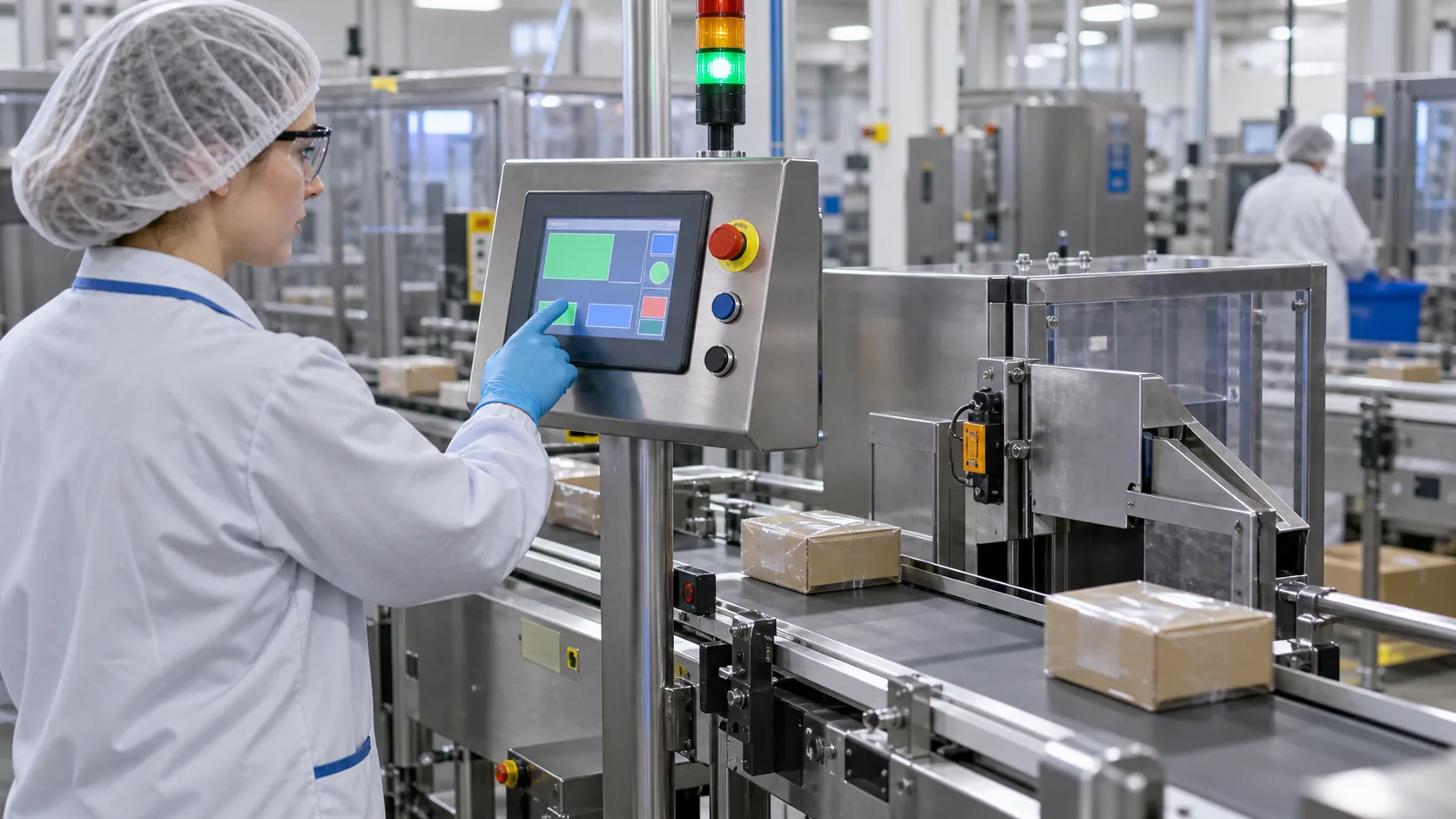 The HMI must remain readable and responsive while operators supervise product flow, reject actions, and line conditions.
Practical Buying Advice for Checkweighing OEMs
An effective request for quotation explains the application as well as the screen specification. Include the target machine, preferred display size, active area, resolution, interface, controller platform, touch requirement, lens design, mounting limits, operating temperature, brightness target, viewing direction, cleaning exposure, annual quantity, and expected lifecycle. A mechanical drawing and simplified HMI mockup make early feasibility review much faster.
Ask about module availability, compatible alternatives, change-control practice, and the ownership of controller firmware and front-panel assembly. For a new platform, sample testing should include the complete industrial HMI, not only the bare module. Sunshine Display supplies industrial display modules for OEM applications and can help review the module and integration path.
The strongest checkweighing HMI is the one operators can read, understand, and use reliably throughout the machine's working life. Contact Sunshine Display to discuss TFT LCD modules and display integration for industrial weighing, inspection, and packaging equipment.
FAQ
What display size works for industrial checkweighing equipment?
The right size depends on viewing distance, information density, enclosure space, and operating workflow. A compact HMI can suit a local station, while a larger module can make setup and production status easier to read from farther away.
Does a checkweighing HMI need capacitive touch?
Not always. Capacitive touch can provide an intuitive sealed front surface, but the selection should consider gloves, moisture, cleaning procedures, accidental activation, and whether physical keys are required for critical functions.
What should an OEM validate before releasing a TFT HMI?
Validate optical readability, touch or key operation, display and backlight performance, interface stability, ESD protection, mechanical fit, temperature behavior, cleaning exposure, and supply continuity in the final enclosure.
