
E-paper can keep calibration status and service information visible on industrial equipment without continuous display power.
Calibration equipment only supports reliable decisions when its status is easy to find and trust. In a metrology room, tool crib, test station, or field-service cabinet, technicians may need to see the asset identity, calibration due date, hold condition, service assignment, or latest completed action before using an instrument. Paper cards are simple, but they can be lost, copied incorrectly, or left unchanged after a workflow update. An active display can show live measurements, yet it needs continuous power and is often more capability than a persistent status surface requires.
An e-paper display module gives industrial OEM teams a practical middle ground. It preserves the last image without continuous display power, works well under strong ambient light, and can be integrated into a low-power calibration-status product. The technology is not a substitute for the live screen on a multifunction calibrator or test instrument. It is most useful when information changes occasionally but must remain visible between updates.
Identify the Information That Should Persist
Start with the information an operator needs before touching the equipment. A compact e-paper panel can show an asset identifier, calibration state, next service window, instrument location, workflow owner, or a clear hold instruction. On a cabinet or rack, a larger panel may summarize which standards are available, which are quarantined, and which work is scheduled next.
This is different from a measurement interface. A pressure calibrator, temperature controller, or electrical test instrument needs an active display when values, alarms, menus, and trends change quickly. In those roles, industrial TFT LCD modules remain the appropriate choice. E-paper can complement that HMI by providing a persistent identity or service-status display even when the main instrument is powered down.
Define the information hierarchy before choosing a panel. Put the operational state first, then the equipment identity and the action required. A screen filled with small tables may be technically possible but difficult to scan while a technician is moving between fixtures. High-contrast blocks, short labels, and a deliberate blank-space margin tend to suit reflective displays better than a dense LCD-style dashboard.
Calculate the Complete Power and Update Cycle
E-paper retains an image with very low standby demand, but an update is not free. The design must account for controller wake-up, data transfer, radio activity where applicable, panel refresh, and the return to sleep. A battery-operated cabinet label that updates once per shift has a very different energy profile from a portable service device that updates after every test.
Refresh behavior deserves equal attention. A full update is slower than an LCD frame and may use a visible transition sequence to clean the image. Partial refresh can be useful for selected fields, but repeated partial updates may cause ghosting depending on the panel, waveform, temperature, and content. Test the intended screen layout and update schedule rather than relying on a nominal panel specification.
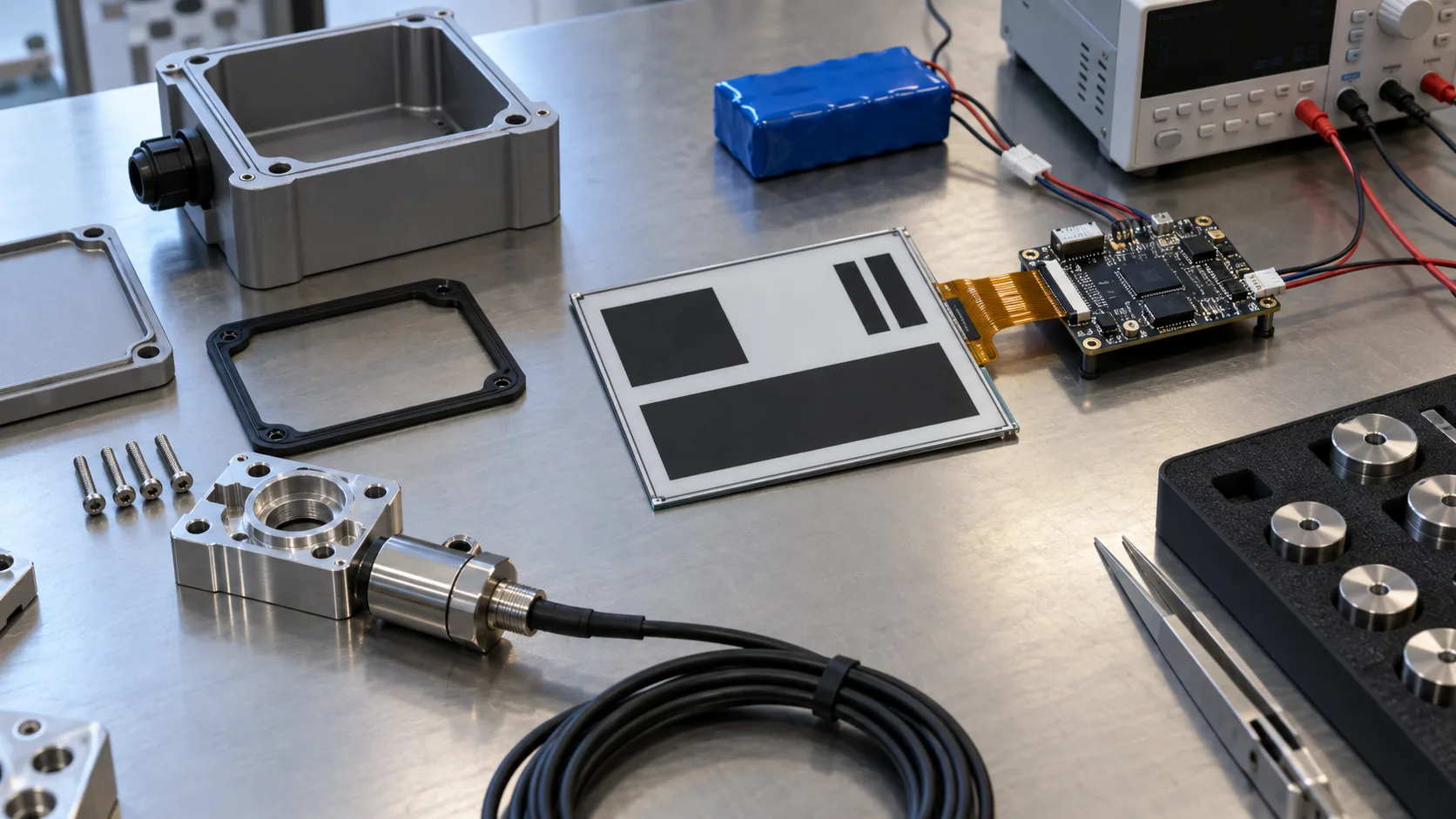 Low-power controller, display module, enclosure, battery, cabling, and update behavior should be validated as a complete industrial product.
Choose Size, Contrast, and Content Around the Job
Choose display size from viewing distance and task, not from a familiar consumer diagonal. A small module can identify a calibrated probe case or a portable reference device. A medium module can serve a bench instrument, equipment door, or tool-storage drawer. Larger industrial display modules may suit a shared calibration rack or status board. Sunshine Display supports industrial display modules across LCD and e-paper product requirements, so the mechanical envelope and content plan can be reviewed together.
Black-and-white e-paper generally offers the strongest contrast for service states and due information. Accent-color panels can separate a hold condition from routine status, while color e-paper can make categories easier to recognize. These choices should be evaluated against refresh time, temperature response, viewing environment, and the actual operating workflow. Do not select color simply because a software mockup uses it.
Build a Rugged OEM Calibration Product
A display module is only one part of an industrial calibration product. The enclosure must manage mounting load, front-window reflection, dust, cleaning chemicals, vibration, cable routing, and connector retention. The controller board, FPC, power source, antenna, service access, and mounting method should be evaluated as a system. A thin panel is valuable only when the complete assembly still fits the required enclosure and survives normal handling.
For equipment that also needs an active operator interface, consider separate roles instead of forcing one technology to do both jobs. An IPS TFT LCD module can provide color, wide viewing angle, and fast interactive feedback, while an e-paper panel maintains the calibration status with little standby power. If the active interface needs gloved or wet-environment input, review the relevant capacitive touch TFT LCD options alongside the front-panel construction.
Validate in the Metrology Workflow
Validation needs to happen at the bench, in the intended enclosure, and in the real process. Test readability under direct and reflected light, response time at expected temperature limits, sleep and update current, recovery after communication loss, and behavior during a power interruption. Check that a partially completed refresh does not leave ambiguous status information.
The workflow also needs a freshness rule. Because the last image remains visible after power is removed, users should be able to identify whether the data is current. A last-update timestamp, synchronization mark, LED, or controlled software state can help, but the design must not make unverified information look authoritative. Calibration control still depends on traceable procedures and approved records; the display should support that process rather than replace it.
 Persistent e-paper status information can help teams coordinate calibration and service tasks across industrial instruments.
Practical Buying Advice for OEM Teams
An effective request for quotation describes the job before it lists the display. Provide the target product, mounting space, preferred active area, content layout, color expectation, interface, controller approach, update frequency, operating temperature, power source, enclosure material, environmental exposure, annual volume, and expected lifecycle. Share a simple screen mockup and mechanical drawing when available.
Ask the supplier how the panel, controller, firmware, enclosure, and final assembly will be owned and validated. For outdoor or cold installations, specify the actual environmental range and test plan. For an instrument with a separate active display, note the interface and front-panel requirements so the two screens do not compete for space or service access. Wide-temperature TFT LCD modules may be relevant where the live interface also faces harsh conditions.
E-paper display modules can make calibration information more visible, more persistent, and easier to update without constant display power. Contact Sunshine Display to discuss e-paper modules or a custom calibration-status product for industrial OEM applications.
FAQ
Why use e-paper on calibration equipment?
E-paper retains a static image without continuous display power and is readable in bright ambient light, making it suitable for persistent calibration, service, and equipment-identification information.
Can e-paper replace an active calibration instrument display?
Not where real-time measurement, fast updates, animated trends, or responsive interaction are needed. It can supplement a TFT LCD HMI with persistent status and workflow information.
What can be customized in an e-paper calibration product?
Subject to technical feasibility and volume, customization may include panel size, controller board, FPC, enclosure, front lens, battery, interface, firmware, mounting method, and final assembly.
