
Make scan confirmation easy to read at a glance.
A worker scans a carton, sees a green symbol, and moves on. What did that symbol confirm? The barcode may have been decoded correctly, but the warehouse application might still be waiting for a network response. If the screen makes both events look the same, the worker has little reason to stop and check.
For an industrial scanner with a built-in display, these short exchanges matter more than an elaborate dashboard. The screen needs to show what happened and what to do next, often while the operator holds a package in the other hand. Before choosing a TFT module, map those exchanges and test them at the size people will actually use.
Give Each Result Its Own Meaning
List the states the scanner can encounter during one task: ready, reading, decoded, waiting for the application, accepted, rejected, and offline. Decide which ones need a visible message and which can be handled by another cue. Keep the meaning consistent across screens. A success symbol should not mean one thing during picking and another during dispatch.
Use a short instruction when action is required. A worker who sees an unfamiliar code may not know whether to rescan, check the item, or call a supervisor. Show enough context to distinguish those choices. Include an item identifier where it helps prevent confusion, but avoid displaying a long raw data string when only a few characters are useful.
Test delayed responses as well as immediate ones. If the application takes longer to reply, the display should not encourage a second scan that creates a duplicate transaction. The software team needs to define that behavior; the display module cannot decide whether a warehouse transaction has succeeded. Agree on those responsibilities before the visual layout is approved.
Choose the Screen From the Hardest Message
The normal confirmation screen is usually easy to fit. Exceptions take more space: an item mismatch, a disconnected session, or a prompt asking the operator to choose between similar records. Design those screens first. Include realistic product names and the languages expected in the deployment, then view the layouts at full physical size.
Compare active area as well as diagonal size. A taller display may suit a short list, while another shape may fit the scanner housing more easily. Check the available space around the scan engine, battery, main board, and trigger mechanism. The screen cannot be selected independently of the grip and overall balance of the device.
Sunshine Display's module portfolio provides a starting point for comparing formats. Request the drawing and interface documentation for the particular candidate. A catalog image does not show the cable route, connector clearance, or mounting support needed inside a compact handheld enclosure.
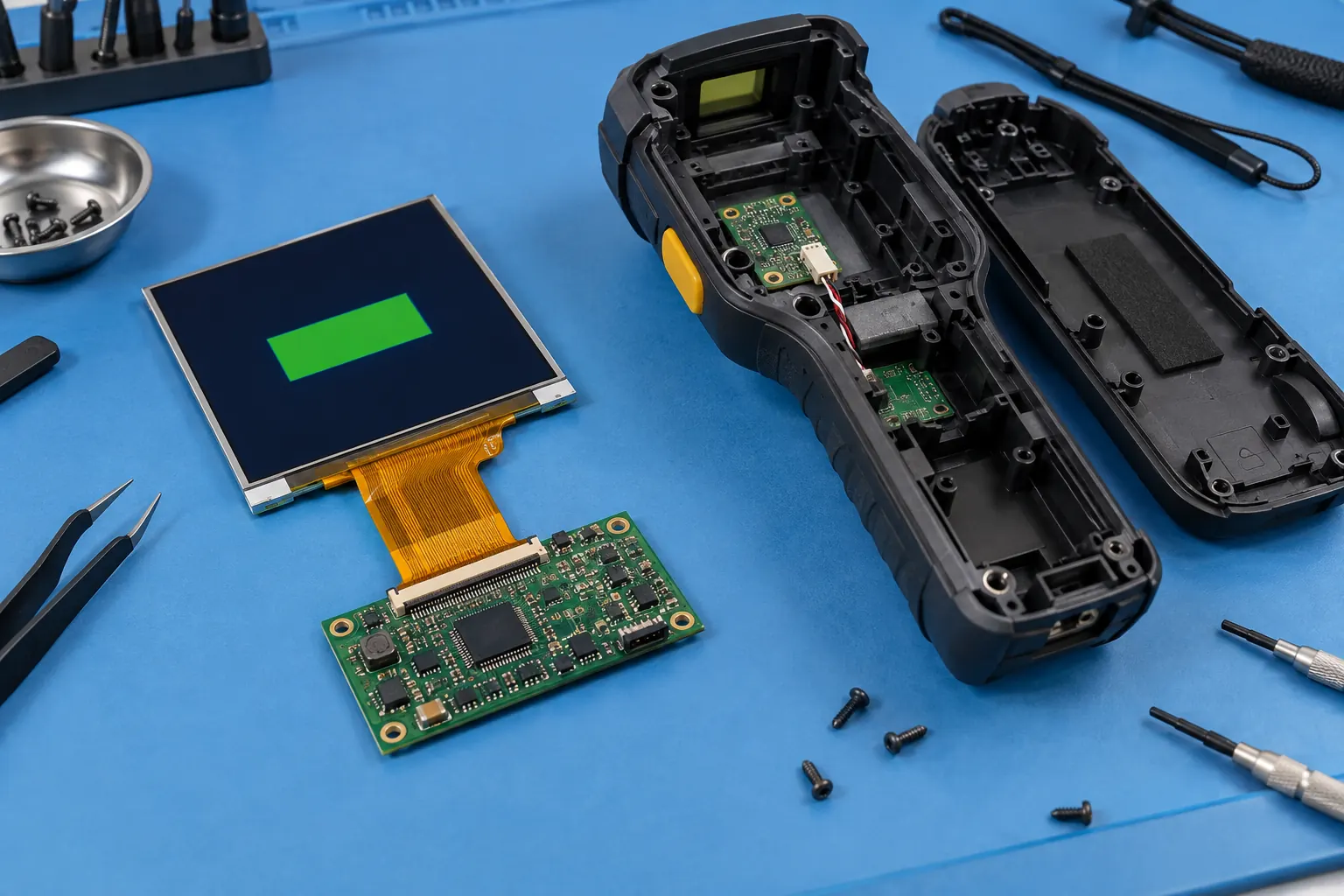 Check the display cable and connector clearances before closing the housing.
Read It While Holding It
A handheld screen rarely stays square to the user's eyes. The operator may raise it toward a shelf, tilt it around a carton, or glance down while walking between workstations. Evaluate the panel from those positions, with the intended protective window fitted. Include overhead lighting and the brighter areas near loading doors.
When comparing IPS TFT LCD modules, use the actual interface colors and text sizes. Look at the secondary information as well as the main symbol. A large confirmation icon can remain obvious while a small instruction becomes hard to read at an angle.
Brightness settings also belong in the trial. Check the screen at the levels the product will normally use, rather than approving it only at maximum output. Ask operators to perform a short sequence of tasks and explain what each screen means. Record missed messages and repeated glances; these observations are more useful than a general preference for a brighter sample.
Keep the Trigger and the Screen Working Together
Decide what happens when the trigger is pressed while the display is dimmed or asleep. Does the first press wake the device, begin a scan, or do both? The answer should be predictable. Test rapid presses, a long pause between scans, and a return from the charging dock so the behavior does not surprise someone in the middle of a task.
Physical controls can be useful for frequent actions when the user has only one free hand. If touch is included, test the final sensor, window, and controller combination with representative gloves and grip positions. Do not assume that every action needs to move onto the screen. A small touch target near the bezel may be difficult to reach without shifting the device.
Keep visual confirmation in step with audible or vibration feedback. If a tone means the barcode was decoded but a screen symbol means the application accepted it, make that distinction understandable during training. Otherwise, an operator may trust the faster cue and miss a later rejection.
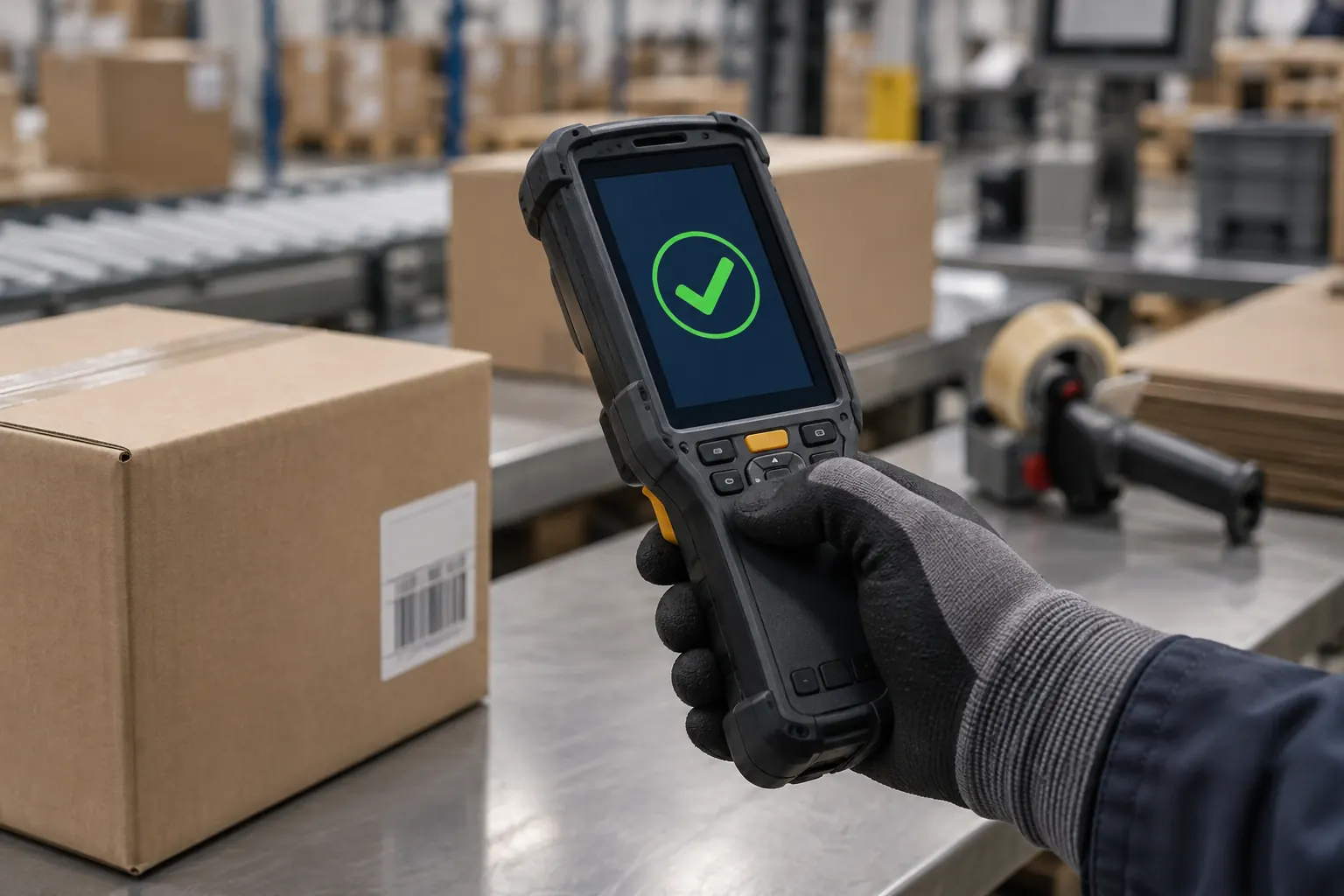 Evaluate the screen from the angles operators use during a shift.
Check the Module Inside the Finished Device
Build an early sample with the proposed display, protective window, enclosure supports, and cable arrangement. Check for pressure on the panel after the housing is closed. Confirm that assembly tools can reach the connector and that routine battery service does not pull on the display cable. Follow the handling guidance for the selected part.
Evaluate the display alongside the scanner electronics during the product's electrical and environmental tests. Include screen transitions, brightness changes, scanning activity, wireless transfers, and charging conditions relevant to the design. Record the exact hardware and firmware configuration so another sample can reproduce the result.
Measure the complete device's power use over a representative work cycle. The display backlight is one load among several; scan activity, communications, idle time, and sleep behavior all affect the result. Use those measurements to review the battery estimate. A panel specification alone cannot establish how long the scanner will last between charges.
Send a Useful Brief With the Sample Request
Provide the supplier with the enclosure envelope, preferred active area, host interface, brightness conditions, and example screens. Include operating and storage requirements, expected annual volume, and the sample-validation schedule. Identify any constraints that are already fixed, such as a controller board or front-window opening.
Ask how the module revision will be identified and how future changes will be communicated. Keep the approved drawing, sample, software settings, and inspection criteria together. This makes it easier to compare later deliveries and to investigate a field issue without guessing which version was fitted.
Contact Sunshine Display with your scanner housing concept and a few representative screens, including an error or retry message. Those details help narrow the display choices before you order samples. The confirmation screen may be simple; the best sample test is the one that also covers what happens when the scan does not go as planned.
