
A maintenance panel can keep the current work state visible at the point where service decisions are made.
An industrial maintenance task can stall for a surprisingly ordinary reason: the machine is isolated, a technician has started work, and the next shift cannot tell what has changed. A paper tag may be missing, a whiteboard may be out of date, and a control screen may be dark once power is removed. For OEM equipment builders, a small e-paper display can provide a stable, low-power place for the current service state, lockout note, inspection result, or handover instruction.
That does not make e-paper a replacement for the maintenance system or the safety process. It is an interface at the equipment boundary. The display needs an owner, an update rule, a physical design that survives the installation, and a clear limit on the information it carries. Those details decide whether the panel reduces uncertainty or creates another device for technicians to work around.
Begin With the Handover Problem
Map the moments when the panel will be read. A technician arriving at an isolated conveyor may need to know whether a work order is open and whether the equipment is safe to approach. A supervisor may need a short inspection status during a walk-through. At shift change, the next technician may need to see what was completed and what still needs attention.
Write those situations before choosing display size. Identify the reader's distance, viewing angle, lighting, glove use, and the maximum amount of information that can be understood without opening an application. A panel that tries to reproduce every field in a computerized maintenance system becomes difficult to scan. A concise, controlled status can be more reliable.
The Sunshine Display product range is a useful place to compare module formats against the intended enclosure, but the equipment workflow should set the brief. Include the active area, outer dimensions, mounting space, update method, expected operating environment, and service access in the first sample request.
Decide What Remains Visible Without Power
E-paper retains a displayed image when the panel is not refreshing. That behavior suits information which should remain available during a stopped machine, a planned maintenance window, or a temporary loss of auxiliary power. It also raises a design question: what should an operator infer from a retained image after a controller reboot or a failed transaction?
Define the valid states in the application architecture. For example, distinguish a confirmed work assignment from a pending update, and distinguish a panel that has not checked in from one that reports a completed action. The display should not be treated as a safety interlock or the authoritative record. The approved maintenance and lockout procedures remain the source of control.
Give the software team clear rules for update acknowledgement, retries, power interruption, and a failed communication path. Test the sequence with the actual device, not just an emulator. A screen that retains an old state can be helpful when its status is governed deliberately; it is risky when the user cannot tell whether the information is current.
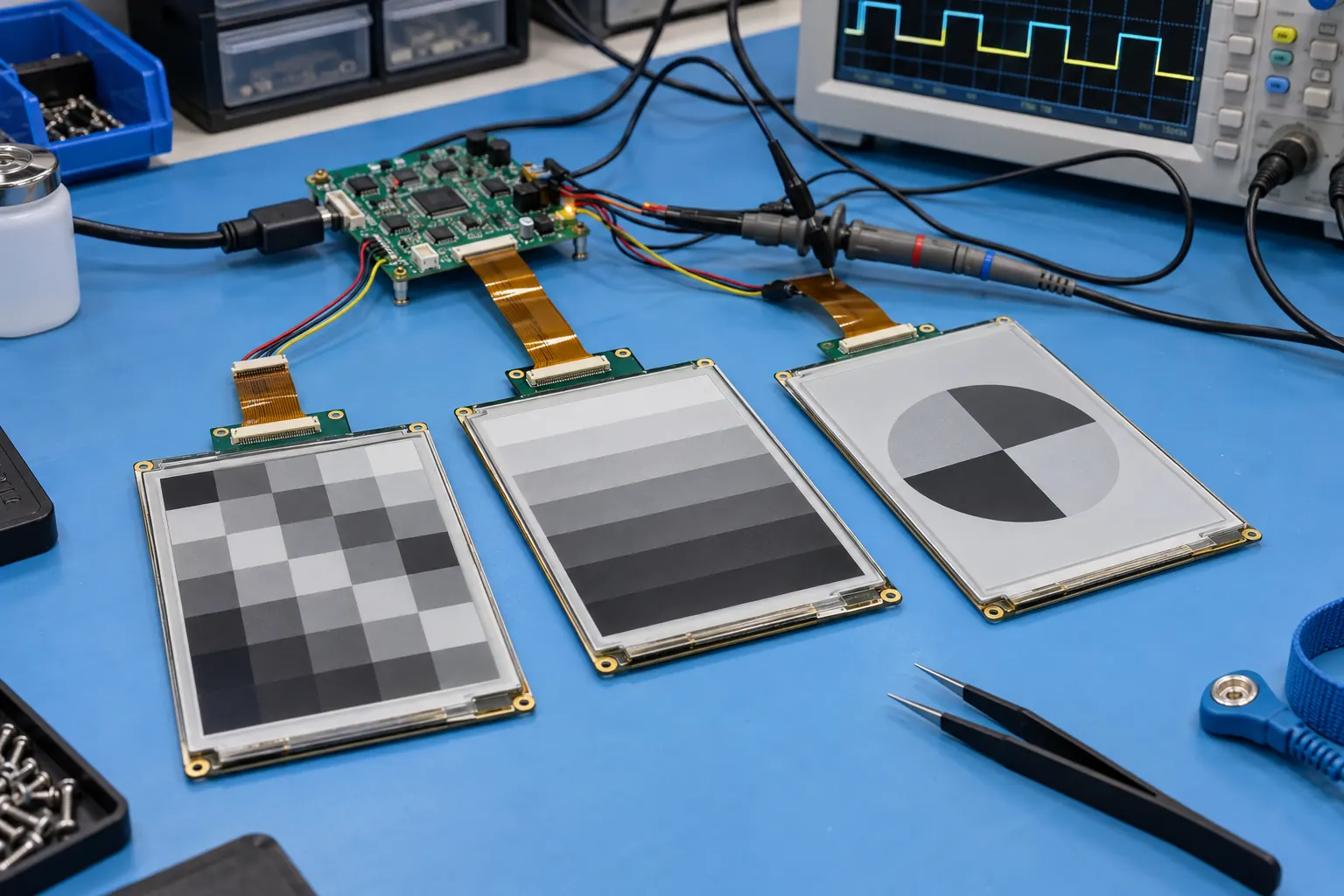
Bench validation brings the module, controller and update sequence into the same test setup.
Validate the Electrical Interface Early
The panel may be mounted close to drives, relays, motors, sensors, and long cable runs. Verify the module and controller with the intended supply, harness length, grounding arrangement, and nearby loads. Include startup, a normal content refresh, recovery after a supply interruption, and any maintenance-mode behavior required by the host equipment.
Connector location matters as much as interface choice. Review the flexible cable bend, strain relief, board support, and the order in which a technician can disconnect parts. A panel that is simple to wire on a bench may become difficult to replace when it is recessed behind a door or mounted beside power hardware.
Some machines need an active color screen for live process values or detailed diagnostics. In that case, compare the real update rate and content with standard TFT LCD modules rather than selecting e-paper by habit. The best display is the one that fits the information behavior, not the one that appears lowest power in isolation.
Build the Complete Front Panel Sample
Bare modules do not answer questions about reflections, gasket compression, cleaning, or cable clearance. Assemble a representative front panel with the selected lens or window, bezel, bracket, seals, harness, and controller. Check the visible area from normal standing positions and when a technician is working close to the enclosure.
If the equipment will be installed in an unconditioned bay, near loading doors, or in a warm cabinet, bring environmental conditions into the sample plan. The enclosure may affect heat flow and condensation risk; the adhesive, lens, and cable assembly also need to suit the application. Where a product family needs a broader temperature comparison, wide-temperature TFT LCD modules provide a useful reference for reviewing display-environment requirements.
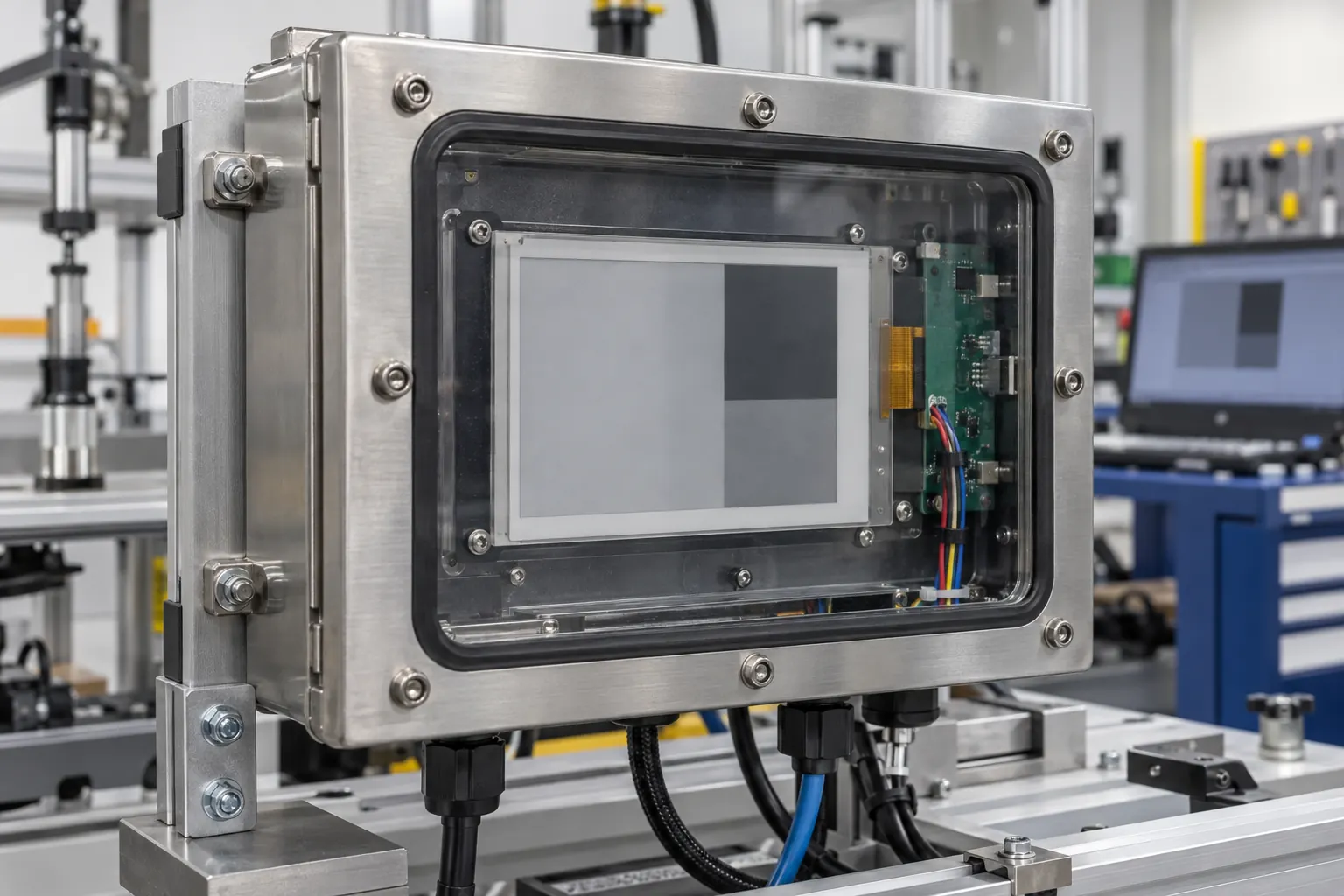
The installed assembly reveals how the protective window, gasket, cable routing and mounting hardware work together.
Give Maintenance Teams a Serviceable Design
Plan the panel around the next repair as well as the first build. A field technician should be able to identify the approved module revision, access the fasteners, disconnect the cable without damage, and confirm the replacement configuration. Keep the approved drawing, controller settings, update behavior, and post-service checks with the equipment records.
Ask practical questions during the pilot. Can the panel be read through a lightly dirty window? Does a gloved technician have a clear view while standing beside the cabinet? Does the cable have enough support after the door is opened repeatedly? Can the retained information be understood after the controller is off? These questions reveal integration risks before a product release locks in the enclosure.
Prepare a Focused OEM Request
A useful request for quotation describes more than a diagonal size. Include the required display area, module outline, interface, content update pattern, display orientation, front-panel stack, operating range, mounting method, expected annual volume, and lifecycle expectation. Provide the enclosure drawing and a representative content layout where possible.
For the pilot, agree on acceptance checks that connect engineering and maintenance: mechanical fit, readability in the installed location, update recovery, harness routing, cleaning exposure, and replacement procedure. Record the exact module and controller versions tested. That record prevents a later sourcing change from looking equivalent simply because the screen size is similar.
Sunshine Display can help OEM teams review e-paper module options and the practical details of an industrial maintenance panel. Contact the team with your enclosure concept, content update pattern, interface, and service constraints.
The strongest maintenance panel is not the busiest one. It gives the next person at the machine a clear, controlled signal and fits the way the equipment will actually be assembled, powered, cleaned, and repaired.
