
Keep the active recipe and machine state visible beside the fixture.
An operator loads a different fixture into a dispensing machine and selects the next recipe. The screen accepts the selection, but the production page still shows the old recipe name. Has the controller applied the change, or has only the menu changed? Before choosing a larger or brighter TFT display, an OEM needs to make that distinction clear.
A dispensing terminal brings together recipe selection, setup adjustments, cycle status and recovery instructions. Each task places different demands on the screen. A layout that looks tidy on a development laptop may be difficult to read beside a fixture, especially through a protective window and under a bright task lamp.
Put the active recipe where it cannot be missed
Keep the active recipe name and revision visible on the production screen. If an operator is editing a candidate recipe, distinguish it from the values currently used by the controller. A highlighted menu item alone is weak evidence that a change has taken effect.
For example, a recipe selection can move through pending, accepted and active states. Use language and placement that make these states easy to tell apart. Do not rely on color alone: a technician viewing the panel from the side should still be able to identify what the machine is doing.
Collect the longest recipe names and the smallest units used in the application before selecting a resolution. A truncated suffix can hide the difference between two similar jobs. Test decimal points, negative signs and unit labels at the intended viewing distance. Increasing resolution without increasing text size can make a familiar interface harder to read.
Separate setup from the production view
During setup, an engineer may need detailed parameters and position information. During a normal cycle, the operator usually needs fewer items: active job, machine state, progress and an understandable explanation when work stops. Giving both tasks the same dense screen adds unnecessary searching.
Build representative pages for setup, running, waiting and fault recovery. Use real terminology from the machine application, with example values clearly treated as test data. Compare candidate industrial display modules against those pages rather than judging a panel from a colorful demonstration video.
Reserve enough room for a useful fault message. A short code may help service staff, but the person at the station also needs to know which condition requires attention. Keep displayed instructions consistent with the machine's operating procedures. The screen does not replace the machine's protective controls or emergency-stop system.
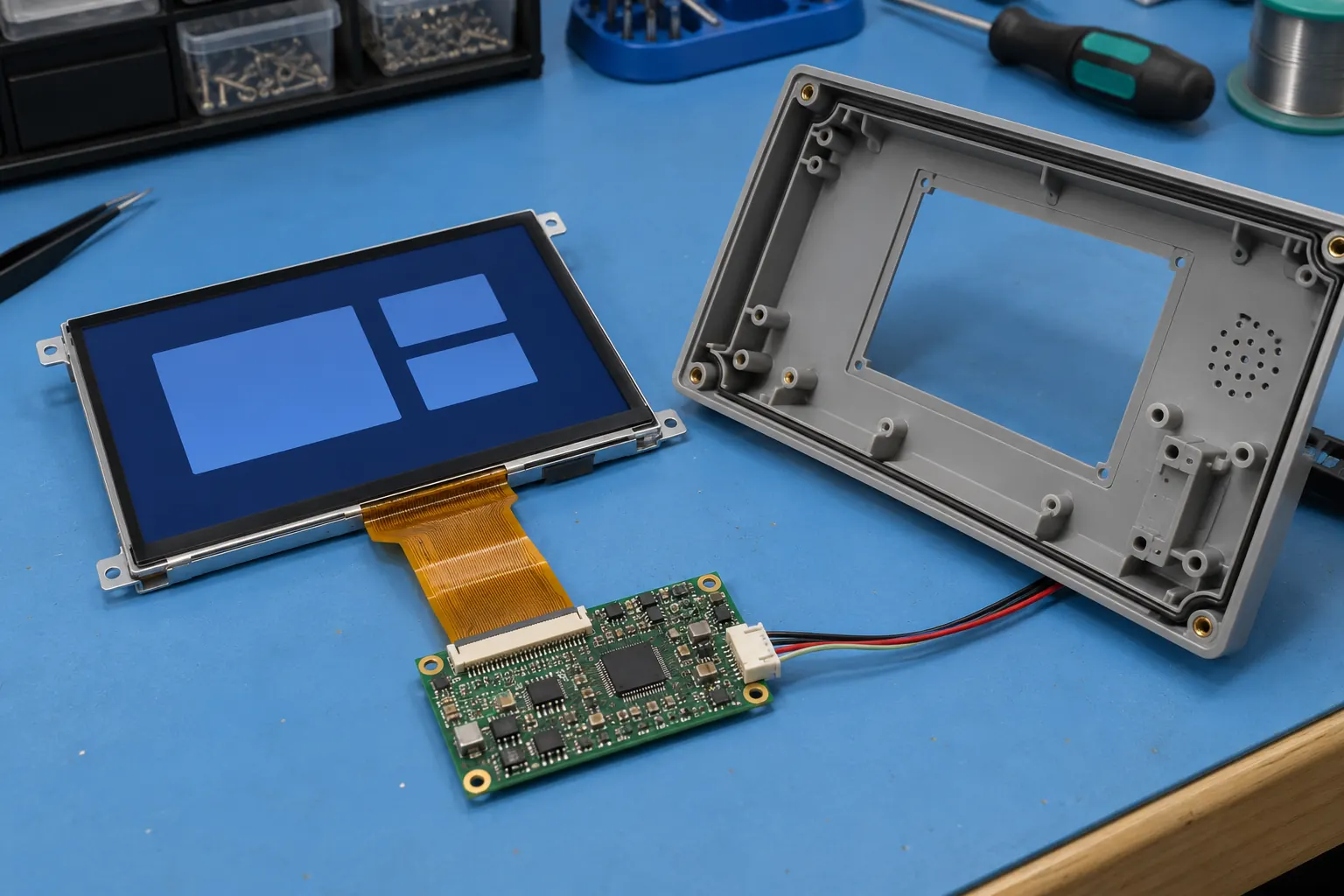 Verify the module interface and cable clearance in the intended housing.
Test touch with the operator's equipment
Touch performance depends on the complete assembly, including the sensor, controller, cover material and configuration. A supplier's bare sample working with a fingertip does not establish performance with the gloves used on the production line.
If considering a TFT module with capacitive touch, provide the intended glove types and cover requirements. Evaluate presses near the edges, adjacent controls and actions that require holding a button. Use the finished layout so the trial captures the spacing between controls as well as the touch response.
Check what happens when a press is not accepted immediately. Repeated taps should not silently queue multiple parameter changes. Show feedback that distinguishes a received input from a completed controller action. For consequential settings, the application may need an explicit review step or an access level appropriate to the user's role.
Contamination also belongs in the evaluation plan. Determine the expected cleaning method and possible residue around the panel. Confirm material compatibility with the component suppliers and assess the assembled terminal under those conditions. Do not infer chemical resistance or an enclosure protection rating from the appearance of the front glass.
Check the view beside the fixture
Position a sample where the terminal will be installed, with the machine enclosure, task lighting and workpiece present. Look at it from the loading position and from the side used for setup. Check small text and dark controls, not just a full white screen.
Reflections can obscure information even when the backlight looks bright on a bench. Adjust the mounting angle and consider the protective window as part of the optical design. If a different panel is needed, compare samples under the same lighting and with the same page content. Keep brightness settings consistent so the comparison is meaningful.
A panel mounted on an adjustable arm also needs mechanical checks. Follow the cable through the arm's full movement, leave the required bend allowance and confirm that connectors are not carrying the strain. Document the final cable route so production assembly can reproduce it.
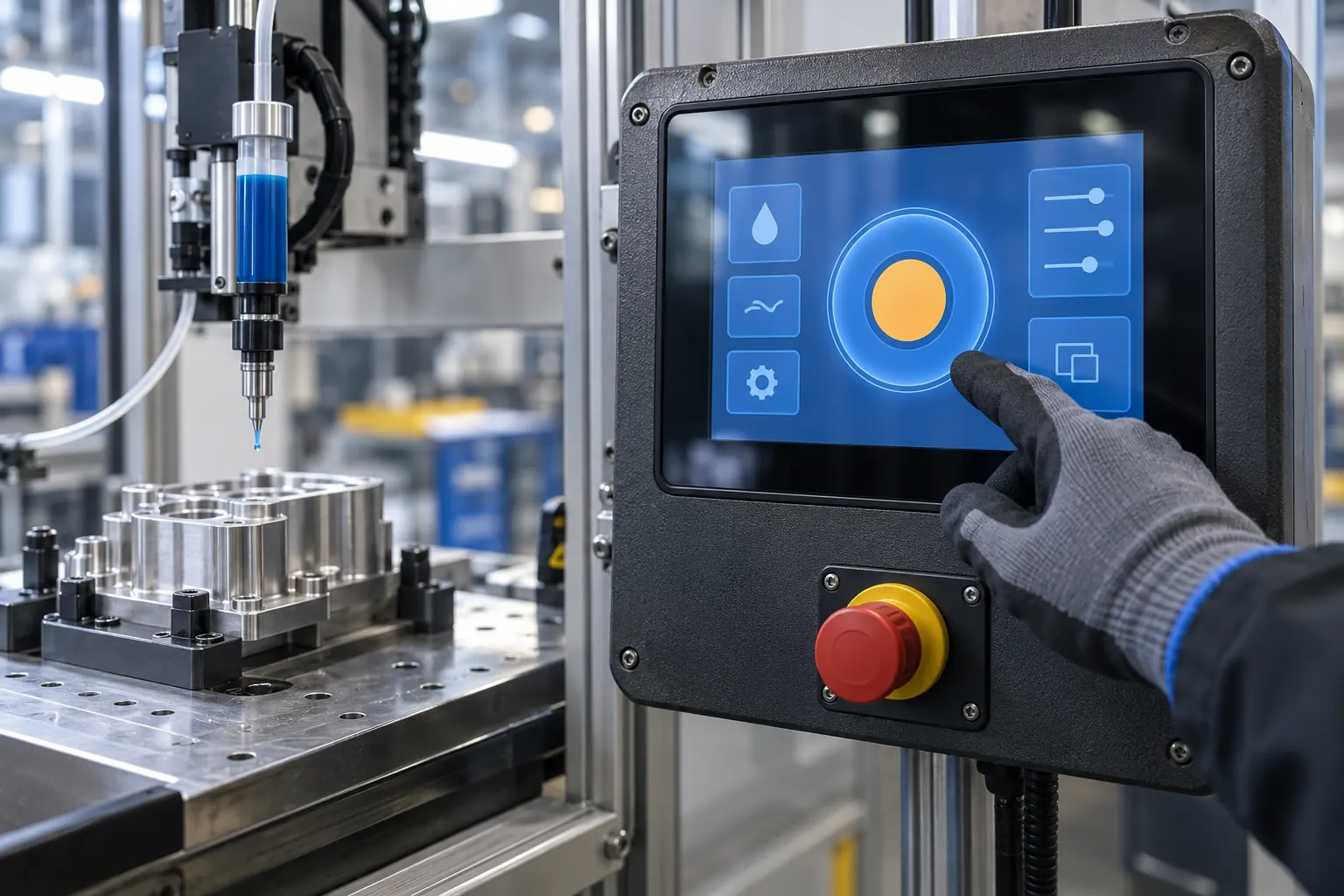 Evaluate control spacing with the gloves used at the workstation.
Match the module to the host electronics
Two TFT modules with the same diagonal and resolution are not necessarily interchangeable. Check the interface, connector assignment, supply requirements, display timing and backlight connection against the host design. Obtain the specific module documentation before committing the enclosure or circuit board.
Include startup and recovery in the sample test. Observe the display while the controller boots, after a communication interruption and after power is restored. A stale production page must not be mistaken for evidence that the machine is ready. Define how unavailable data is represented and when controls become usable again.
Use the intended controller and cable assembly for these checks. A development adapter can demonstrate that the panel works, but it does not verify the final electrical installation. Record the sample hardware and software versions alongside the observations so later changes can be compared with the same baseline.
Approve a complete operating sequence
Before ordering volume, run a short sequence that includes selecting a job, checking the active revision, changing a permitted setting and recovering from an interrupted cycle. Ask someone unfamiliar with the prototype to explain what the display says at each stage. Hesitation or a wrong interpretation is a reason to revise the interface before treating it as approved.
Keep a small set of acceptance pages with the procurement specification. Include the longest labels, smallest critical values and at least one fault screen. Agree how samples will be compared if the panel, touch controller or protective window changes later.
For a display selection discussion, send the enclosure drawing, host interface details and these screen layouts together. Contact Sunshine Display to review TFT module options for the dispensing terminal. Those inputs make the sample discussion specific and help the mechanical, electronic and application teams evaluate the same assembly.
