
Robot teach pendants need TFT LCD modules that support clear path editing, alarms, setup menus, and rugged daily operation.
Robot teach pendants are handled every day by operators, commissioning engineers, and maintenance teams. The screen is used for jogging, path teaching, alarm review, parameter setup, I/O diagnostics, and recovery after a stoppage. If the LCD is hard to read, slow to respond, unstable under electrical noise, or poorly protected by the enclosure, the whole automation workflow becomes less efficient.
For OEM teams, choosing the right LCD module for robot teach pendants is a practical engineering decision. The display must fit the handheld enclosure, support the UI content, survive cable movement and daily handling, and remain available through the product lifecycle. Sunshine Display supplies industrial display modules, including LCD display modules up to 32 inches, small and medium-size TFT LCD modules, touch display modules, e-paper display modules, and custom OEM display solutions. Teams can review the Sunshine Display industrial display module product range when comparing display size, interface, touch, and customization options.
Start With the Operator Workflow
A robot teach pendant is not a passive display. It supports active operation, safety-aware decisions, and detailed setup tasks. The screen may show robot position, axis values, path points, tool data, alarm messages, mode status, and program menus. This kind of UI usually needs a color TFT LCD module rather than a simple static display.
Before choosing the module, define the real UI screens. Check the smallest font size, the number of soft keys, alarm color usage, path graphics, menu depth, and expected viewing distance. Many teach pendants use displays around 5 inch to 10.1 inch, but the correct size depends on the enclosure, button layout, cable design, and operator workflow. The goal is not only a larger screen; it is a readable and controllable interface.
Readability Around Moving Equipment
Factory automation cells are visually busy. Operators may stand beside safety fencing, robot controllers, conveyors, tooling, cables, and stack lights. The display should remain clear from normal operating angles. Brightness, contrast, cover glass reflection, viewing angle, and UI design all affect usability.
For teach pendants used in different hand positions, IPS TFT LCD modules can help maintain stable readability from wider angles. A standard TFT LCD can still work if the viewing direction is controlled and the UI uses strong contrast. In either case, evaluate the real interface instead of relying only on a colorful sample image.
Touch, Keys, and Safety Controls
Robot teach pendants often combine a display with physical keys, enable switches, emergency stop buttons, jog controls, and function keys. Some products use capacitive touch for menus and diagnostics, while others keep most operation on physical buttons. The LCD module should be selected together with the complete front-panel design.
If touch is required, validate the final cover lens thickness, glove use, grounding, cable movement, false touch behavior, and EMC performance. Capacitive touch can be effective, but it needs correct mechanical and electrical design. Sunshine Display's capacitive touch TFT LCD modules can be reviewed when the pendant requires an integrated touch display stack.
Physical keys also influence the display choice. The active area, viewing area, bezel width, mounting holes, FPC position, and front lens printing must leave enough space for keys and safety controls. A module that fits optically may still create assembly problems if the FPC exits in the wrong direction or the connector conflicts with internal ribs.
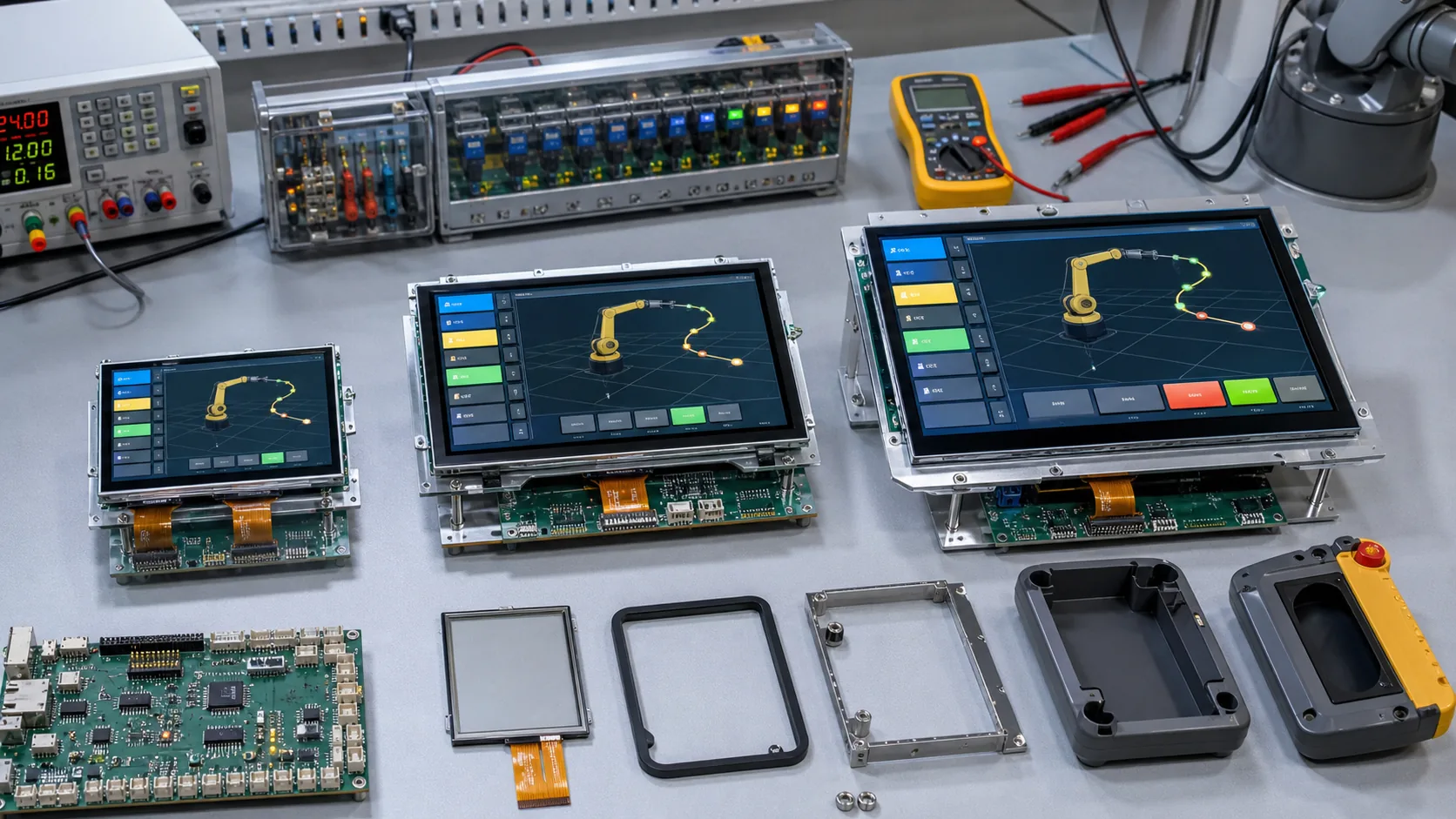 Validation should include display interface, touch or key layout, cover lens, FPC routing, enclosure fit, and safety control environment.
Interface and Controller Matching
Teach pendants can use MCU-based controllers, embedded Linux boards, or customized robot controller hardware. The LCD interface should match the host platform, resolution, refresh needs, cable length, and development capability. Common options may include RGB, LVDS, MIPI DSI, or SPI for smaller modules.
RGB and LVDS are common in many industrial display designs. MIPI DSI may be efficient when the processor platform supports it well. SPI can reduce pin count on smaller modules, but it may not be suitable for dense, fast-updating robot UI screens. Buyers should confirm timing, voltage levels, initialization sequence, demo code, and driver support before approving samples.
Cable movement also matters. A pendant cable may be pulled, bent, or repositioned frequently. The display connector, FPC, cable clamp, and internal routing should be reviewed for mechanical reliability. Connector retention and strain relief are not optional details in handheld industrial equipment.
Mechanical Protection and Enclosure Fit
Robot teach pendants are often dropped, bumped, cleaned, and carried around the production line. The display stack may include a TFT LCD, touch panel, cover glass, gasket, printed front lens, plastic or rubberized enclosure, and internal bracket. The mechanical design must protect the display without creating pressure marks, light leakage, or touch instability.
Check cover glass thickness, anti-glare treatment, bonding method, gasket compression, screw torque, and active area alignment. If the pendant is used near coolant, dust, or cleaning agents, the enclosure and front panel should be designed for the expected protection level. For temperature-sensitive applications, wide temperature TFT LCD modules may reduce risk.
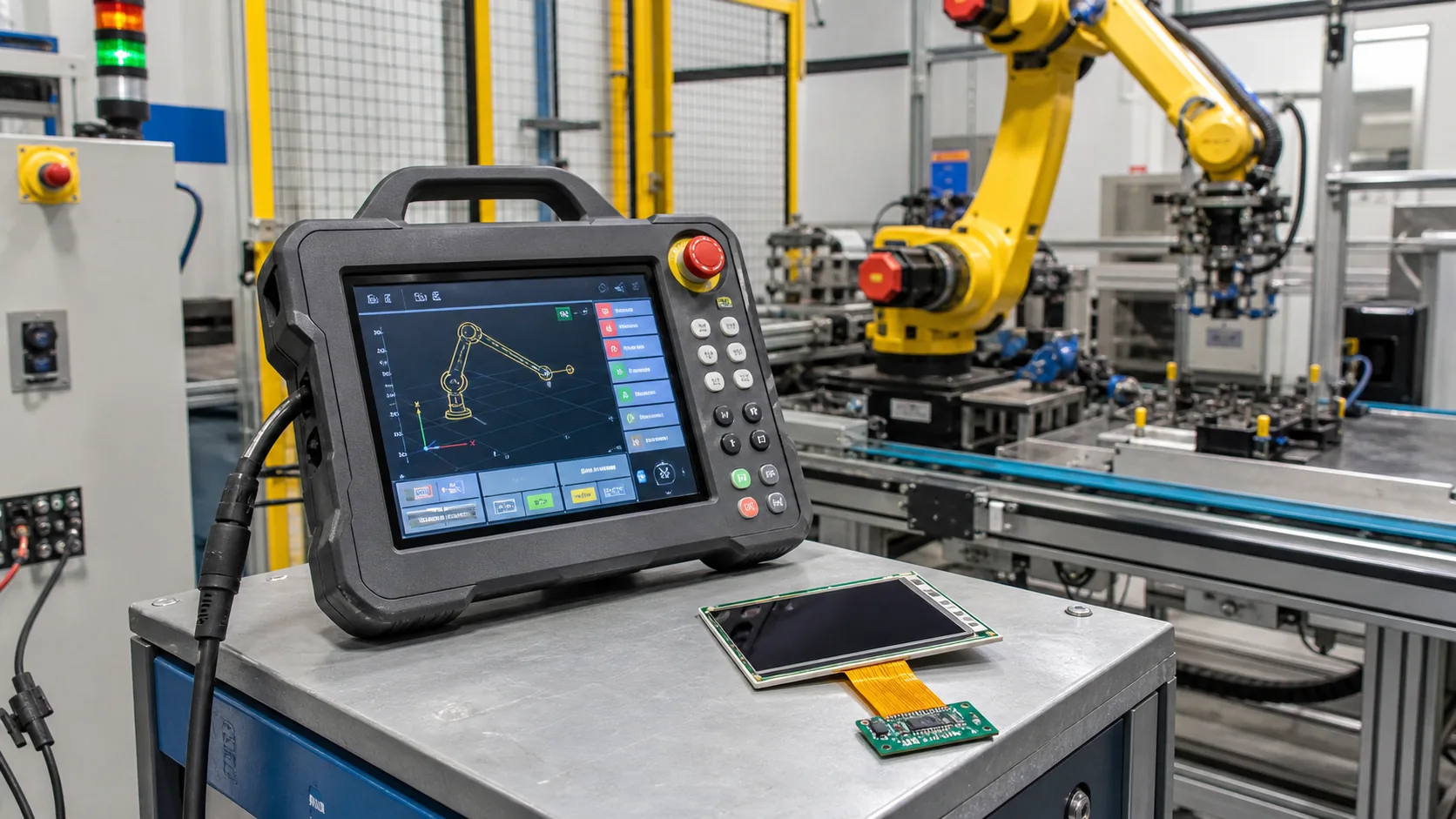 Factory automation devices need readable displays, robust front-panel design, stable connectors, and long-term module availability.
Lifecycle and Change Control
Industrial robot controllers and teach pendants usually have long product lives. A display change can affect the enclosure, firmware, cable, touch tuning, labels, certification, and service parts. Before mass production, buyers should ask about panel lifecycle, driver IC availability, connector stability, FPC change control, backlight alternatives, and notification procedures.
Approve the display with a complete documentation package: drawing, optical data, electrical specification, interface timing, mechanical tolerance, inspection standard, reliability information, and packaging method. This makes production and future replacement decisions easier.
Where E-Paper Fits Differently
This topic is mainly about active TFT LCD interfaces. E-paper display modules can still be useful in robot cells for asset labels, maintenance tags, low-power status plates, or tooling identification. E-paper is best when information changes occasionally and must stay visible with very low standby power. For live robot teaching, path editing, and alarm interaction, TFT LCD remains the more appropriate main display technology.
Practical Buying Advice
When sourcing an LCD module for a robot teach pendant, share your target size, resolution, interface, brightness, touch or key plan, cover glass structure, enclosure drawing, FPC direction, cable routing, operating temperature, expected annual quantity, and product lifecycle. Include real UI screenshots if available, especially path teaching, alarm, jog, and setup screens.
Sunshine Display can help OEM teams compare standard TFT LCD modules, IPS modules, capacitive touch options, wide temperature displays, and custom industrial display modules. To discuss a robot pendant, control cabinet, factory HMI, or industrial automation display project, share your requirements through the Sunshine Display contact page.
FAQ
What LCD size is common for robot teach pendants?
Many teach pendants use medium-size TFT LCD modules, often around 5 inch to 10.1 inch. The right size depends on UI density, enclosure size, button layout, and viewing distance.
Should a teach pendant use IPS TFT LCD?
IPS is useful when the pendant is viewed from different hand positions or side angles. Standard TFT LCD modules can still work when cost, viewing direction, and UI contrast are controlled.
Is capacitive touch suitable for robot teach pendants?
Yes, but it should be validated with the final cover glass, grounding, EMC conditions, glove requirements, cable movement, and safety control layout. Some designs combine touch with physical keys.
What should buyers confirm before production?
Confirm interface compatibility, brightness, viewing angle, touch behavior, cover glass structure, FPC direction, connector retention, enclosure fit, backlight lifetime, lifecycle status, and change control.
