
Inspection equipment needs a display that keeps images, machine status, alarms, and workflow controls legible at the point of use.
Industrial inspection systems make decisions visible. Whether the equipment uses machine vision, dimensional measurement, X-ray imaging, ultrasound, leak testing, or another non-destructive method, operators need to see the inspection result, machine state, part flow, and fault condition without hesitation. The LCD module is not the sensor and does not define the complete measurement chain, but it strongly affects whether people can interpret the system and act on it reliably.
For OEM teams, choosing an LCD module for industrial inspection systems requires more than selecting a screen size. Contrast, grayscale behavior, viewing angle, brightness, touch, mechanical design, signal integrity, and lifecycle all need to fit the final machine.
Begin With the Inspection Workflow
Map what the operator sees before comparing module specifications. A simple station may present a pass-or-fail indication, machine readiness, and a few setpoints. A sophisticated cell may show multiple camera views, image overlays, reference targets, defect regions, trends, recipe controls, and maintenance diagnostics. The display must support the actual workflow without burying urgent conditions in a crowded layout.
Also define the user position. Operators may stand to the side of a guarded cell, inspect a panel from above, or share a screen during maintenance. In these cases, IPS TFT LCD modules can be a strong starting point because they help preserve contrast and color from changing angles. Validate with the installed orientation and enclosure, not only with the panel held directly in front of the user.
Treat Grayscale and Contrast as System Requirements
Inspection interfaces often depend on subtle differences between dark and light regions. A bright, colorful demo image is not a useful test for an interface that needs to show low-contrast features, grayscale surfaces, or boundary overlays. Prepare representative content: actual captured images where permitted, simulated defect patterns, fine lines, threshold regions, and the operator's normal zoom level.
Brightness should suit ambient light, but higher brightness alone does not solve readability. Front glass reflection, air gaps, bezel shadows, and surface treatment can reduce visible contrast. Check the LCD with the intended cover lens and room lighting. For broad module options and mounting formats, review Sunshine Display industrial display modules early in the mechanical design.
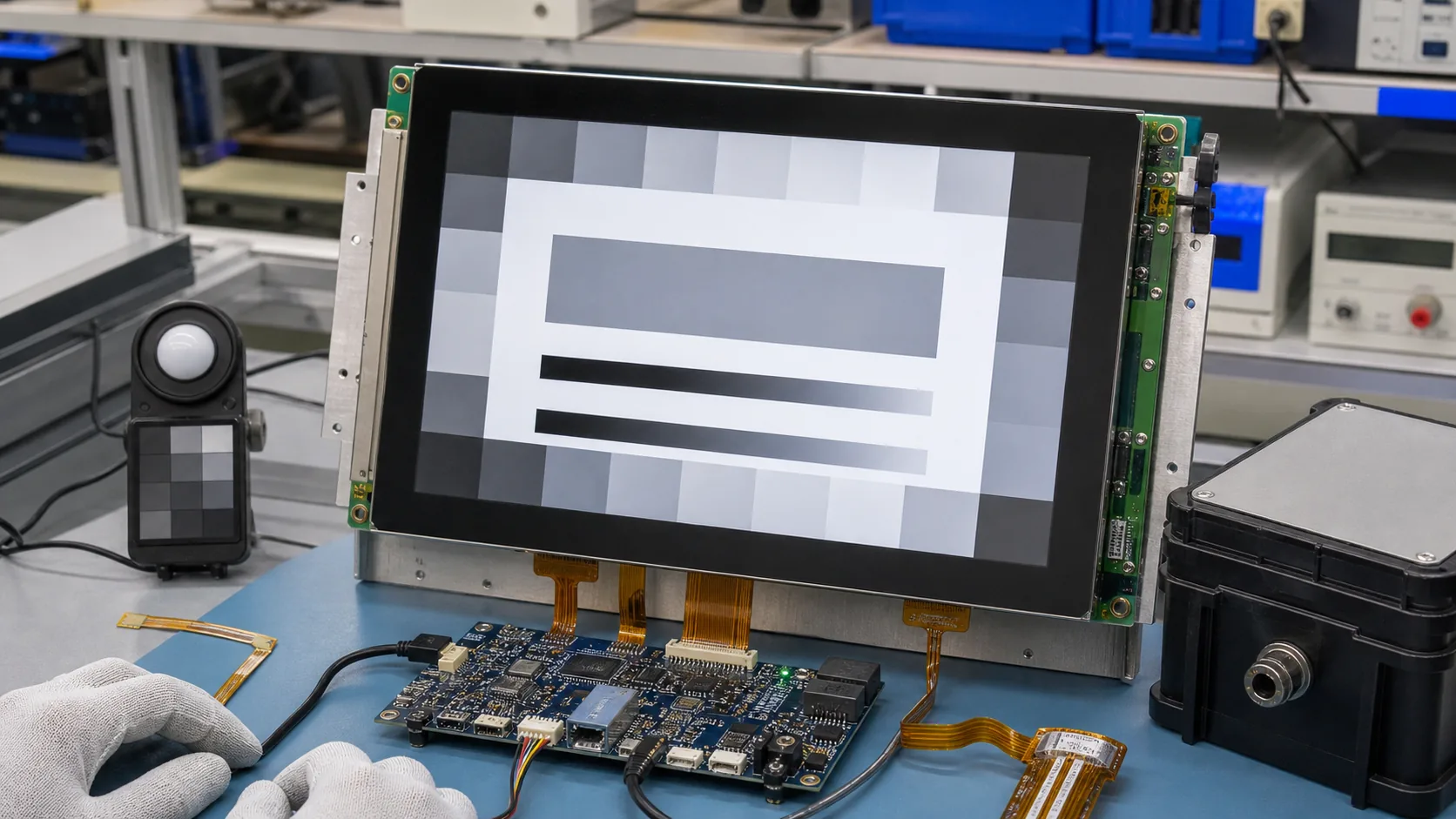 Module selection should be checked with representative grayscale targets, controller electronics, front surface, and enclosure conditions.
Choose Resolution and Size for the Task
Resolution affects the usable detail of inspection images, labels, overlays, and control elements. A larger active area can improve review distance, but it must be paired with sufficient pixels and a graphics platform that can render the intended content. Avoid choosing a panel only because it fills the enclosure opening. Instead, test sample screens at their final pixel dimensions and distance.
The interface is part of a wider industrial control system. Confirm display interface, cable length, controller throughput, boot behavior, memory budget, and backlight control. Standard TFT LCD modules may cover many fixed-panel requirements, while a different configuration may be necessary for a large HMI, a custom front panel, or a complex image pipeline.
Design Touch and Controls for Deliberate Actions
Touch is useful for changing recipes, selecting an inspection region, acknowledging messages, and opening service pages. It should not create accidental actions around safety-critical sequences. Keep physical emergency and safety controls separate according to the machine's required safety design, and make confirmation states clear before users apply a change.
With a projected capacitive design, the cover glass, printed border, touch sensor, bonding method, and grounding need to be reviewed together. Gloves, moisture, oils, and cleaning procedures can affect user experience. Capacitive touch TFT LCD assemblies provide a useful reference point for discussing an integrated display-and-touch approach rather than treating the panel and front surface as unrelated parts.
Manage Electrical and Mechanical Integration
Inspection cells commonly contain cameras, lighting controllers, motors, pneumatics, machine networks, and switching power supplies. Electrical noise and grounding paths can influence LCD signals and touch stability. Use the module and controller recommendations for power sequencing, shielding, cable routing, impedance, and ground connection. Prototype testing should run with representative loads, not only in an isolated development environment.
Mechanical work is equally important. Check FPC bend radius, connector retention, controller mounting, display support, gasket compression, and access for future service. Where the machine faces temperature variation, a wide-temperature TFT LCD module may be appropriate. The final choice must account for the complete module, touch stack, adhesives, and enclosure environment.
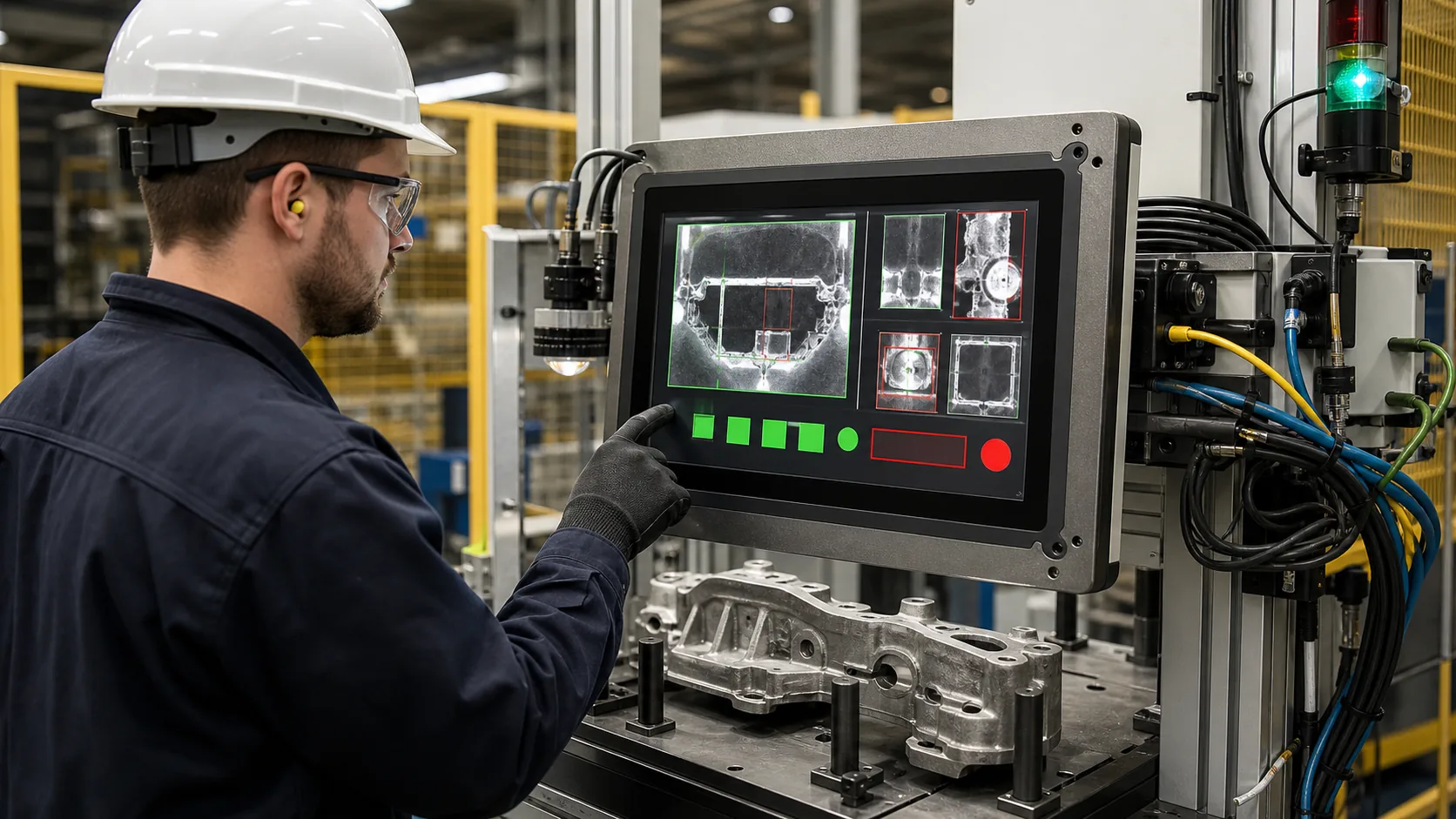 Final validation should use real inspection images, operator positions, gloves, fault conditions, and production lighting.
Validate With Representative Images and Operators
Do not finish display selection with a static factory pattern. Test the real inspection UI through start-up, normal operation, borderline conditions, alarms, image review, recipe changes, and service tasks. Ask operators whether they can find the next required action from their normal position and under actual lighting. Test gloved interaction if relevant, as well as power cycling and recovery from controller or communication faults.
The validation plan should distinguish between the display's readability and the inspection system's complete measurement accuracy. Both matter, but they are evaluated through different methods. Document lifecycle requirements, change notification, qualified alternatives, and service expectations before production release.
Practical RFQ Checklist
An effective request includes the inspection application, screen size, active area, resolution, brightness, viewing-angle requirement, touch type, cover lens, interface, controller constraints, operating temperature, mounting method, annual volume, and lifecycle target. Include representative screen layouts and enclosure drawings whenever possible.
Sunshine Display supports industrial TFT LCD modules and display assemblies for OEM equipment. Contact Sunshine Display to discuss an inspection-system HMI or industrial display module requirement.
FAQ
Why is IPS TFT useful in inspection equipment?
IPS technology can provide stable viewing behavior across wider angles, which helps when operators inspect screens from changing positions around a machine.
Does a display module determine inspection accuracy?
The display is only one part of the inspection chain. Sensor, optics, acquisition, processing, software, calibration, and the monitor or HMI all need a system-level validation plan.
What should an OEM include in an LCD module RFQ?
Include display size, resolution, interface, brightness, viewing requirements, touch, cover lens, temperature, enclosure drawing, electrical constraints, annual volume, and lifecycle target.
