
Laser cutting HMIs combine job setup, cutting paths, machine status, alarms, and production controls in a demanding factory environment.
Industrial laser cutting machines rely on the operator display for job loading, cutting-path previews, material settings, machine status, gas control, alarms, maintenance, and production reporting. The HMI may run throughout a long shift while operators move between the loading area, cutting enclosure, and control console.
Selecting an LCD display for an industrial laser cutting machine is therefore a system-level decision. Size and resolution matter, but so do touch operation, viewing angle, brightness, interface bandwidth, electrical noise, thermal design, mechanical protection, and long-term availability. Sunshine Display supplies industrial display modules for OEM equipment, including TFT LCD modules up to 32 inches and customized touch display assemblies.
Define the Operator Tasks First
A laser cutting HMI can be much more complex than a simple parameter screen. Operators may select programs, import drawings, position parts, review nesting, set material thickness, adjust cutting conditions, monitor assist gas, respond to alarms, and inspect production totals. Maintenance users need access to diagnostics, calibration, consumable status, and service records.
Map these workflows before selecting the display. A UI with cutting previews, multiple status panels, and detailed alarms needs more active area than a compact local controller. Frequently used controls should remain visible, while setup and service functions can sit in deeper menus. The selected module should be tested with representative CAD-style paths, thin lines, warning colors, and small values.
Select Size and Resolution as a Pair
Larger displays can improve visibility and allow more information to remain on one page, but they also affect enclosure size, processor load, interface choice, cable routing, and cost. Resolution should make cutting paths and parameter text clear at the intended viewing distance without adding pixel density that the controller cannot use effectively.
Mechanical drawings should be checked for the active area, outer dimensions, thickness, mounting points, FPC or cable exit, connector clearance, and bezel opening. For consoles viewed from multiple positions, an IPS TFT LCD module can maintain more consistent contrast and color than a narrow-viewing-angle panel.
Evaluate Readability on the Factory Floor
Laser cutting areas may have strong overhead light, reflections from sheet metal, shadows around the enclosure, and changing light near loading doors. Brightness should be evaluated together with contrast, front glass reflection, viewing angle, and surface treatment. Increasing backlight power alone may add heat without solving glare.
Test the final interface under realistic lighting and from the normal standing position. Confirm that thin cutting lines, selected parts, alarm colors, disabled controls, and small dimensions remain distinguishable. Anti-glare cover glass or optical bonding can improve specific designs, but each option should be assessed against clarity, cost, touch performance, and manufacturing complexity.
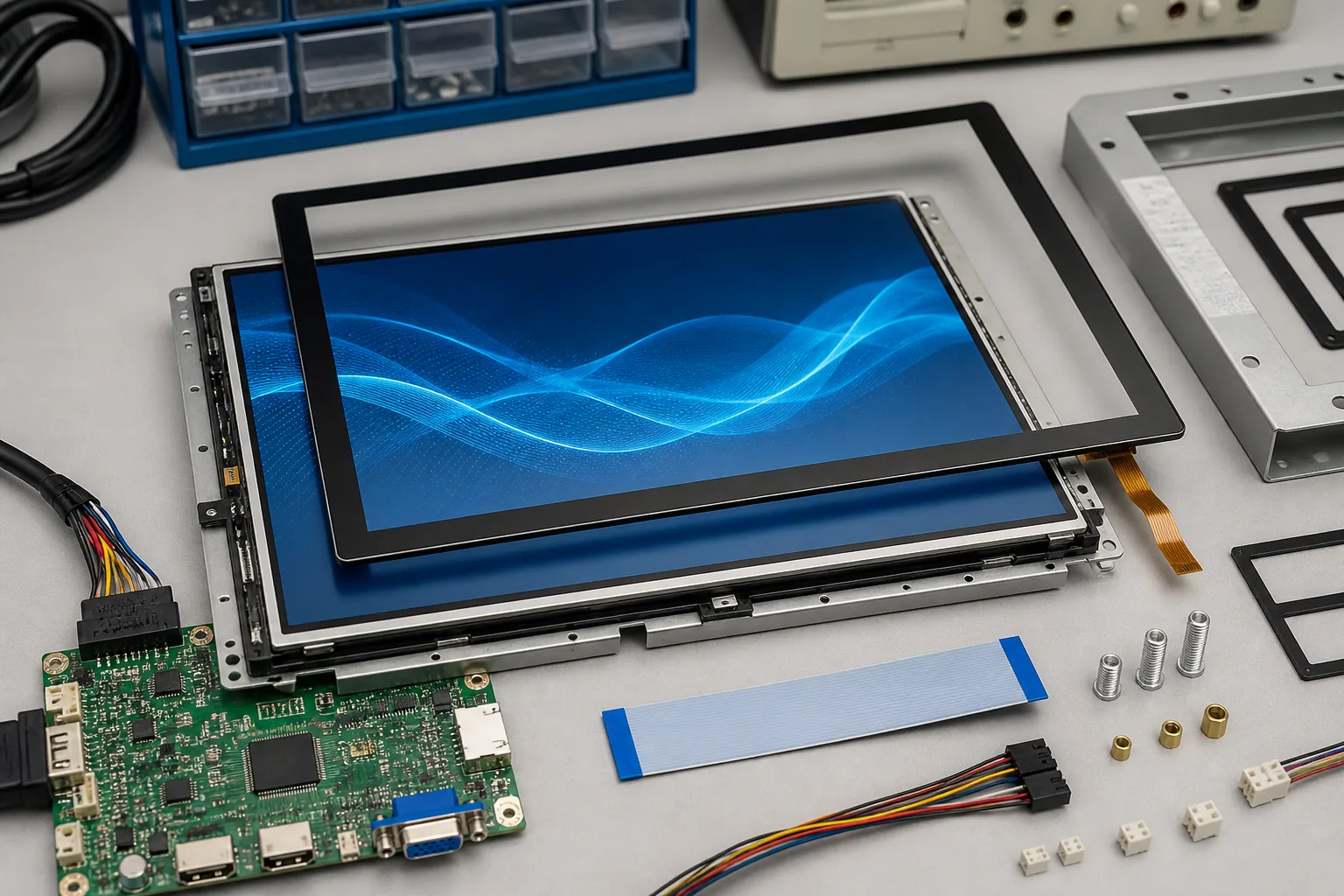 Display size, touch cover lens, controller board, cable, bezel, and sealing details should be coordinated before the operator console is finalized.
Coordinate Touch With the Front Panel
Touch operation can make job selection and graphical navigation efficient, especially on interfaces with large preview areas. However, the touch system must work with the actual gloves, cover glass, grounding, bezel, and environmental contamination. Metal dust, moisture, cleaning residue, and electrical interference can change real performance.
A capacitive touch TFT LCD module may support industrial glove operation after tuning. Large touch targets and clear confirmation states are still important. Emergency stop, machine enable, and other safety-critical commands should follow the machine safety architecture rather than depend only on a graphical touch control.
Finalize the cover-lens thickness, printing, bonding method, and enclosure grounding before touch firmware is locked. Changes to the mechanical stack can require retuning and repeat testing.
Plan Interface and Graphics Performance
Cutting previews and responsive HMI pages require sufficient graphics bandwidth. LVDS, RGB, MIPI, or another interface may be appropriate depending on resolution, refresh rate, controller platform, and cable length. The processor must support the chosen display timing and color depth while running machine communication and UI software.
Long display cables should be reviewed for signal integrity, shielding, grounding, and connector retention. Keep display links separated from servo drives, laser power electronics, motors, contactors, and other noise sources. Startup sequencing also matters: the screen, backlight, touch controller, and application should enter a known state during power-on and recover correctly after interruptions.
Design for Heat, Dust, and Daily Cleaning
Operator consoles can be exposed to sheet-metal dust, oils, fingerprints, vibration, and frequent cleaning. The enclosure should protect the LCD without applying uneven pressure to the panel. Gasket compression, front-window support, mounting flatness, cable bend radius, and service access all deserve review.
Internal cabinet temperature can rise during long production cycles. Evaluate the display at the expected operating temperature and backlight setting. For demanding installations, review wide-temperature TFT LCD modules and confirm backlight lifetime, touch behavior, and optical performance across the required range.
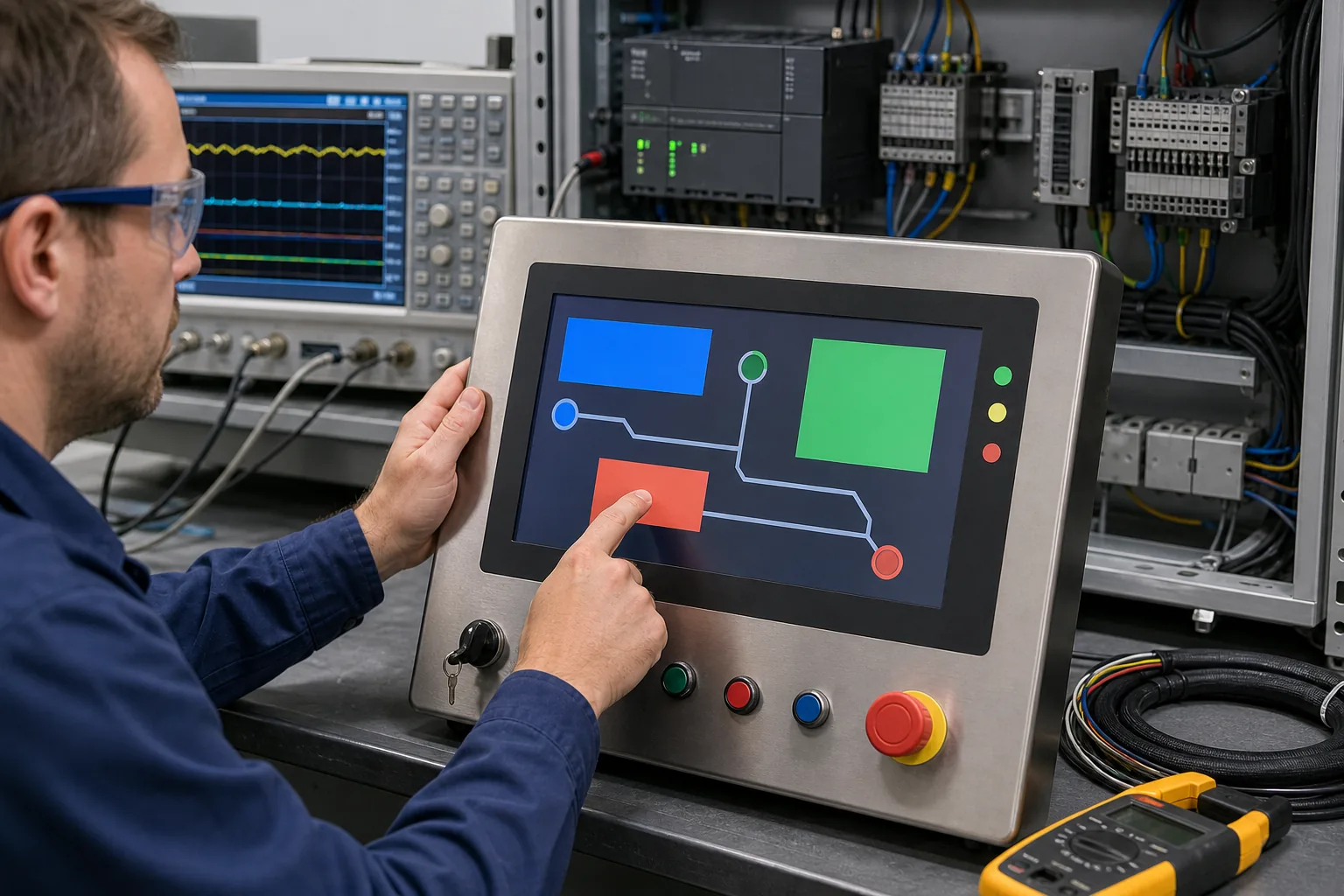 Final validation should check touch response, controller communication, electrical noise, viewing conditions, thermal performance, and safe recovery behavior.
Validate With the Production Controller
Bench testing should confirm timing, image stability, color depth, touch response, brightness control, sleep behavior, and software recovery. The next step is installation in the final operator panel with production cables, controller hardware, grounding, cooling, and power supplies.
Run representative machine cycles while changing HMI pages and interacting with the touch panel. Check for flicker, communication loss, false touch, delayed response, or reset behavior. Test thermal limits, vibration, cleaning procedures, glove operation, and readability under factory lighting. A fault or interrupted update should never leave the interface showing an unsafe or misleading machine state.
Practical Sourcing Checklist
Provide suppliers with the target size, resolution, interface, brightness, viewing direction, touch requirement, cover-lens drawing, operating temperature, controller platform, cable length, annual volume, and expected production lifetime. Include the console drawing and representative UI images whenever possible.
Ask about availability, backlight lifetime, change notification, compatible alternatives, touch firmware responsibility, and customization options. Depending on project needs, customization may include cover glass, printing, bonding, FPC, connector, backlight, touch tuning, controller board, and a complete display subassembly.
Sunshine Display can help OEM teams compare display technologies and review mechanical, optical, touch, interface, and lifecycle requirements. Contact Sunshine Display to discuss an LCD module or customized HMI assembly for industrial laser cutting equipment.
FAQ
What screen size is suitable for a laser cutting machine HMI?
The suitable size depends on viewing distance, UI complexity, enclosure space, and whether operators need cutting previews or multi-panel diagnostics. Medium and larger industrial TFT displays are common for full operator consoles.
Is IPS useful for laser cutting control panels?
IPS can improve contrast and color stability when operators view the screen from standing, seated, or side positions. The final choice should also consider brightness, temperature, interface, and lifecycle.
Should a laser cutting HMI use capacitive touch?
Capacitive touch can support efficient navigation and large graphical controls, but it must be tested with the intended gloves, cover glass, grounding, contamination, and safety workflow.
