
A well-designed HMI makes weighing, batching, alarms, and operator actions easier to read at the process station.
Industrial weighing systems are used in batching skids, hopper scales, filling lines, blending equipment, packaging stations, material handling, and process production. Operators rely on the display to see weight state, setpoints, batch progress, alarms, recipe information, and machine diagnostics. A suitable LCD display for industrial weighing systems needs to remain readable and responsive while fitting the electrical, mechanical, and cleaning demands of the equipment.
For OEM designers, the display is part of the operating system around the scale. The TFT LCD module, touch panel, controller, load-cell interface, enclosure, front cover, and application software should be reviewed together. Sunshine Display supports industrial display modules for OEM equipment, including TFT LCD modules up to 32 inches and custom display assemblies.
Start With the Weighing Workflow
The display requirement depends on the equipment. A simple bench scale may need a stable-weight reading, tare indication, overload warning, and setup pages. A batch system may show feeders, material targets, tolerance bands, staging, interlocks, trends, and production counters.
Map the screens to the user. Operators need a clear run view and fast alarm recognition. Setup personnel may need targets and recipes. Service technicians need calibration, I/O, sensor status, and fault history. Avoid designing only from a generic display demonstration. Use representative weight screens, small values, state colors, trend lines, and warnings during sample evaluation.
The screen must support the process, not replace the safety system. Interlocks, safe stops, and protective functions should remain in the appropriate control architecture even when their state is shown on the HMI.
Choose Size and Viewing Performance Around the Installation
Screen size follows cabinet space, normal viewing distance, available processor performance, and information density. Compact modules can work on local scales and dosing heads. Medium and larger displays help operators manage recipes, feeder sequences, and multiple process zones without excessive page switching.
Review active area, outer dimensions, thickness, mounting holes, bezel opening, connector clearance, cable routing, and service access. Stainless process equipment and narrow pedestals may limit the mechanical envelope. Avoid placing the display where vibration, impact, or repeated door movement will stress the FPC or connector.
Viewing angle matters when the operator approaches from different sides or works at a standing height. An IPS TFT LCD module can offer more stable contrast and color across wider angles than a narrow-viewing-angle alternative. Confirm performance with the final front cover and actual site lighting.
Make Weight Information Easy to Interpret
The display is not the source of measurement accuracy, but it strongly affects operational confidence. Gross, net, tare, stable/unstable state, target, deviation, and alarm conditions must be distinguished at a glance. Use meaningful hierarchy: the current weight and critical status should be easy to find before secondary details such as job history or configuration menus.
High contrast and well-sized type are more useful than decorative graphics. Test the interface under overhead lighting, near reflective stainless surfaces, and with any window or outdoor light present. Brightness should be matched with contrast, viewing angle, and front-surface reflection rather than increased by default.
Color can help separate normal, warning, and fault conditions, but color alone should not carry a critical meaning. Combine it with position, symbol, or text so the status remains understandable to all users.
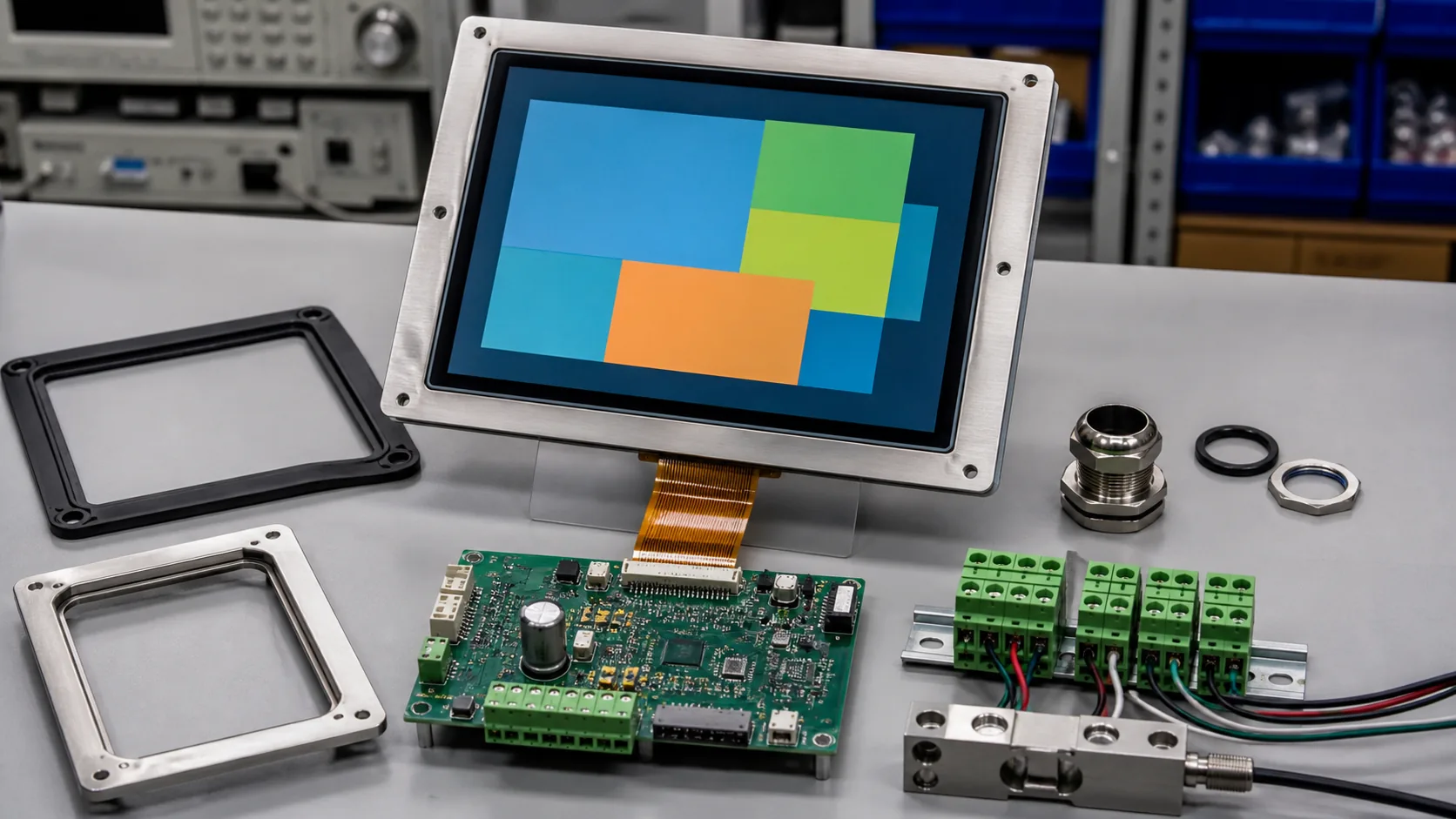 The display, touch panel, controller, load-cell interface, enclosure, sealing, and cable routing should be engineered as one system.
Select Touch and the Front Surface for Real Conditions
Touch can simplify recipe selection, setpoint entry, batch review, and diagnostics. A capacitive touch TFT LCD module gives a sealed, cleanable front surface, but the final system must be tested with gloves, moisture, product residue, cleaning chemicals, and electrical grounding.
The cover lens, decorative printing, bonding method, gasket, and enclosure cutout all influence touch response and durability. Provide generous touch targets for users wearing gloves and use confirmation steps for actions that change a batch or calibration value. Physical buttons may remain appropriate for functions that need quick, deliberate access.
For dusty or washdown-adjacent applications, define the enclosure rating, cleaning method, and drainage before the display mechanics are frozen. A strong module can still fail early if water reaches the wrong gasket seam or cable entry.
Coordinate the Controller and Load-Cell Signal Path
Weighing equipment often combines sensitive low-level load-cell signals with motors, conveyors, solenoids, heaters, and variable-frequency drives. The display link, touch cable, signal conditioning, power supply, and grounding strategy need a coordinated layout. Poor cable routing or return-current paths can create noise that appears as unstable readings or intermittent touch behavior.
Choose the display interface based on the controller architecture, required resolution, graphics load, and cable distance. RGB, LVDS, MIPI, or another interface may be appropriate. Keep high-noise power wiring away from display and touch paths, provide connector retention, and verify startup and recovery behavior after a power interruption.
The HMI should also make calibration status visible without making calibration too easy to alter. Use access control, confirmation, and audit requirements appropriate to the application and regulatory environment.
Design for Temperature, Vibration, and Lifecycle
Hoppers, conveyors, pumps, and feeders can transmit vibration to an operator panel. Support the module and cable so routine operation does not create intermittent faults. Cabinet and machine temperatures can rise near drives, heaters, or enclosed electronics. For demanding installations, review wide-temperature TFT LCD modules along with backlight lifetime and brightness requirements.
Ask early about display availability, controller supply, approved alternatives, product-change notification, and end-of-life planning. Industrial weighing equipment may remain in service for many years, so a supply plan matters beyond the initial prototype.
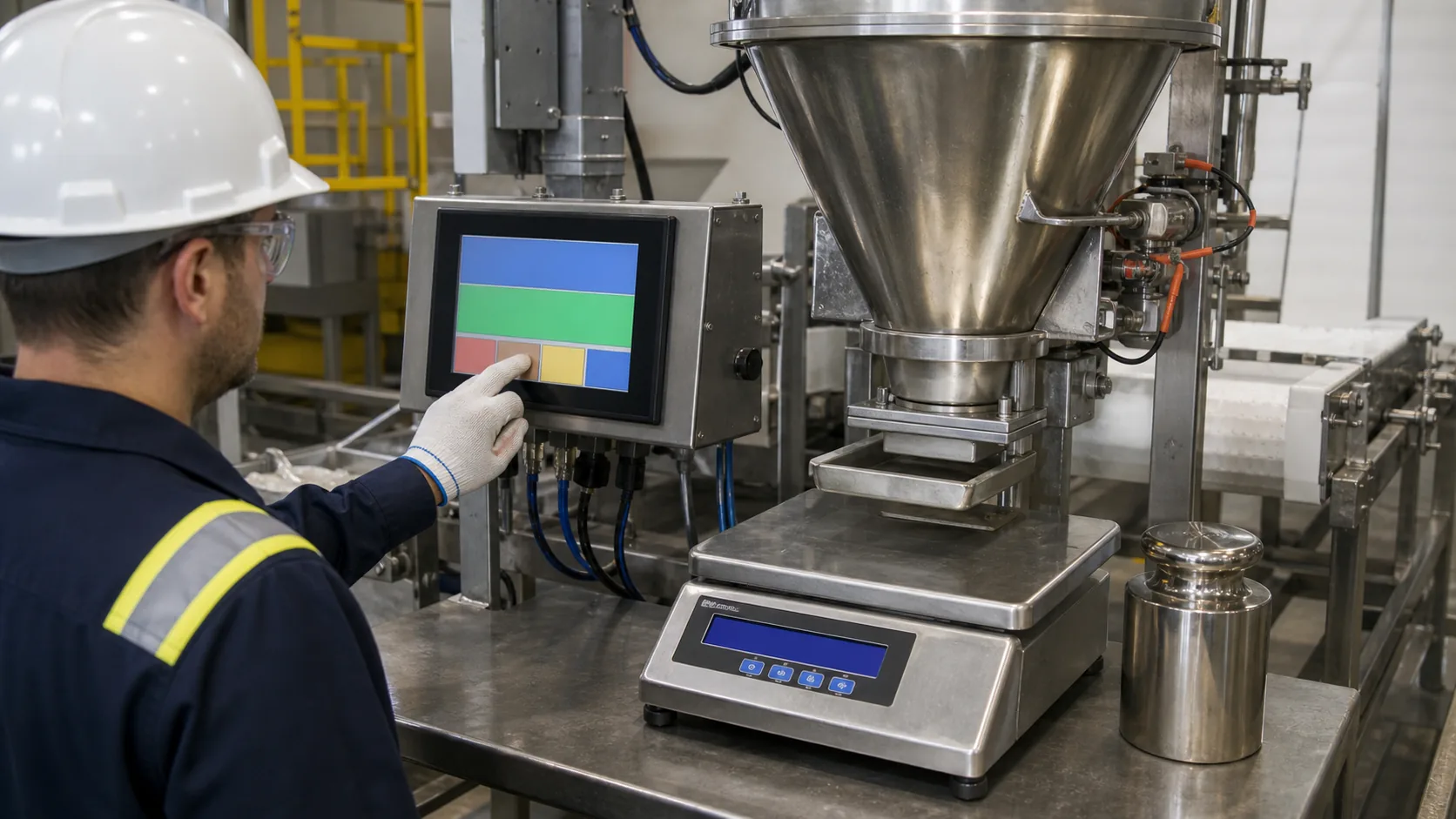 System validation should use representative loads, production software, cleaning practices, and actual operator positions.
Validate on the Finished Machine
Bench tests verify basic display function; installed-machine tests reveal the real integration issues. Test with representative loads, production screens, final grounding, operating temperatures, normal cleaning, vibration, and the intended operator position. Check readability, touch response, noise immunity, startup, communication recovery, and access to service pages.
Observe operators during a batch, a tare operation, and an alarm response. They should be able to identify the current state quickly without searching through several screens. Capture edge cases before pilot production, including power loss, sensor fault, unstable load, full container, and interrupted communication.
Practical RFQ Checklist
For a focused display quotation, provide the weighing application, screen size, active area, resolution, brightness target, viewing direction, interface, touch method, cover-lens concept, operating temperature, enclosure drawing, mounting, expected annual quantity, and lifecycle target. Representative UI screens and cable constraints help the supplier recommend an appropriate module.
Sunshine Display can review TFT LCD modules and integrated touch display assemblies for industrial weighing equipment. Contact Sunshine Display to discuss your scale, batching, filling, or process-weighing project.
FAQ
What should an industrial weighing HMI display?
Typical screens show gross and net weight, setpoints, batch stage, feeder state, alarms, calibration access, recipe information, and fault diagnostics. The exact content should follow the process and operator role.
Does the HMI affect weighing accuracy?
The HMI does not determine load-cell accuracy, but it affects how clearly operators see stable weight, tare state, alarms, and calibration status. The load-cell signal path and display interface should be tested as one system.
Can capacitive touch be used on a weighing machine?
Yes. Test it with the final cover glass, gloves, moisture, powder or product residue, cleaning routine, and grounding arrangement to confirm reliable use.
