
A machine-vision HMI must make inspection state, reject handling, and production actions clear at the line.
Machine vision systems inspect components, packaging, labels, welds, surfaces, dimensions, assembly presence, and production quality at speed. Cameras and lighting make the decision, but the human-machine interface tells people what the system is doing and what action is needed. A suitable industrial display for machine vision inspection must present production state, defects, alarms, recipes, and diagnostics clearly in an environment filled with motion, reflections, vibration, and electrical equipment.
For OEMs, the display is part of the inspection cell. The TFT LCD module, touch panel, controller, camera system, front cover, enclosure, and cable layout influence final usability and reliability. Sunshine Display supplies industrial display modules for OEM applications, including TFT LCD modules up to 32 inches and customized display assemblies.
Define the Operator Decision First
Begin with what the operator must decide at the station. A simple inspection cell may only need run state, pass/reject count, camera health, alarm indication, and a reset command. A more complex line may show multiple cameras, part location, defect images, recipe selection, lot tracking, trend summaries, and maintenance diagnostics.
Separate the live production view from engineering pages. During normal operation, the most important states should be visible without navigating menus: inspection running, product flow, reject condition, alarm priority, and whether human attention is required. Setup and service pages can expose more detailed camera, lighting, trigger, and communication information with appropriate access control.
Use representative screens during display selection. Test selected images, overlays, small status fields, warning colors, defect markers, and trend charts. A generic colorful image cannot show whether the real UI works at line speed.
Select Size and Resolution for Human Use
Display size depends on viewing distance, information density, cabinet space, and how many inspection views need to be shown at once. Compact modules suit local camera stations or machine-mounted controls. Medium and larger screens can reduce page switching on cells that coordinate several cameras or require clear defect review.
The HMI does not need to match the camera sensor resolution. Its purpose is to give an operator a meaningful, actionable view. A high-resolution camera image may be processed in the vision computer while the HMI shows a cropped image, a highlighted region, and a clear result. Choose a resolution that supports the intended UI without adding unnecessary load to the controller.
Mechanical review should include active area, outer dimensions, thickness, mounting, bezel opening, front window, connector clearance, and service access. Keep the display away from impact zones and verify that enclosure tolerances do not apply uneven pressure to the module.
Viewing Angle, Contrast, and Surface Reflection
Machine vision cells often include bright ring lights, backlights, windows, guard panels, and reflective metal parts. The display must remain readable without being overwhelmed by glare. Brightness is important, but it should be considered with contrast, viewing angle, ambient light, cover-glass reflection, and the operator's position.
An IPS TFT LCD module can provide more stable color and contrast when technicians approach from the side or operate from different heights. Test the installed unit with the real protective window and surrounding illumination. Anti-glare or anti-reflective treatment may help, but the correct choice depends on the actual optical environment.
Avoid using color alone for a critical result. A reject state should also use position, symbol, label, or other clear hierarchy. This makes the interface easier to interpret under varied lighting and for different users.
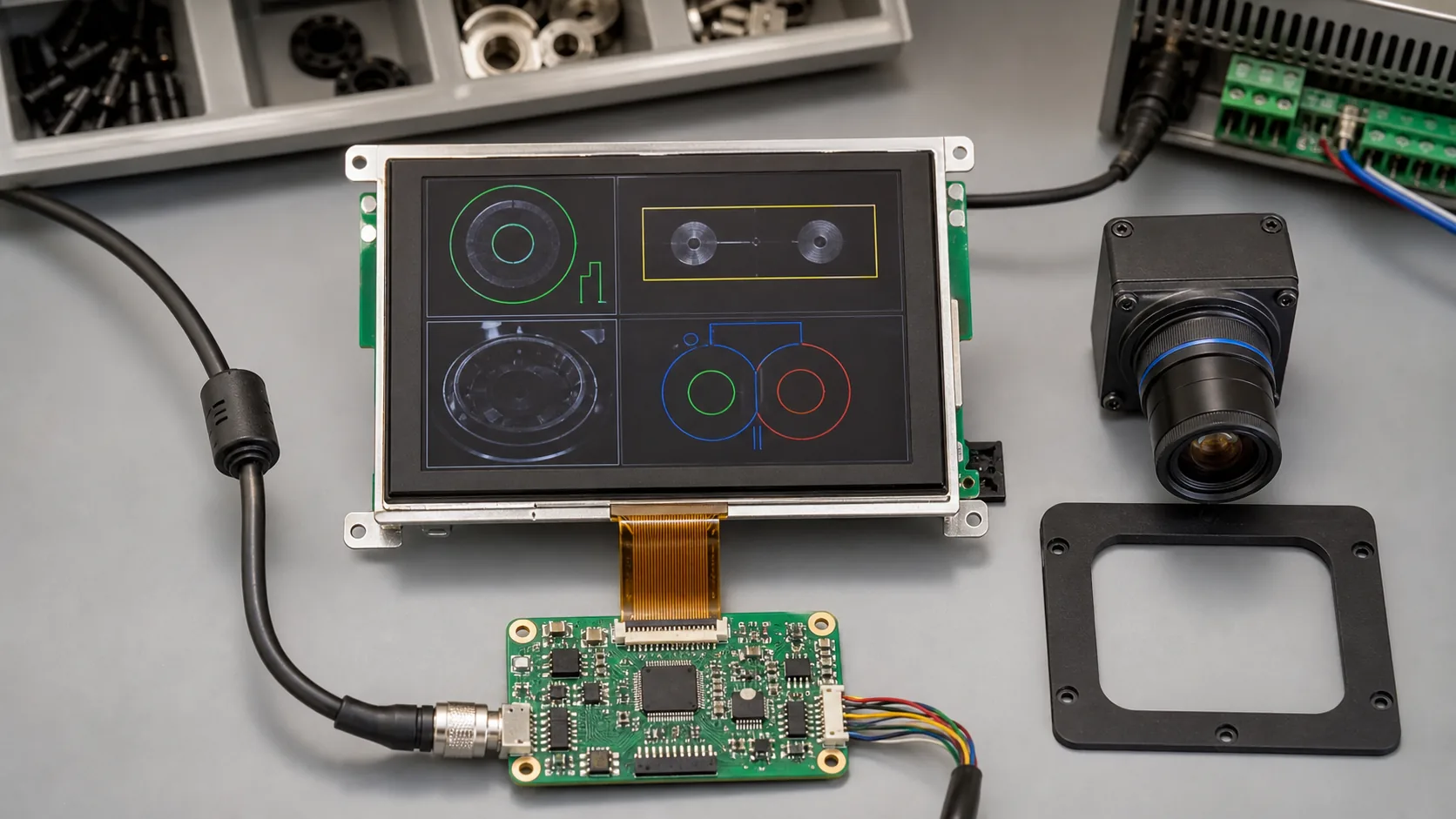 The display module, camera system, controller, protective front cover, and cable routing should be engineered together.
Design Touch and Front Protection Together
Touch simplifies recipe changes, image review, acknowledgement, and guided troubleshooting. A capacitive touch TFT LCD module can give the inspection cell a clean sealed front, but final performance depends on the cover glass, mounting stack, grounding, glove use, cleaning procedure, and controller firmware.
Give high-frequency actions generous touch targets and show a clear pressed state. Protect consequential commands such as recipe changes, bypasses, calibration, and reject-mode changes with confirmation and user permission. Safety functions should remain in the appropriate safety-control architecture rather than rely on the touchscreen alone.
Front glass, bonding, gasket design, enclosure rating, and cable entry should be finalized before validation. A screen that works on a bench can respond differently after it is mounted in a metal enclosure with the final front stack.
Coordinate the Display With the Vision Computer
The system controller must support the selected display resolution, interface timing, graphics workload, and startup behavior. RGB, LVDS, MIPI, or another interface can be appropriate depending on the architecture. Keep display and touch links separated from camera strobes, servo drives, motors, and high-current switching paths where possible.
Consider what happens during recovery. After a power loss, camera restart, or network interruption, the HMI should make its state clear and avoid presenting an old inspection result as current. Test boot order, communication timeout, image-load behavior, and alarm recovery using production software.
Use shielding, grounding, connector retention, and strain relief appropriate to the cabinet and cable length. These details help prevent intermittent problems that can be difficult to diagnose after installation.
Build for Production Conditions and Lifecycle
Production cells can create vibration, temperature rise, dust, oil mist, cleaning exposure, and repeated enclosure access. Evaluate the mounting, FPC, connectors, backlight, and front cover under expected conditions. For demanding temperature ranges, review wide-temperature TFT LCD modules alongside brightness and backlight-lifetime requirements.
Ask about module lifecycle, controller availability, approved alternatives, product-change notification, and firmware ownership. Vision systems may stay in service for years, so display supply continuity deserves the same attention as camera selection.
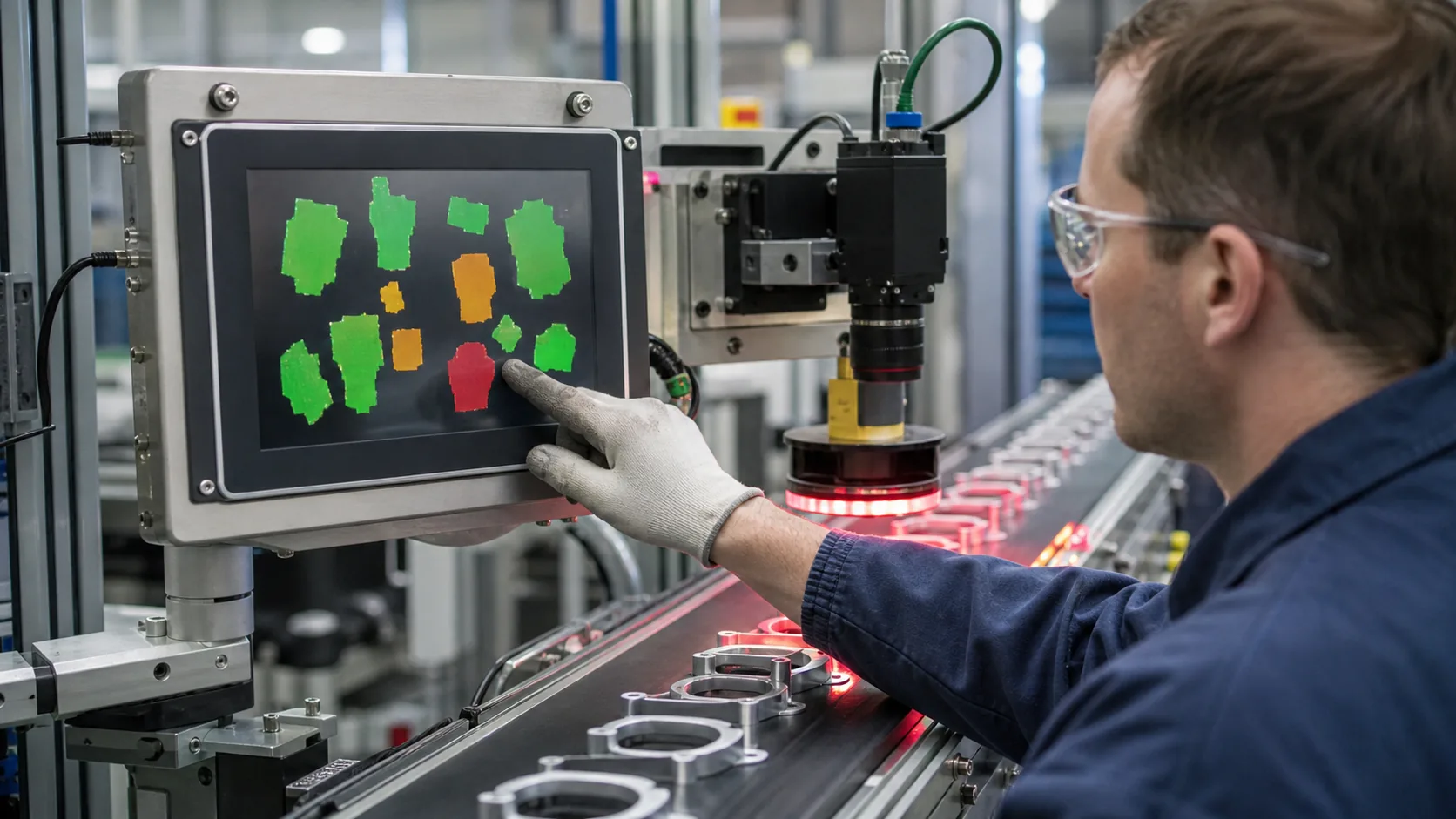 Production validation should confirm viewing performance, touch response, system recovery, and operator decisions under actual line conditions.
Validate at the Real Inspection Cell
Bench testing verifies basic function, but the real cell reveals integration issues. Assemble a representative unit and test normal production operation, lighting reflections, operator viewing positions, touch with gloves, enclosure vibration, thermal behavior, power interruptions, camera faults, and communication recovery.
Observe users during normal production and a fault response. They should quickly understand whether the line is running, which station needs attention, and what the next permitted action is. Capture confusing states before pilot production, when mechanics, firmware, and screen layout can still be refined together.
Practical RFQ Checklist
Provide the inspection application, display size, active area, resolution, brightness target, viewing direction, interface, touch requirement, cover-lens concept, operating temperature, enclosure drawing, controller platform, annual quantity, and lifecycle requirement. Sharing representative UI screenshots and cable constraints helps define a practical module or assembly.
Sunshine Display can review TFT LCD modules and customized HMI display assemblies for automated inspection equipment. Contact Sunshine Display to discuss your machine vision display project.
FAQ
What should a machine vision inspection HMI show?
Typical screens show line state, pass and reject counts, current inspection result, camera status, illumination state, recipe selection, alarms, and controlled access to diagnostics.
Does an HMI display need the same resolution as the inspection camera?
No. The operator display should be selected for the information people need to interpret and act on. It may show selected images or overlays, but it does not need to reproduce every camera pixel.
Why is wide viewing angle useful for a vision inspection HMI?
Operators, technicians, and supervisors may approach a cell from different positions. IPS TFT LCD technology can help keep contrast and color more stable across those viewing angles.
