
Industrial Chiller LCD Modules: What OEM Buyers Should Check
Industrial chillers, refrigeration systems, HVAC utility rooms, and cooling equipment control cabinets need displays that communicate operating status quickly. The LCD module may show temperature, compressor state, pump status, fan speed, alarms, service codes, maintenance intervals, and configuration menus. This is not a consumer phone, tablet, or TV display requirement. In industrial cooling equipment, the display is part of the control and service interface, so readability, reliability, and lifecycle planning matter more than entertainment-style visual performance.
Sunshine Display supplies LCD display modules up to 32 inches for industrial and OEM applications, including color TFT LCD modules, IPS TFT options, capacitive touch structures, and wide-temperature display solutions. For chiller and refrigeration controllers, the right LCD module should be selected around the real cabinet environment, operator workflow, thermal conditions, electrical noise, and long-term production plan.
Industrial chiller control panels need LCD modules that remain readable around pipes, gauges, alarms, and service controls.
Start With Temperature and Alarm Readability
Chiller equipment is often checked during commissioning, maintenance, fault recovery, or routine inspection. Operators need to understand the most important values immediately: set temperature, actual temperature, compressor running state, pump status, water flow, pressure, warning level, and fault code. If these values are buried in a crowded screen, service time increases and mistakes become more likely.
Screen size and resolution should match the user interface. A compact controller may only need a few large values and menu pages, while a larger industrial HMI may need trend curves, multi-zone data, diagnostic history, and language support. Before choosing a module, engineers should define the UI density and viewing distance. For OEM teams comparing available options, Sunshine Display's LCD display module product range is a practical starting point.
Choose the Right Viewing Angle and Brightness
Chiller panels are usually installed in mechanical rooms, factory floors, or equipment cabinets. Operators may view the screen from the side, from above, or under uneven lighting. Cover windows, cabinet doors, protective films, and front panels can also reduce readability after final assembly.
For panels viewed from multiple positions, IPS TFT LCD modules can help maintain contrast and color stability. For controlled viewing positions and cost-sensitive models, standard TFT LCD modules may still be suitable. The final decision should be based on the actual user interface behind the final front panel, not only on a bare display sample.
Brightness should be selected with balance. A very bright backlight may help in strong lighting, but it can add heat, power consumption, and backlight aging pressure. For many indoor cooling systems, stable contrast and suitable brightness are more important than the highest brightness number.
Review Touch, Keypad, and Front Panel Design
Some refrigeration controllers use physical keys because they are familiar, simple, and reliable during maintenance. Other products use capacitive touch for a sealed front surface and richer menu navigation. The best input method depends on gloves, moisture, cleaning, cabinet sealing, safety rules, and service habits.
If capacitive touch is required, engineers should review cover glass thickness, touch controller tuning, grounding, cable routing, and electrical noise. Sunshine Display's capacitive touch TFT LCD modules are relevant when OEM teams want display and touch integration rather than separate sourcing.
Mechanical design also matters. Check active area, viewing area, FPC exit, connector position, bezel overlap, screw locations, gasket compression, and cable clearance. A small mismatch can create pressure marks, blocked pixels, difficult assembly, or inconsistent appearance after production.
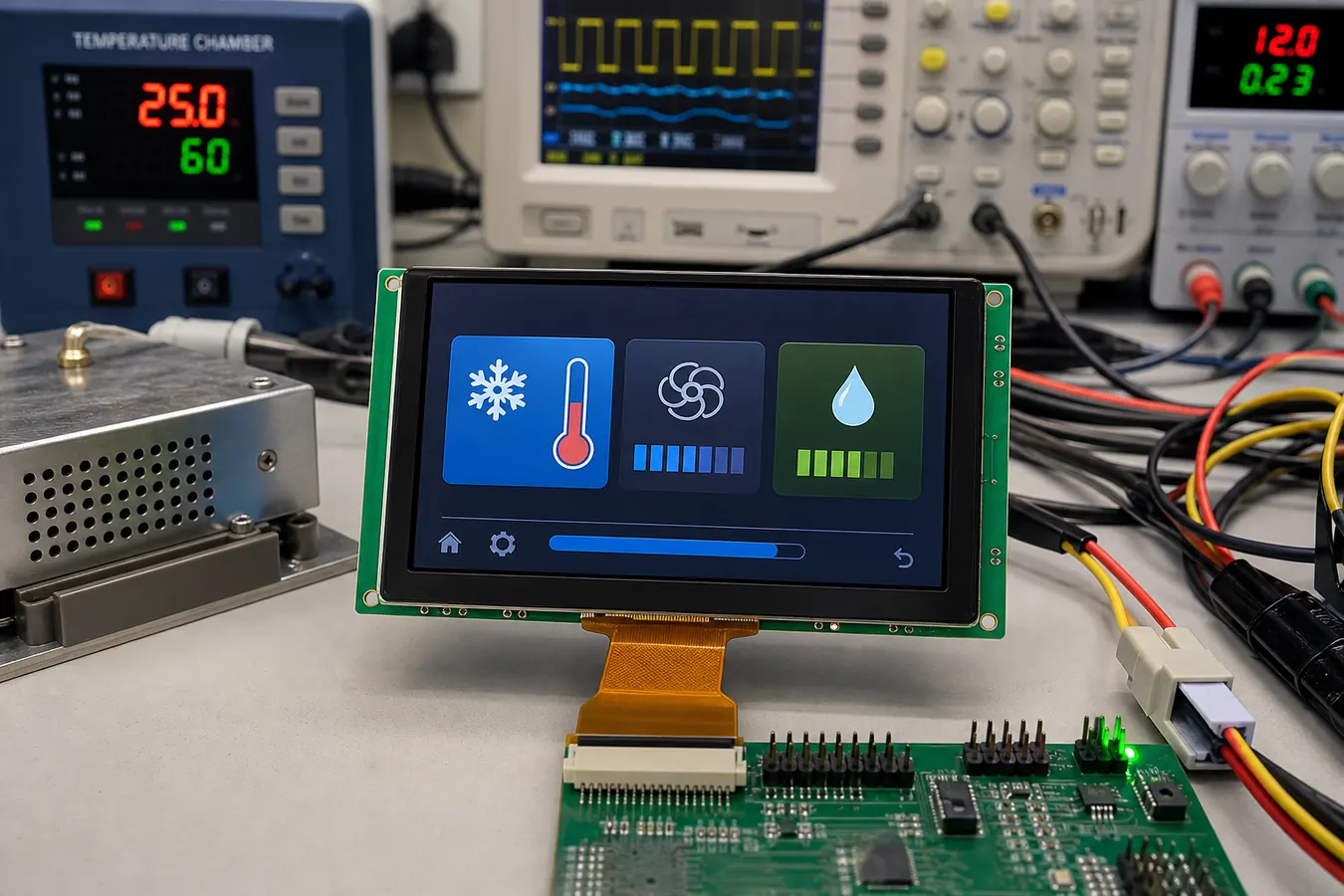 Bench validation should check interface timing, FPC routing, backlight current, and real temperature-control UI readability.
Validate Electrical Noise and Cabinet Heat
Industrial cooling systems may include compressors, motors, relays, fans, pumps, switching power supplies, long cables, and metal enclosures. These conditions can affect LCD communication, backlight stability, touch performance, and system reset behavior. A display that works on a lab bench can still show problems after being installed inside the cabinet.
Testing should include the real controller board, power supply, cable length, grounding method, and nearby high-current components. Engineers should check logic voltage, interface timing, backlight current, ESD protection, power ripple, and touch response during startup and switching events. If the display is near warm components or poor airflow, temperature testing is especially important.
For cooling equipment installed in cold rooms, outdoor shelters, or hot utility spaces, wide temperature TFT LCD modules should be reviewed early. Product-level validation should include low-temperature startup, high-temperature operation, condensation risk, backlight behavior, and touch stability.
Plan for Long-Term Supply
Industrial chillers and refrigeration systems may stay in production for many years and remain in the field even longer. A display change can affect firmware, cables, front-panel tooling, drawings, service manuals, inspection procedures, and spare parts. Buyers should confirm lifecycle expectations, approved drawings, change notification, alternative modules, packaging method, and forecast planning before volume orders.
This is especially important when the same controller platform is used across multiple equipment models. Keeping display size, interface, connector position, and mounting structure consistent can reduce redesign cost when the product family expands.
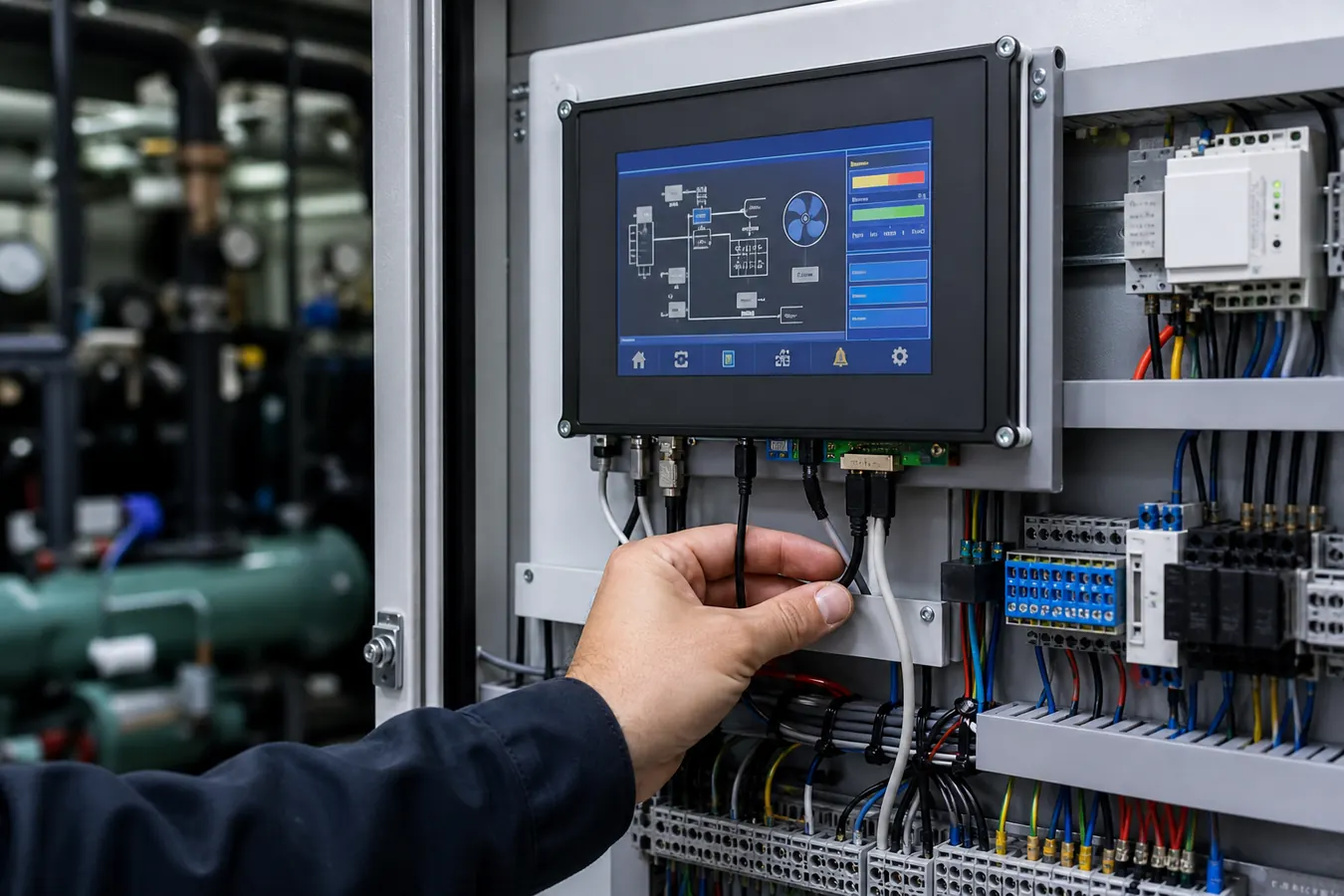 Cabinet-level testing helps confirm wiring clearance, grounding, thermal behavior, and service access after final assembly.
Practical Buying Advice
Before sourcing an LCD module for a chiller or refrigeration controller, prepare the target screen size, resolution, interface, brightness, viewing angle, touch or keypad preference, cover structure, operating temperature, power budget, cable length, mounting method, expected annual volume, and required product lifetime.
Sunshine Display can support OEM teams reviewing LCD module selection, touch structure, mechanical drawings, optical requirements, and validation risks for industrial cooling equipment. To discuss your project, contact Sunshine Display with your target size, interface, enclosure constraints, and operating environment.
FAQ
What LCD module is suitable for industrial chiller controllers?
The right module depends on screen size, UI density, brightness, viewing angle, input method, operating temperature, electrical noise, mounting design, and lifecycle needs.
Is capacitive touch suitable for refrigeration equipment?
Yes, when the front panel needs a sealed and modern interface. It should be tested with the final cover glass, grounding, cable layout, and electrical environment.
Why does cabinet testing matter?
Cabinet testing reveals heat, grounding, wiring, vibration, service access, and electrical noise issues that may not appear during simple bench testing.
Should buyers choose IPS for chiller panels?
IPS is useful when operators view the display from different angles. Standard TFT may work when viewing direction is controlled and cost is important.
How can OEMs reduce LCD supply risk?
Confirm lifecycle, approved drawings, change notification, alternative options, packaging, inspection criteria, and forecast planning before volume production.
