
E-paper panels can keep maintenance status and work instructions visible beside industrial equipment with very low standby power.
Industrial maintenance teams depend on information that stays clear at the machine: inspection status, open work orders, lockout instructions, service history, spare-part references, and the next scheduled task. Printed cards are inexpensive, but they become outdated and require manual replacement. Conventional LCDs provide dynamic content, yet they consume power continuously and can be difficult to read in bright factory light.
An industrial e-paper display module offers another option. It retains the last image without continuous display power, has a paper-like appearance, and remains readable under strong ambient lighting. For OEMs building connected maintenance boards, equipment labels, and low-power field devices, these characteristics can reduce wiring and battery demands while making updates easier to control.
Where E-Paper Fits in Maintenance Operations
E-paper works best when information changes occasionally rather than many times per second. A panel beside a pump, production cell, electrical cabinet, or test station might update when a technician accepts a work order, completes an inspection, reports a fault, or changes equipment status. Between updates, the image remains visible without refreshing.
Useful applications include digital maintenance cards, calibration reminders, inspection checklists, machine identification, service instructions, safety status, and spare-parts references. Wireless versions can receive updates from a maintenance management system, while wired modules can connect directly to the equipment controller.
E-paper should not be forced into fast interactive tasks. Live trends, animated alarms, video, and responsive touch menus are usually better served by industrial TFT LCD modules. Many systems can use both technologies: a TFT LCD for active machine operation and an e-paper panel for persistent maintenance information.
Evaluate the Complete Update Cycle
Low standby power is only part of the design. E-paper consumes energy while updating, so engineers should measure the complete cycle: controller wake-up, data transfer, panel refresh, wireless communication, and return to sleep. Battery capacity should be calculated from expected update frequency, operating temperature, network behavior, and service interval.
Refresh time also matters. A full update can take noticeably longer than an LCD frame, and some panels use a flashing sequence to maintain image quality. Partial refresh may improve speed for selected regions, but excessive partial updates can create ghosting. The controller, waveform, temperature compensation, and content layout must be validated together.
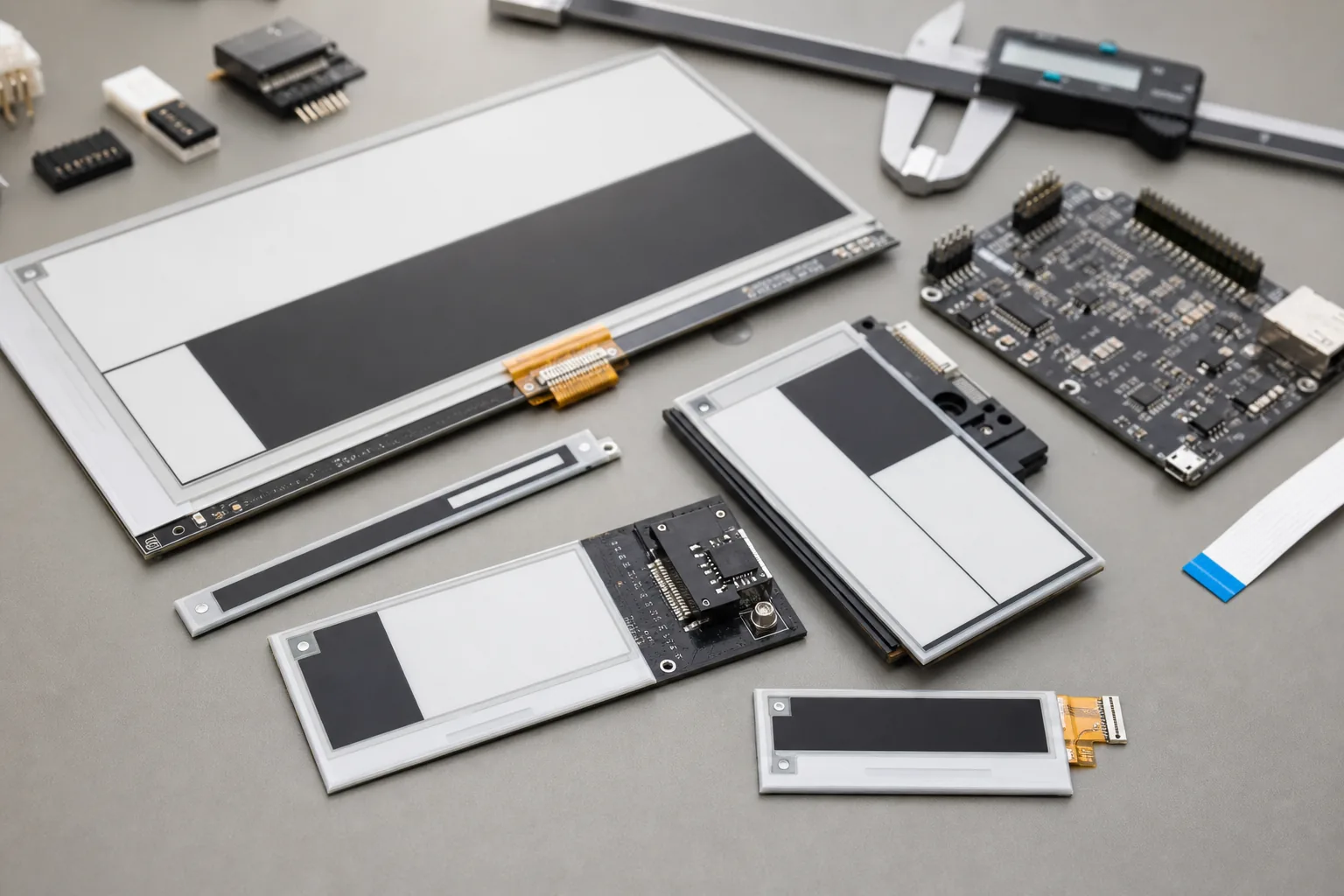 Module size, FPC position, controller selection, refresh behavior, and enclosure design should be reviewed together during OEM development.
Choose Size, Color, and Resolution Around the Job
The display should be large enough to read from the intended working distance. A compact module may suit a tool cabinet or instrument label. Larger panels can present a maintenance summary, warning symbols, diagrams, and multiple task fields. Resolution affects small text and QR-style codes, but increasing resolution can also increase memory, transfer time, and controller requirements.
Black-and-white e-paper usually provides strong contrast and straightforward integration. Black-white-red or black-white-yellow options can add emphasis for warnings, although refresh behavior and temperature performance must be checked. Color e-paper can support richer identification and workflow states, but it may refresh more slowly and should be selected only after testing the real content.
Sunshine Display supplies industrial display modules and supports e-paper product OEM customization. A project review should include panel availability, target size, color requirement, viewing distance, update frequency, controller platform, annual volume, and expected service life.
Design the Enclosure for Factory Conditions
An exposed module is not a finished industrial product. The enclosure must protect the display from impact, dust, moisture, cleaning chemicals, vibration, and electrostatic discharge. The front window should preserve readability without adding excessive reflection. Gasket compression and mechanical tolerances need control because concentrated pressure can damage the display stack.
For portable or wireless maintenance boards, designers should consider battery access, antenna position, mounting method, and accidental removal. For fixed installations, check cable routing, connector retention, grounding, and service access. A complete OEM solution may combine the e-paper module, controller board, battery system, enclosure, firmware, and communication interface.
Plan Content for a Reflective Display
Interfaces designed for bright color LCDs do not automatically translate to e-paper. Clear hierarchy, large text, simple icons, and strong black-white contrast generally work best. Avoid unnecessary animation and frequent full-screen changes. Group information by operational priority: equipment identity, safety state, current task, owner, due time, and completion status.
The display should also have a failure-state strategy. Because the last image remains visible when power is removed, users need a way to know whether the information is current. A visible last-update time, synchronization indicator, or physical status LED can help. Critical safety information should not depend on an unverified wireless update.
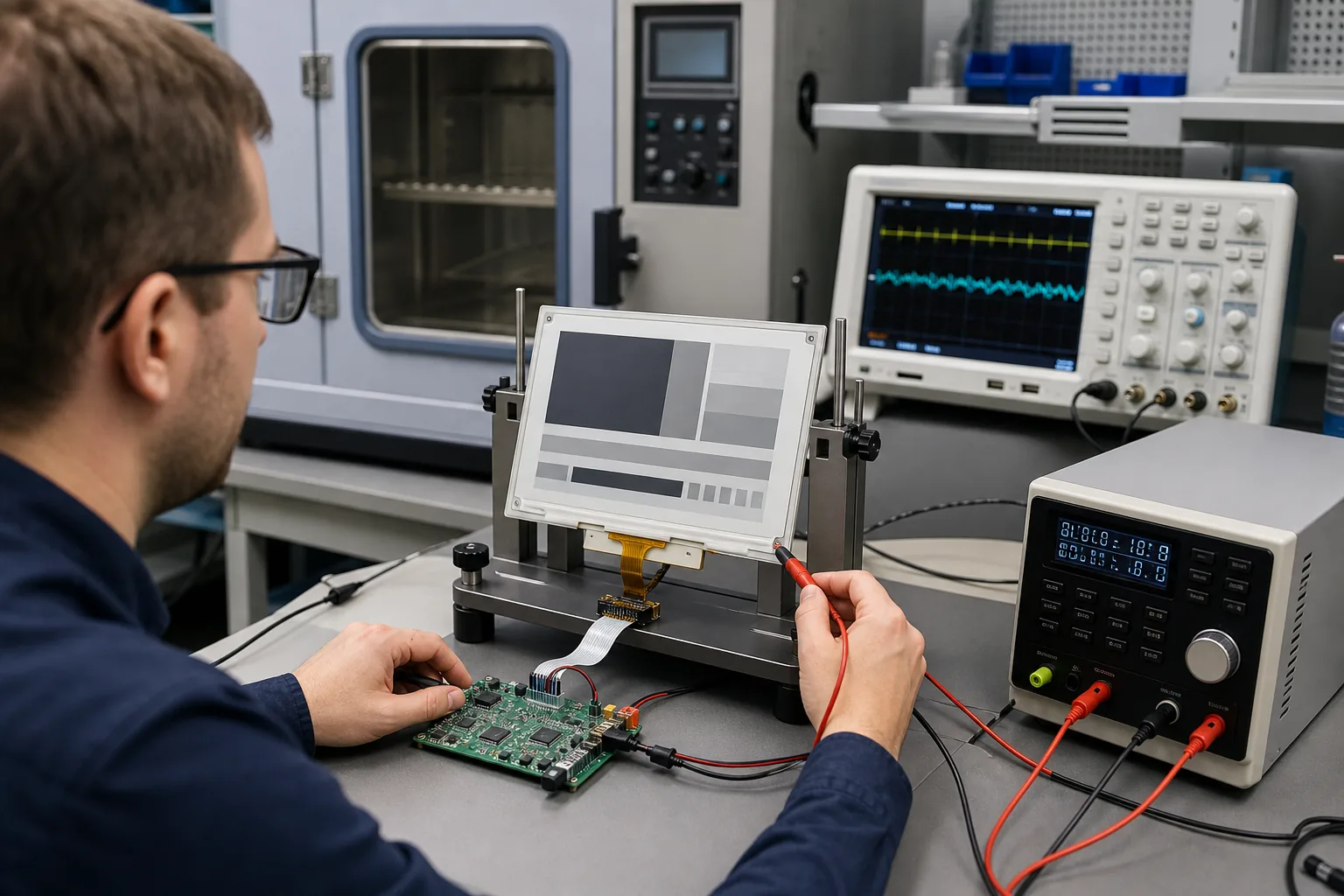 Engineering validation should measure update current, refresh time, image quality, temperature behavior, and controller communication.
Validate Before Pilot Production
Begin with representative samples and the actual controller. Test full and partial refresh, image retention, ghosting, sleep current, update current, communication recovery, and power interruption during refresh. Repeat the tests at the expected temperature limits because e-paper response can slow in cold conditions.
Mechanical samples should be assembled in the final enclosure and reviewed under factory lighting. Verify viewing distance, front-window reflection, mounting stress, connector clearance, wireless range, and battery replacement. If the project uses a touch layer or front keys, test them with gloves and cleaning procedures.
Supply continuity deserves the same attention as performance. Ask about module lifecycle, controller availability, change notification, compatible alternatives, and firmware ownership. These questions help prevent an otherwise successful prototype from becoming difficult to manufacture or support.
Practical RFQ Checklist
When requesting an e-paper display quotation, provide the intended application, display size, active area, resolution, color mode, interface, controller, update frequency, operating temperature, enclosure target, power source, wireless requirement, annual quantity, and customization scope. Share mechanical drawings and sample screen layouts when possible.
For projects that need only an active display, compare module-level options first. For a complete connected product, define responsibility for electronics, firmware, enclosure tooling, testing, certifications, packaging, and production programming. Sunshine Display can review these requirements and recommend a module or custom product path. Contact Sunshine Display to discuss an industrial e-paper module or OEM maintenance display project.
FAQ
Why use e-paper for industrial maintenance information?
E-paper keeps the last image visible without continuous display power, remains readable in bright ambient light, and can replace frequently changed paper labels or status cards.
Can e-paper replace a TFT LCD control panel?
Not in every application. TFT LCD is better for animation, fast interaction, live trends, and video-rate updates. E-paper is strongest for static or slowly changing information and can complement a TFT HMI.
What can be customized in an e-paper OEM project?
Depending on volume and technical feasibility, customization may include module size, controller board, FPC, enclosure, front panel, communication interface, firmware, battery system, and complete product assembly.
