
Confirm the equipment assignment when fitting or replacing an electronic nameplate.
A machine moves to another production area, but the label on its enclosure still points to the old asset record. A service team replaces a controller, and the configuration reference changes again. For equipment builders, keeping that information readable and consistent can become an awkward mix of adhesive labels, handwritten notes, and database searches.
E-paper equipment nameplates offer a way to show selected identification information directly on industrial equipment while allowing controlled revisions. The useful question is not whether a display can replace paper. It is which information should be editable, who can change it, and how someone at the machine can tell that the displayed record belongs to that machine.
Keep permanent identity separate from editable information
Begin by dividing the proposed content into two groups. One identifies the equipment: its serial number, asset identifier, or manufacturer reference. The other describes a changeable assignment, such as an internal equipment name, configuration reference, or link to a service record. Decide which system owns each field before discussing screen size.
Treat the electronic nameplate as supplementary information unless the responsible team has established that it meets all requirements for a particular mandatory marking. Do not remove permanent safety labels or assume that a changeable screen is an acceptable substitute for an existing rating plate. Keep the initial project focused on information the organization can legitimately revise.
Consider a skid that receives a new plant asset number after installation. The display could show that local number alongside an unchanged manufacturer identifier. Keeping both visible helps a technician reconcile the physical equipment with the plant record without treating a location assignment as the machine's permanent identity.
A retained image is useful, but it is not a live connection
Bistable electrophoretic displays can retain an image after display power is removed. That makes them relevant when identification must remain visible while equipment is disconnected. The complete device still needs energy for updates, communication, processing, and any other active functions. Image retention alone does not establish a battery-life specification.
It also creates a design responsibility: an old image can look perfectly normal. Show a record revision or last successful update reference when that distinction matters. Avoid presenting a retained value as a live operating measurement. An identification plate should not silently become a process-status indicator simply because there is spare space on the screen.
Decide what staff should do if the displayed identity conflicts with the permanent equipment identifier. A short documented exception process is more valuable than an attractive screen that encourages people to trust whichever number is easiest to read.
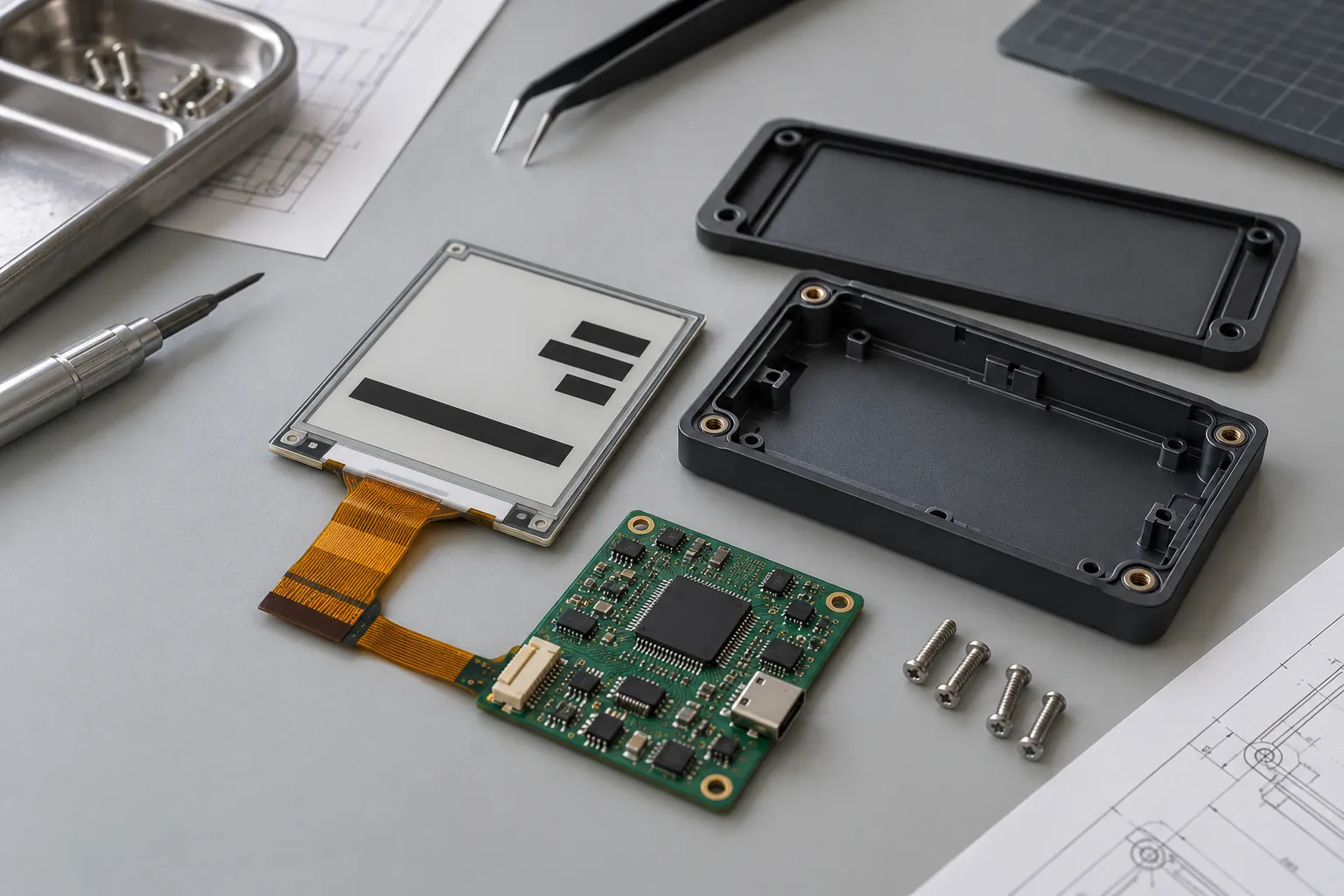 Specify the display, controller and enclosure as distinct parts of the integration.
Build the layout around the actual reading task
Mock up the longest asset names, serial strings, and configuration references at the intended display resolution. Check them from the installed reading distance. A label tucked behind pipework may need a different mounting position rather than a smaller font. Test the protective window and nearby lighting along with the bare display.
Reflective e-paper uses ambient light, so a dark cabinet or shadowed machine recess needs attention. Review the likely illumination at the point of use. Do not judge readability solely from a brightly lit sample photograph, and do not assume that increasing display size will solve poor access or reflections.
If a machine-readable code is included, test it using the intended scanners, complete payload, quiet zone, and final protective window. Keep a human-readable identifier beside it. Evaluate damaged or partly obscured windows too, so that the service workflow does not depend on every scan succeeding immediately.
Sunshine Display's display product catalogue can support the initial discussion of module categories. Supply the actual artwork with your enquiry; the usable information area and pixel requirements matter more than a diagonal dimension in isolation.
Define what counts as a completed update
Separate sending a record from displaying it successfully. A communication acknowledgment may confirm receipt without proving that the panel finished its refresh. Ask the device designer to define the evidence available at each stage and the point at which the central record may report success.
For commissioning, pair the electronic device with the physical equipment using a repeatable identification step. Have the operator compare the permanent identifier before releasing the assignment. Reusing a spare nameplate must clear or replace its previous assignment deliberately; otherwise a correctly functioning display can identify the wrong machine.
Test an interrupted update, an unavailable connection, a restart during commissioning, and a replacement controller. Record the resulting screen and the recovery procedure. Where the hardware cannot independently verify the visible image, include a suitable visual confirmation step rather than overstating what software acknowledgment proves.
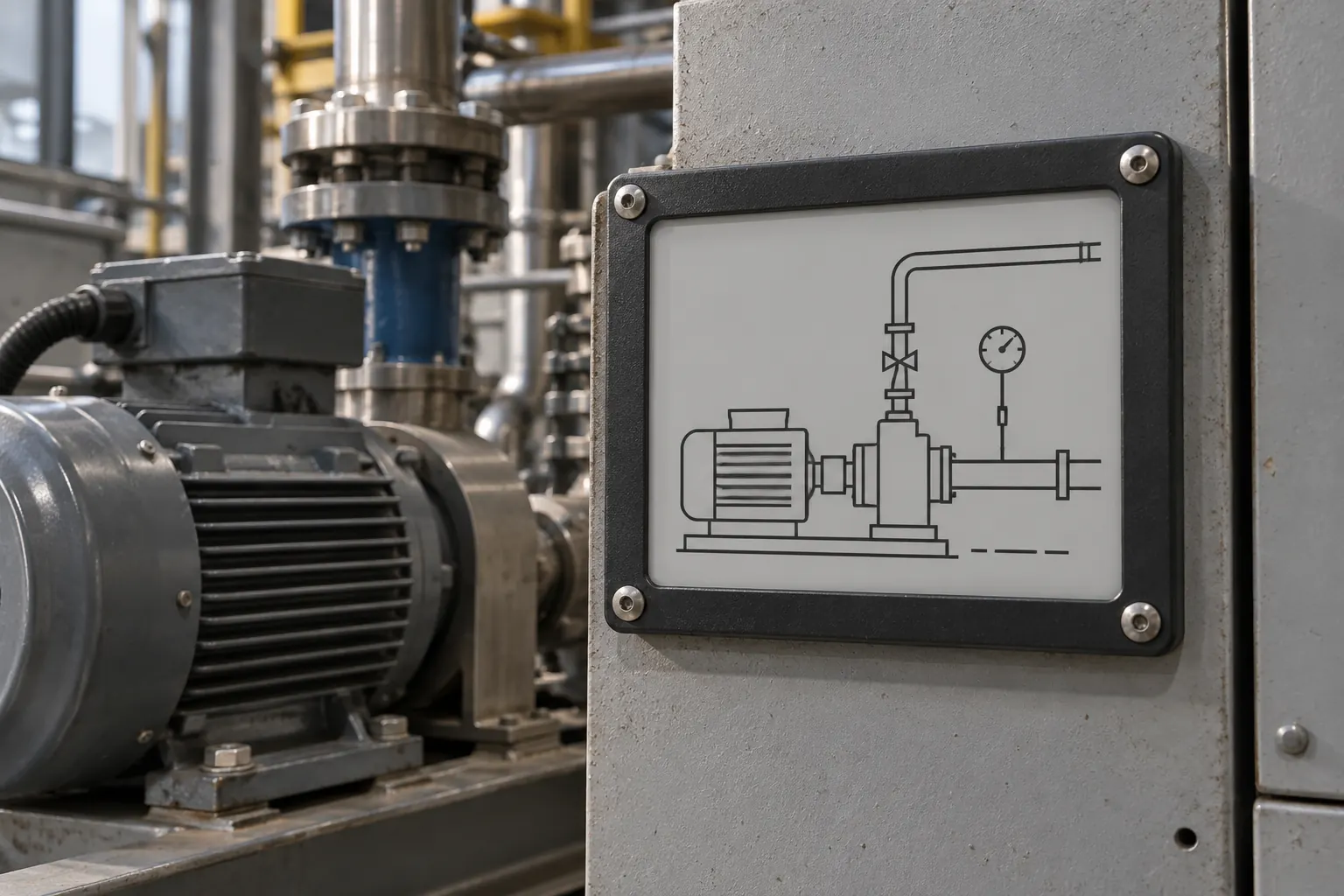 Check readability and mounting access at the installed position.
Buy the integration scope you actually need
A bare display, a module with a driver board, and a finished connected nameplate are different deliverables. Establish who supplies the controller, power arrangement, communication method, enclosure, firmware, and management software. An interface on the display module does not by itself provide remote provisioning or asset-database integration.
Ask for operating and storage conditions for the exact module revision. Refresh behavior and supported drive sequences must be checked with its documentation and controller implementation. Avoid carrying settings from a visually similar panel into production without validation.
Mechanical protection deserves equal attention. Review mounting loads, cable clearance, window reflections, cleaning exposure, and access for replacement. The finished assembly's durability cannot be inferred from the appearance of the screen or the material of one enclosure component. Agree on relevant tests and observable acceptance criteria with the team responsible for the equipment.
Where a separate operator interface must show frequent process changes, compare that requirement with standard TFT LCD modules instead of forcing every display task onto the nameplate. The identification display and machine HMI can serve different purposes within the same product.
Bring a complete sample record to the supplier
Before ordering samples, assemble one realistic record, a mounting drawing, the proposed update workflow, and a description of the installation environment. Identify fixed identity fields and editable fields explicitly. Add the expected revision frequency and the way service staff will replace or reassign the device.
Share that package with Sunshine Display's OEM enquiry team to discuss an e-paper module and the integration work around it. A sample becomes much easier to evaluate when everyone knows which equipment it identifies, what must remain readable offline, and what evidence makes an update complete.
