
A reflective e-paper display keeps operating status visible at a low-power industrial field device.
Industrial field devices often have a simple but demanding job: show the right condition at the point of work while operating from a battery, a small solar supply, or a constrained wired power budget. Water-treatment stations, remote pumps, condition-monitoring nodes, utility cabinets, warehouse assets, and portable instruments all need clear information without the power draw of an always-on backlit screen.
An e-paper display module is a practical option when content changes occasionally rather than continuously. The image remains visible after an update without continuous panel power, the reflective surface is easy to read under bright ambient light, and the module can be integrated into a thin, rugged product. For industrial OEMs, that can support longer service intervals and more dependable local status information.
Match the Display to the Device Duty Cycle
Start with how frequently the information truly changes. A remote monitoring device may update its visible state after a measurement cycle, radio transmission, alarm event, or technician visit. A warehouse tote label may change only when a job moves. These are strong e-paper use cases because operators benefit from persistent information between updates.
E-paper is not the right fit for rapidly changing process trends, animation, video, or a responsive machine-control interface. Those tasks usually need an industrial TFT LCD module with an appropriate controller and backlight. Some industrial products use both: a TFT HMI for active operation and an e-paper panel for stable asset identity, maintenance state, or low-power field information.
Define a realistic update budget before choosing the panel. Include scheduled measurements, abnormal conditions, manual updates, retries after weak wireless links, and firmware maintenance. The answer affects battery capacity, solar sizing, controller choice, and expected service interval.
Calculate Energy for the Whole Update
It is tempting to describe e-paper simply as zero-power, but the product must be designed around the full update event. The panel consumes energy while it refreshes, and the device also wakes its microcontroller, sensor front end, memory, communication module, and voltage regulators. A cellular or long-range radio transmission can use more energy than the display update itself.
Measure sleep current and update current using representative firmware. Check cold-start behavior, radio retries, display refresh time, and recovery after a low-battery shutdown. These measurements are more useful than a panel-only current figure because they represent the device that will be deployed.
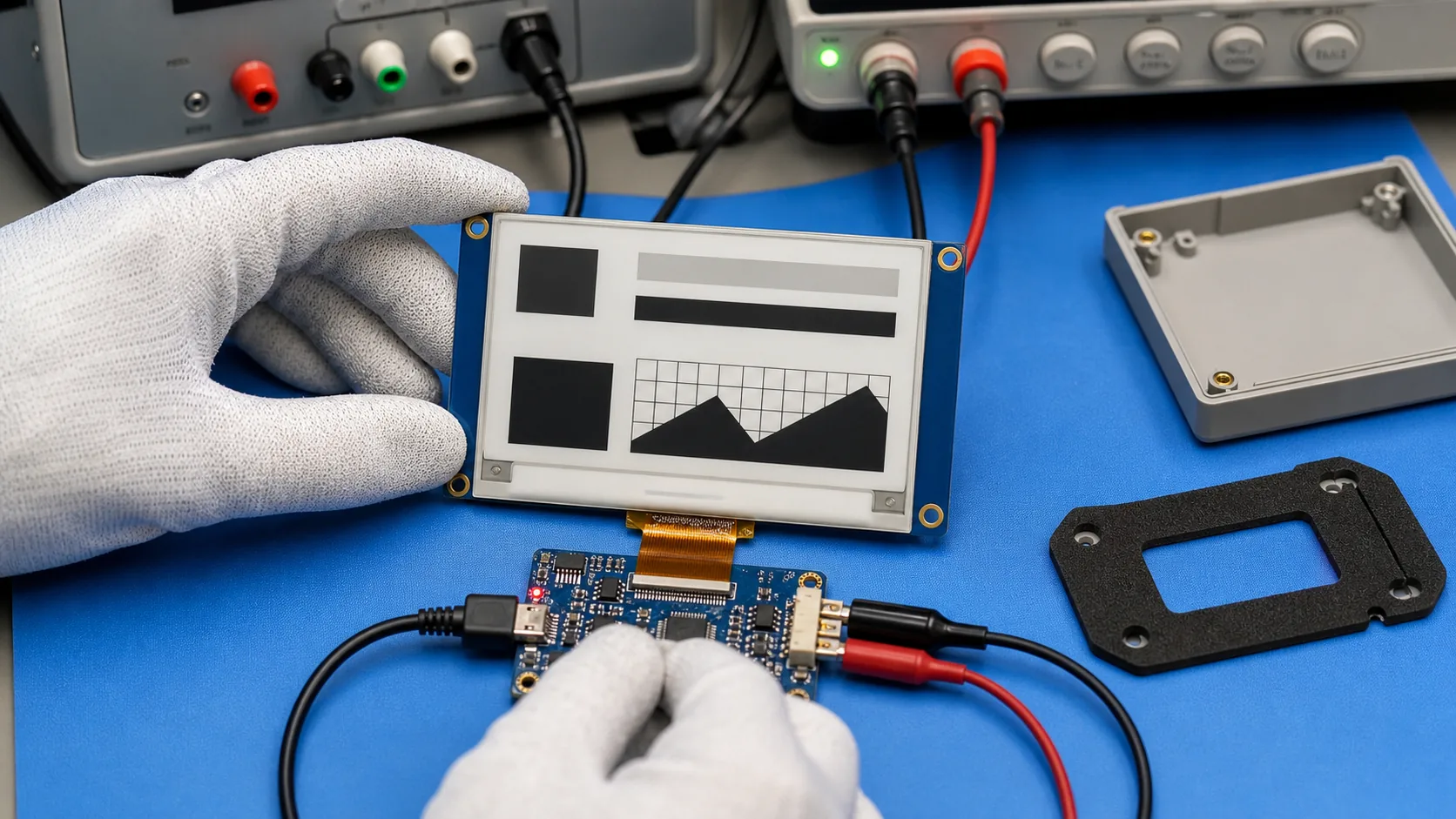 Update energy, sleep current, controller behavior, and enclosure details need validation as one system.
Choose Readability, Size, and Color With Purpose
Viewing distance and task priority should determine active area and resolution. A compact unit on a valve, meter, or tool cabinet may need only an equipment ID, condition symbol, and service date. A larger enclosure can display multiple readings, an inspection sequence, and a simple process diagram. Avoid shrinking critical text merely to fit more information on screen.
Black-and-white e-paper provides high contrast and remains a sensible default for industrial identifiers and status displays. Accent-color options can highlight an alarm or service state, while color e-paper can help with richer categories. Each choice should be validated for refresh behavior, ghosting, temperature response, controller support, and the real interface layout.
For applications that need a full product range, review Sunshine Display industrial display modules alongside the mechanical envelope, power source, and intended service life. An e-paper module is only one part of the final device.
Engineer the Enclosure, Front Surface, and Connections
Field conditions are usually harder than a lab bench. The enclosure may face UV exposure, rain, dust, cleaning chemicals, vibration, impact, condensation, and rapid temperature change. Choose the front window and adhesive stack carefully because added glare or trapped stress can reduce readability and affect the module.
Account for FPC routing, connector retention, grounding, antenna clearance, battery replacement, mounting hardware, and access for service. In harsh or variable climates, a wide-temperature TFT LCD option may be better for active display tasks, while e-paper may serve the persistent, low-update information layer. The right choice follows the operating workflow, not a single specification.
If users interact with the device, test gloves, moisture, cleaning procedures, and tactile feedback early. Where touch is needed, an industrial capacitive touch display assembly can be evaluated for the active interface, with e-paper retained for the long-life status surface.
Design Content for a Reflective Screen
A low-power display should present information in a calm, deliberate hierarchy. Put equipment identity, condition, urgent warning, and next action first. Use large text, strong contrast, simple icons, and uncluttered regions. Avoid copying a color LCD dashboard with dense widgets and rapid changes.
Because the last image persists during a power loss, the user must be able to judge its freshness. A last-update marker, synchronization symbol, or separate hardware indicator can help. Critical safety conditions should also have an independent physical alarm path; no display should be the sole protection mechanism.
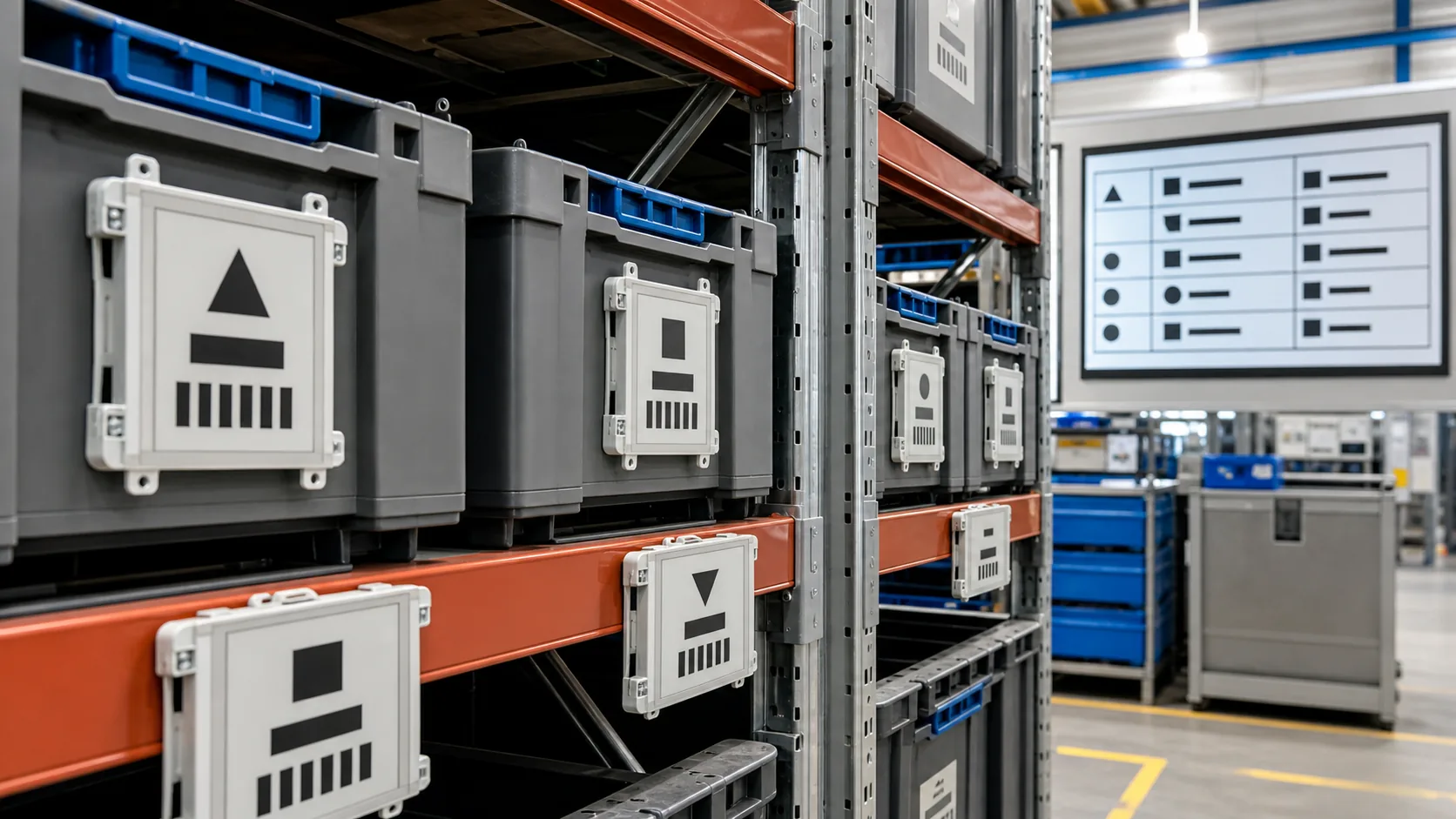 Electronic paper labels can keep route, stock, inspection, and handling information visible without continuous display power.
Validate in the Real Deployment Environment
Prototype testing should cover full and partial refresh, image retention, ghosting, sleep current, communication recovery, update timing, and low-battery handling. Repeat the test plan at expected hot and cold limits because e-paper refresh performance can change with temperature.
Then assemble representative devices and put them in the actual work setting. Check sunlight readability, warehouse lighting, front-window reflections, water exposure protection, mounting stress, wireless range, and service access. For logistics labels, test attachment methods and scanning workflow. For remote equipment, test how an operator interprets a stale or failed update.
Practical OEM RFQ Checklist
Provide the application, intended viewing distance, display size, resolution, color mode, interface, update frequency, power source, operating temperature, enclosure target, wireless method, annual quantity, and lifecycle expectation. Include screen layouts and mechanical drawings where possible. For a complete product, also define responsibilities for controller hardware, firmware, enclosure tooling, validation, certifications, packaging, and production programming.
Sunshine Display can help assess e-paper modules and custom e-paper product requirements alongside TFT LCD options for industrial applications. Contact Sunshine Display to discuss a low-power field display or OEM customization project.
FAQ
When is e-paper a good choice for a field device?
It is well suited to battery or solar-powered equipment whose status, instructions, or measurements change occasionally and must remain readable in sunlight.
Does e-paper consume power while showing a static image?
The panel retains a stable image without continuous display power. The complete product still has standby consumption from its controller, sensors, wireless subsystem, and other electronics.
Can an e-paper field device be customized?
Depending on technical requirements and volume, OEM work can include module selection, controller and firmware, FPC, enclosure, front lens, power system, communication interface, and final assembly.
