A stability test chamber may run for days while the people who need its status are not in front of the main controller. At the door, a technician often needs a simple answer before opening it: which program is active, whether the run needs attention, and what sample or batch belongs inside. A persistent e-paper display can support that at-a-glance layer, but only if its content, update behavior, enclosure, and service plan fit the chamber design.
Put the information needed at the door into the installed equipment context.
Define the information that belongs at the door
Start with the decision a person makes beside the chamber. They may be checking whether a test is running, confirming the sample identity, looking for a handover note, or deciding whether a condition requires the control screen. That is different from operating the chamber itself. The door display should point to the right next action, not duplicate every setting and graph held by the host controller.
Limit the first version to information that remains useful between updates: a plain run state, an identifier, a small set of time or condition fields where appropriate, and a clear attention marker. Use real representative layouts in a review. Ask someone to identify the chamber state from the normal approach direction and under the expected lighting. If they must move close to decode a crowded label, reduce the information before changing the hardware.
It also helps to separate what the display shows from what the chamber is allowed to do. A door display may reflect a controller state, but it should not become an undocumented control path. Agree which system owns the data, when the door display changes, what it shows if data is unavailable, and who can revise the content. That prevents an appealing prototype from creating an unclear operational record.
Plan the update path before choosing a module
E-paper is most useful when the information can stay visible without being constantly redrawn. That does not mean every update is simple. The host controller, gateway, or service tool needs a defined way to prepare the image, transfer it, confirm the outcome, and recover from an interrupted change. Capture those steps in the integration brief instead of leaving them to a late firmware decision.
Choose a representation that is still meaningful if the last accepted image remains on screen during a communication interruption. For example, a clear program identifier and an explicit last-known-state convention are easier to review than a dense dashboard that only makes sense when every field is current. Avoid showing a precise time or live value unless the application can define how its freshness is represented.
The Sunshine Display product range provides a starting point for reviewing module formats against the available door area and intended interface. Compare candidate samples using the actual controller or a realistic substitute. A bench image loaded from a development tool does not test the power sequencing, data path, or recovery behavior of the finished equipment.
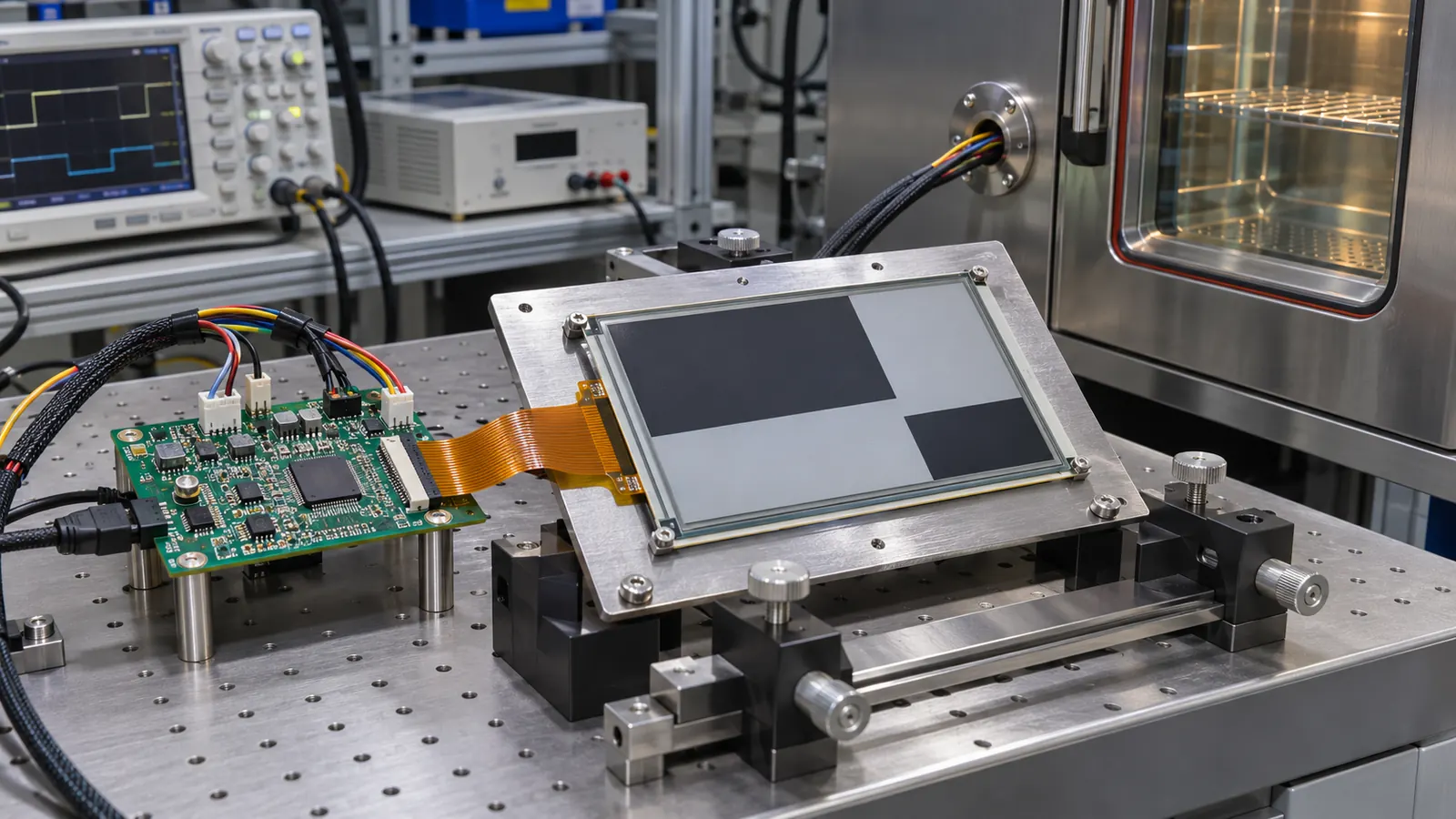 Review the module, controller, update path, and mounting hardware together during early integration.
Treat the door as part of the display assembly
The module is only one part of the installed display. A chamber door adds a window, gasket, metalwork, insulation, a latch, and a cleaning routine. Those elements affect viewing angle, reflections, mounting pressure, and access to the cable or controller. Build a mechanical sample early enough to check the active area through the intended opening and the room needed behind the panel.
Review the display from the approach positions available in the laboratory. A person may be carrying samples, standing slightly to one side, or reading under overhead fixtures. Test the small text, warning treatment, and identifier at those positions. Do not approve a layout using a bare module held square to the face and then assume the installed result will match.
Service access matters as much as the front appearance. Define how the display assembly is located, how the cable is retained, and whether the module can be replaced without dismantling unrelated door hardware. If the design includes a protective window, clarify its material, finish, and cleaning compatibility with the team responsible for the chamber. Record the intended stack so later sample changes can be compared with the approved configuration.
Make update and fault behavior visible
A useful evaluation covers the conditions that make handovers difficult. Test the normal update sequence, an intentionally interrupted update, a controller restart, and the return of a communication path. Decide what staff should see when the display content cannot be refreshed. A stable, recognizable fallback is usually more useful than an unexplained blank panel.
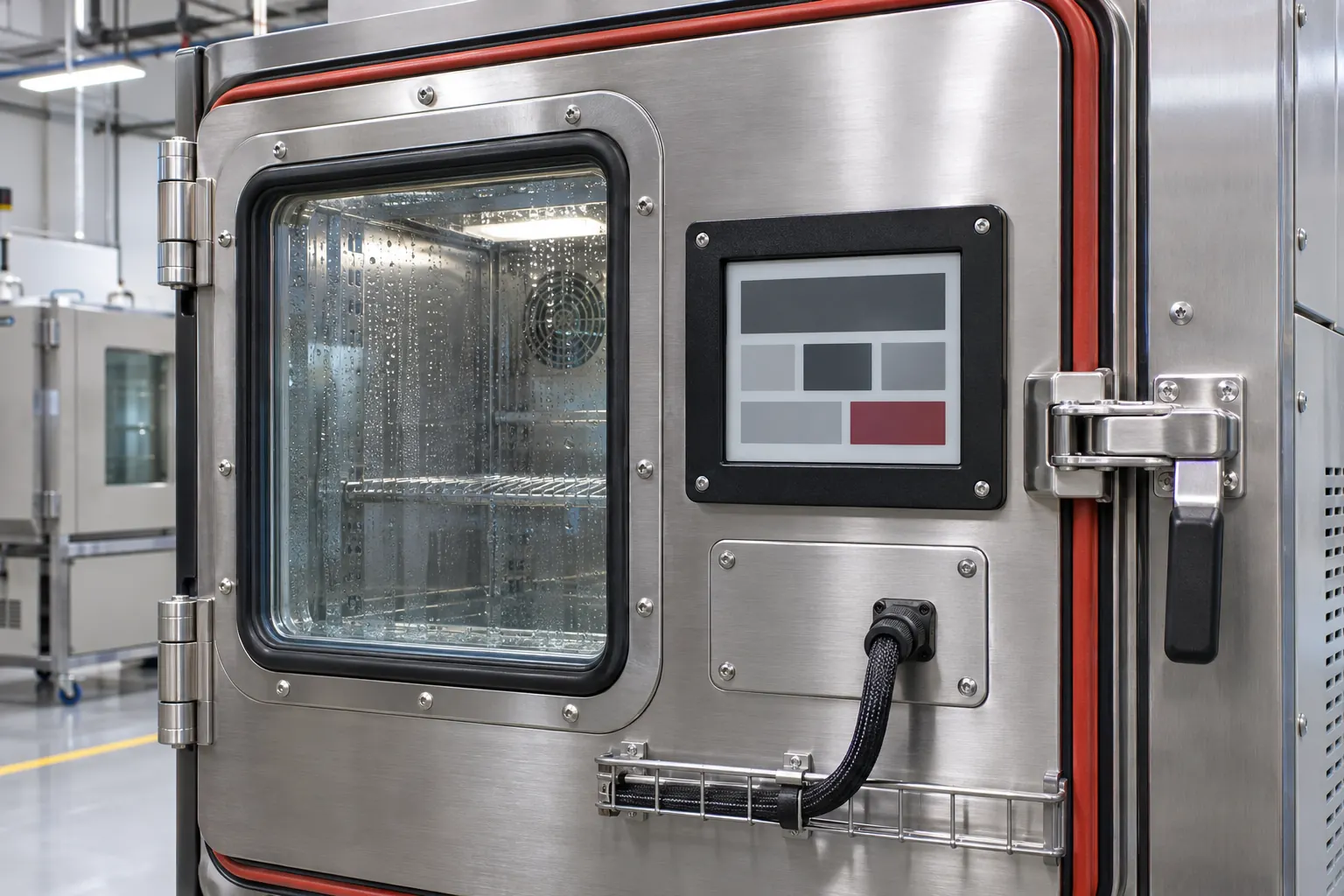 Check the installed window, gasket, mounting, and cable access as one serviceable assembly.
Use real chamber workflows during the review. Set up a program, assign a sample label, transfer responsibility between shifts, pause or complete the run, and check whether the door display remains understandable at each step. Keep the display at the appropriate role: it can provide visibility beside the equipment while the validated chamber controls and records remain in their assigned systems.
This review should also identify who owns configuration changes. A new display layout, controller firmware revision, window material, or mounting method can affect the installed result. Maintain an approval record containing the module part number, screen orientation, interface, content revision, mounting detail, and test scenarios. That record turns a successful sample into something purchasing and quality teams can repeat.
Turn the sample into an OEM decision
An effective request for quotation describes the equipment context, not only the display size. Include the available opening, outline limits, desired content density, update ownership, host interface, expected operating environment, cleaning exposure, expected lifecycle, and sample-validation sequence. Mention whether the display is read at the door, from a corridor, or during a service procedure. Those details let the supplier identify integration questions before the enclosure drawing is locked.
Use the same configuration for the pilot build that will be used for acceptance. Recheck readability, mounting, cable routing, update recovery, and service access after any change to the module, controller, window, or door design. A component can look equivalent in isolation while changing the final assembly.
For OEM teams planning persistent status information on environmental test equipment, review the industrial display options alongside the controller and door design. When the sample brief is ready, share the enclosure concept and information workflow through the Sunshine Display contact page to discuss appropriate module candidates.