A refrigerated cabinet door is often the first place a technician or shift lead looks. Before they open it, they may need to confirm the unit’s assignment, identify the material inside, see whether a service action is pending, or determine which system holds the detailed record. A small e-paper panel can make that door a clearer point of reference without turning it into a second refrigeration controller.
Make the information needed at the cabinet door easy to see in the installed equipment context.
Start with the door-side decision
The best content is driven by the action a person takes beside the cabinet. In a production store, cold-room staging area, laboratory support space, or distribution facility, someone may be checking allocation, shift ownership, a replenishment cue, or the equipment’s current service state. That is not the same as monitoring every process variable. The door display should help the person choose the next system or procedure, not recreate a dense supervisory dashboard.
Write down the few items that must remain visible between updates. These might include a clear cabinet identifier, a material or zone reference, an operational status, and an attention marker that directs the user to the approved control or record. Put representative layouts on a sample and ask reviewers to read them from the approach angles available in the facility. If the message requires a person to stand directly in front of the display or decode tiny fields, simplify the information before changing the module.
This framing also avoids an integration mistake: a display that reflects equipment information should have a clear data owner. Decide which controller, gateway, or managed workflow supplies the image, how changes are approved, and what the panel indicates if the source is unavailable. A useful visible message is better than a convincing-looking screen with unclear data provenance.
Match updates to the information lifecycle
E-paper is well suited to information that needs to remain visible for a period and changes at defined events. In a refrigerated-equipment application, those events might be an allocation change, a service handover, a route change, or a completed cleaning process. The content does not need to imitate a continuously changing dashboard to be valuable.
Plan the complete update path before selecting a panel. Define how the host prepares an image, sends it to the module, confirms the result, and handles an interrupted transfer. Include restart behavior and an agreed fallback state. For example, a static identifier and a clearly designed attention state can remain meaningful even when the most recent update has not arrived. A field that appears to be live but has no defined freshness behavior can create confusion.
The Sunshine Display product range is a useful starting point for comparing module formats with the available door area and host interface. Evaluate samples with the intended controller or a realistic integration fixture. A picture loaded by a development tool shows the appearance of a panel, but it does not prove the power sequence, communication path, or recovery behavior of the finished cabinet.
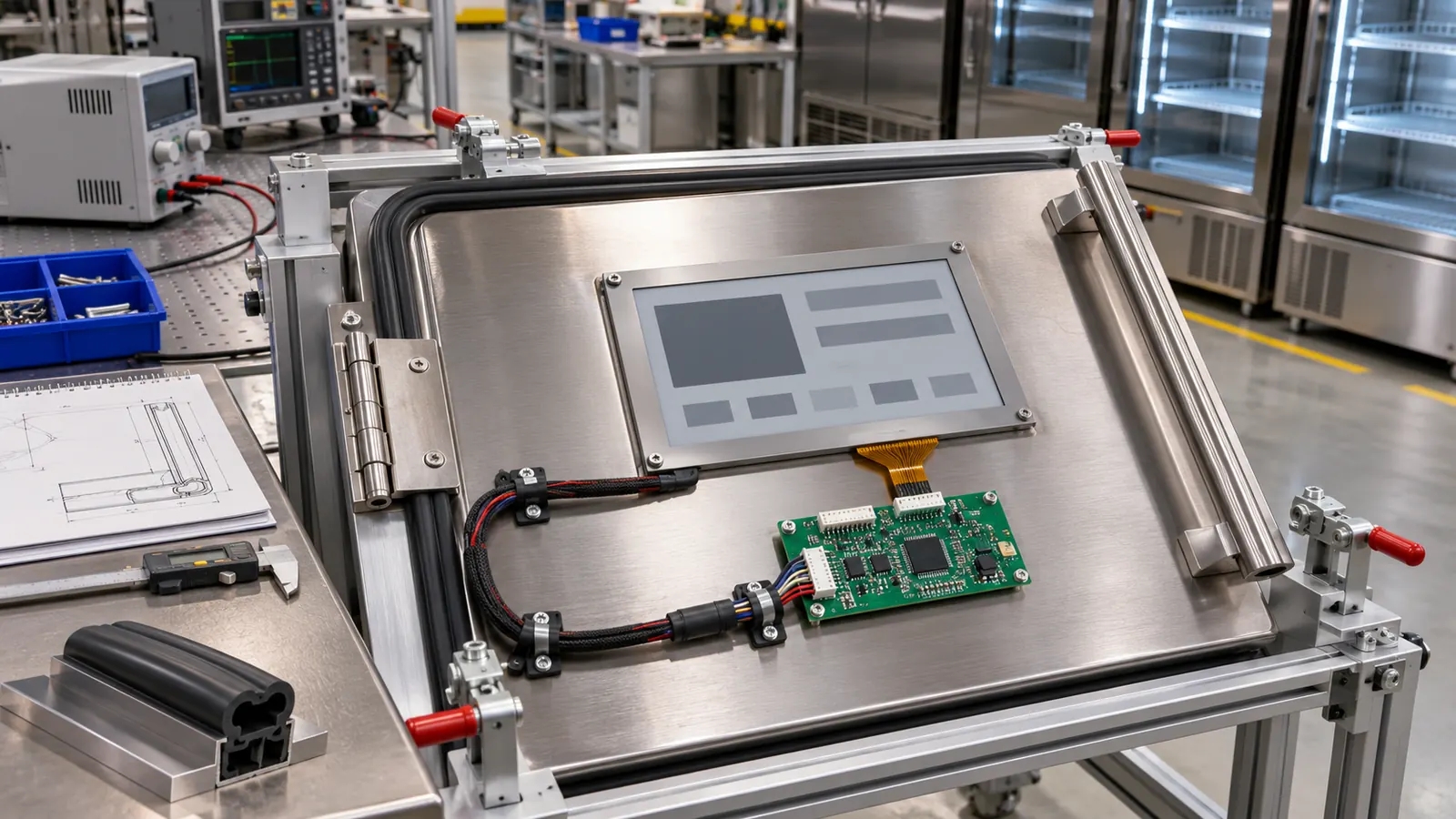 Review the display, controller, door hardware, and cable route as a single integration task.
Build the panel into the door, not onto it
A commercial refrigerated cabinet is a demanding mounting location. The display assembly may sit beside a latch, handle, window, insulation, wiring path, and cleaning-exposed surfaces. The active area, bezel opening, protective window, gasket, mounting pressure, and cable route all need consideration together. A module that looks suitable on a flat bench may be difficult to access or misaligned after the door hardware is installed.
Create a production-intent mechanical sample early. Check readability through the planned window under the facility’s normal lighting. Look from the positions used by staff carrying containers or moving past the cabinet. Verify that a printed border, recessed opening, or handle placement does not hide the information from one side.
Then inspect the rear of the assembly. Can a technician reach the cable and connector with the door panel in place? Is there a clear method for strain relief? Can the display be exchanged without dismantling unrelated insulation or door components? Those questions shape service time and spare-parts planning, so they belong in the engineering sample review rather than a later field fix.
Keep status information separate from machine control
The e-paper panel can improve visibility while the refrigeration controls, alarms, and records remain in their assigned systems. Avoid using the door display as an undocumented substitute for a control interface. Instead, use it to make the approved workflow easier to follow: identify the cabinet, provide the current assignment or state, and give a readable prompt when a person needs to use the main controller or maintenance procedure.
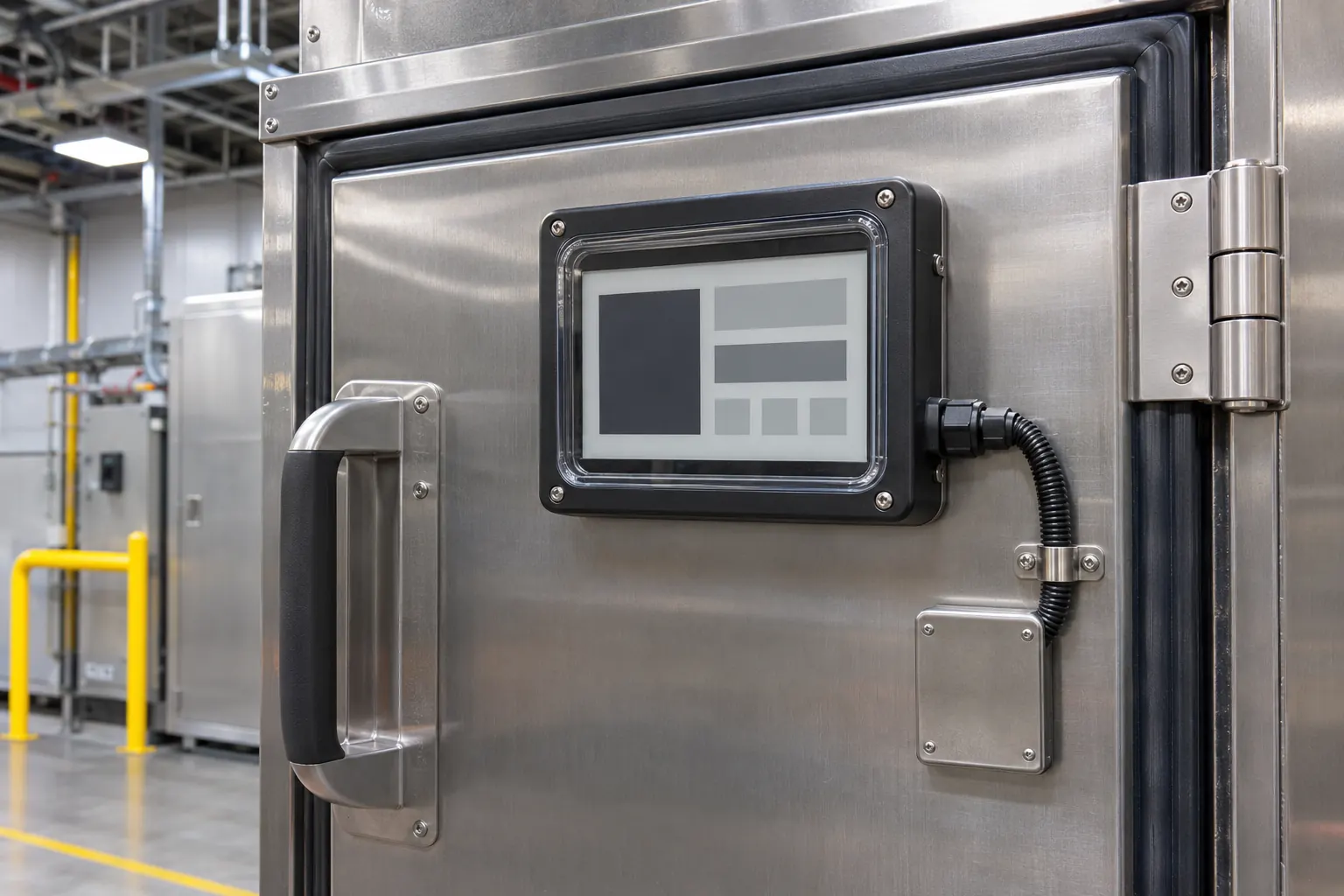 Check the installed window, gasket, mounting approach, and service access before the design is released.
Test typical handovers. Set up a new assignment, change the displayed content, perform a controller or communications restart, and confirm what the next shift sees. If the application includes a protective cover, review how reflections, condensation exposure, cleaning practice, and the hardware around the display affect the installed view. This is an engineering review, not a claim that one sample substitutes for the equipment’s required qualification or validation.
Record the approved configuration: e-paper module part number, panel orientation, host interface, content revision, window material, gasket approach, mounting method, and tested scenarios. When a supplier changes a component or the door geometry changes, that record makes the comparison concrete. It also lets quality and purchasing teams identify which parts are part of the accepted assembly.
Prepare an OEM-ready brief
A useful request for quotation contains more than display dimensions. Describe the door opening, mounting depth, expected information density, update ownership, host interface, cleaning and environmental exposure, service approach, expected lifecycle, and annual volume. Explain where the display is read and what decision it is meant to support. That context gives a display supplier a chance to flag integration risks before the door tooling and firmware are fixed.
Use a pilot build to review the complete assembly: readable content, update confirmation, mounting, cable access, recovery behavior, and the person’s real workflow beside the cabinet. Repeat that review after a module, controller, window, or door-hardware change. Individual components can appear equivalent while the installed result changes.
For OEM teams exploring persistent, door-side information on commercial refrigerated equipment, review industrial display options with the enclosure and data workflow in view. Share the cabinet concept and sample-validation plan through the Sunshine Display contact page to discuss suitable e-paper module candidates.