
E-paper modules can keep selected stock, service, and identification information visible at industrial spare-parts cabinets without continuous display power.
At the start of a maintenance shift, a technician may need one replacement sensor, a fitting kit, a drive belt, or a calibrated tool. The difficulty is rarely finding a shelf. It is confirming that the part is the approved one, that the cabinet record is current, and that taking it will not leave the next repair without stock. Industrial spare-parts cabinets are small information systems sitting beside the production floor.
An e-paper display for industrial spare parts cabinets can make that information visible without putting a continuously powered screen on every drawer. The panel retains its last image with very low standby demand, remains readable in bright ambient light, and can be updated when a stock, service, or ownership event occurs. It works best as a focused point-of-use surface, not as a replacement for the inventory system behind it.
Follow One Part Through the Cabinet
Imagine a technician receives an approved work order. They reach the cabinet, identify the correct drawer, confirm the part state, remove the item, and complete the transaction through the plant's defined process. At each step, the e-paper display can reduce ambiguity by presenting selected information close to the physical part.
The content should be purposefully limited. Useful fields might include an equipment family marker, part category, storage location, stock condition, service instruction, or a clear replenishment state. A small screen does not benefit from being turned into a miniature ERP interface. The goal is faster, more reliable recognition at the point of use.
For an active cabinet terminal that needs fast searching, transactions, camera input, or interactive menus, industrial TFT LCD modules are a better fit. The e-paper module complements that terminal by keeping persistent information visible on the drawer or cabinet even when the main terminal is inactive.
Four Design Mistakes That Create Extra Work
Treating the panel as a paper label with a radio. A digital module needs a plan for update confirmation, power loss, synchronization, and firmware ownership. A retained image can look valid even after a communication problem unless the product makes freshness clear.
Selecting by diagonal size only. Readability depends on viewing distance, type size, contrast, enclosure border, front window, and the actual aisle lighting. A compact drawer label and a cabinet-door status panel are different jobs.
Ignoring the complete power event. E-paper has very low holding power, but a refresh still consumes energy. The controller wake-up, data transfer, wireless activity, full or partial refresh, and return to sleep should be measured against real update frequency.
Leaving the enclosure until last. Mounting position, cleaning exposure, dust, impact, battery access, cable routing, and service removal shape the finished product. Module, controller, front lens, and housing should be reviewed as one OEM assembly.
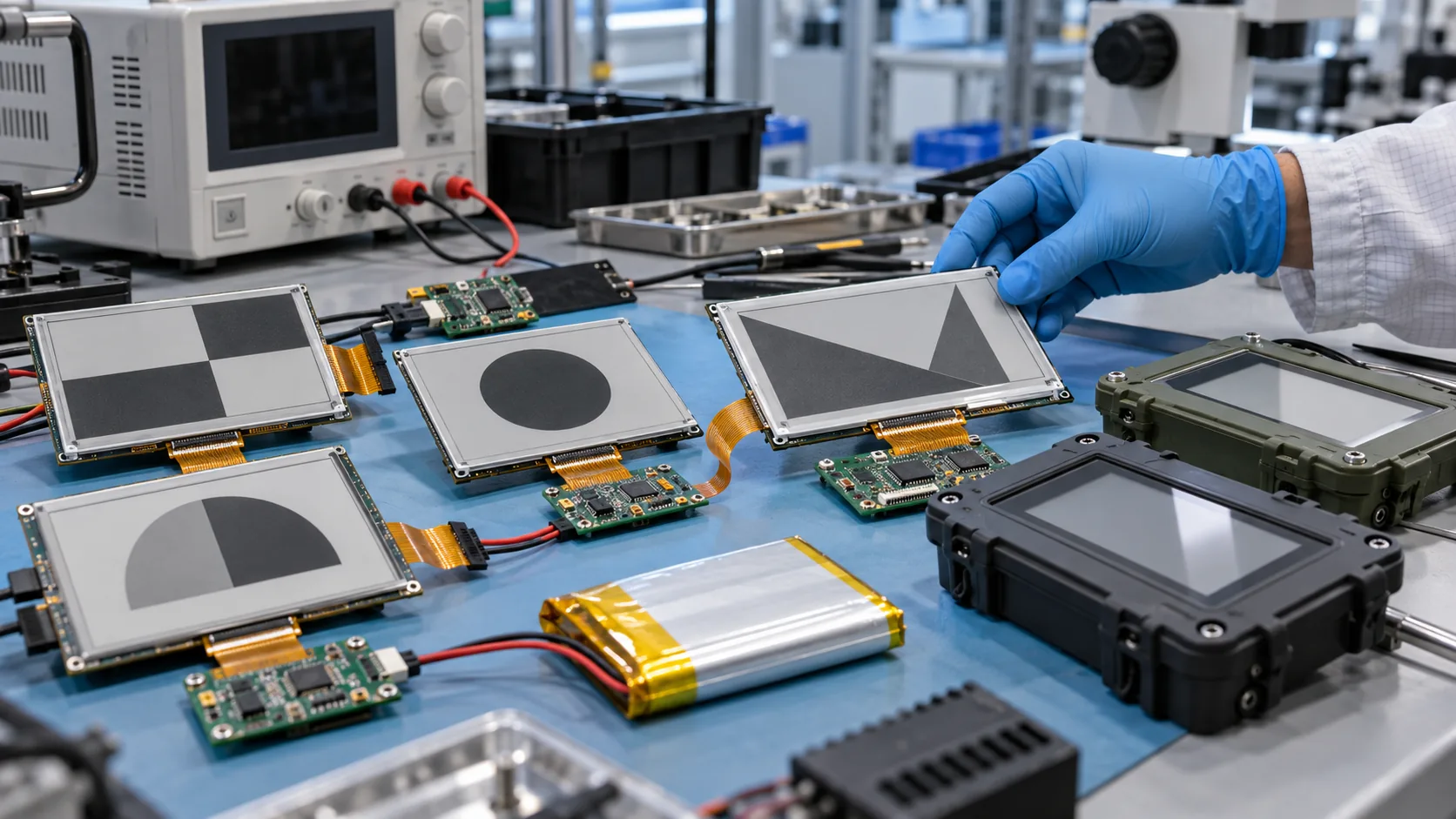 A practical low-power e-paper product needs validation of module, controller, battery, enclosure, update behavior, and maintenance workflow together.
Build a Short Pilot Before Scaling the Cabinet System
Start with a limited set of drawers or a single maintenance zone. Use real part categories, actual update triggers, and the same people who will use the final system. This is more useful than demonstrating an empty panel with idealized content.
During the pilot, observe what happens when stock is received, a part is moved, an item is taken, a count is corrected, and the network is unavailable. Record whether users can identify the intended item without unnecessary searching. Check whether the display content is still readable through the final protective window and whether the panel is positioned where hands, tools, and drawer movement will not damage it.
An e-paper product may be battery powered, wired, or designed around a hybrid strategy. There is no universal best choice. Battery access, update schedule, communications, cabinet construction, and site maintenance practice should decide the power architecture.
Choose the Content Like an Industrial Control Surface
Reflective e-paper rewards simple hierarchy. Use large, high-contrast sections and reserve emphasis for the one or two states that matter most. Black-and-white works well for identification and normal status; accent colors can help distinguish an exception or hold condition, but should be tested for refresh behavior and the real lighting environment.
Do not depend only on color. A technician wearing safety glasses or working in uneven light should still understand the state from placement, contrast, and shape. If detailed, rapidly changing information is required at a cabinet, pair the e-paper surface with an active HMI or a procedure-controlled mobile workflow rather than forcing high-frequency updates onto the reflective panel.
Turn the Pilot Into a Production Specification
Once the work process is proven, convert the pilot observations into a formal product specification. Include panel size, active area, resolution, color mode, interface, controller, update frequency, power source, enclosure material, mounting method, operating environment, communication requirement, annual quantity, and lifecycle expectation. Identify who owns each layer: inventory integration, controller firmware, enclosure tooling, provisioning, testing, and service.
For units exposed to cold storage, outdoor loading areas, or heated production spaces, specify the installed temperature range rather than only the building's nominal conditions. If the same equipment also needs an active local interface, wide-temperature TFT LCD modules may be relevant for the HMI side of the system.
 Persistent e-paper status information can support clearer parts selection and maintenance coordination at the point of use.
A Few Decisions That Should Not Wait
Should the panel show live inventory? It can show inventory data updated from a management system, but e-paper is strongest when information changes occasionally. Validate update frequency, refresh behavior, battery budget, and communication before promising real-time behavior.
What can be customized? Depending on technical feasibility and volume, an OEM e-paper product can include the display module, controller, FPC, enclosure, front panel, power system, wireless or wired interface, firmware, mounting, and complete assembly.
What does success look like? A successful cabinet display reduces hesitation at the point of use, stays readable in its installed environment, makes stale information recognizable, and fits the service process without adding an extra manual step.
Sunshine Display supplies industrial display modules including e-paper display modules and custom e-paper product OEM services. Contact Sunshine Display to discuss a spare-parts cabinet, maintenance storage, or low-power industrial status display project.
