
An e-paper display can keep a task, routing, or reference view visible at a low-power inspection station.
At an industrial inspection station, the right information is often needed for a long time rather than refreshed every second. A technician may need the current work instruction, a part-family reference, a routing state, a visual standard, or a maintenance note to remain visible beside the fixture. In that setting, an e-paper display for industrial inspection stations can be more useful than a high-refresh screen because it holds a stable image with very little energy between updates.
That does not make e-paper a replacement for every industrial HMI. The useful question is narrower: what does a person need to see at this station, how often does it change, and what should still be visible after power is removed? Answering those three questions gives an OEM team a more reliable starting point than selecting a display by screen size alone.
Start With a Walk Through of One Inspection Task
Imagine the start of a shift at a dimensional inspection cell. A part tray arrives. The operator confirms the part family, finds the relevant fixture, checks the sampling instruction, performs the measurement, and routes the result according to the site's defined process. Most of that journey is procedural and stable. It does not need animation, video, or a constantly lit color interface.
E-paper is particularly appropriate when the local screen acts as a persistent reference at the point of work. Its reflective surface is readable in bright ambient light, its image retention helps during a power interruption, and its low-energy character suits battery-assisted or low-power equipment. It can support a durable local view while the authoritative quality and production records remain in the designated factory systems.
Before selecting a module, separate two jobs that are often mixed together. A static or slowly changing task reference is one job. Fast changing instrument data, live machine controls, and camera imagery are another. The second may call for an industrial TFT LCD module or an adjacent dedicated HMI. Keeping these roles clear prevents an e-paper project from being judged against a task it was never intended to perform.
Define the Smallest Useful Pilot
The fastest way to validate an e-paper concept is not a factory-wide rollout. Choose one station with a clear information problem: a fixture where printed sheets become outdated, a cabinet where an equipment identifier must remain visible, or a low-power mobile rack that needs a persistent task view. Give the pilot a limited purpose and measurable observations.
For example, review whether users can find the required reference without leaving the work area, whether the image is readable from the actual standing position, and whether the update timing fits the work handoff. Also observe the non-display details: where the module mounts, who updates content, how a damaged front lens is replaced, and what should appear if connectivity is unavailable.
E-paper refresh behavior should be considered honestly. A screen that changes only at shift, batch, job, or maintenance-event boundaries is a natural match. A screen that must show continuously moving values is not. Monochrome e-paper may provide the most straightforward contrast and system approach, while color e-paper can be considered where color meaning is genuinely valuable and the refresh characteristics fit the job.
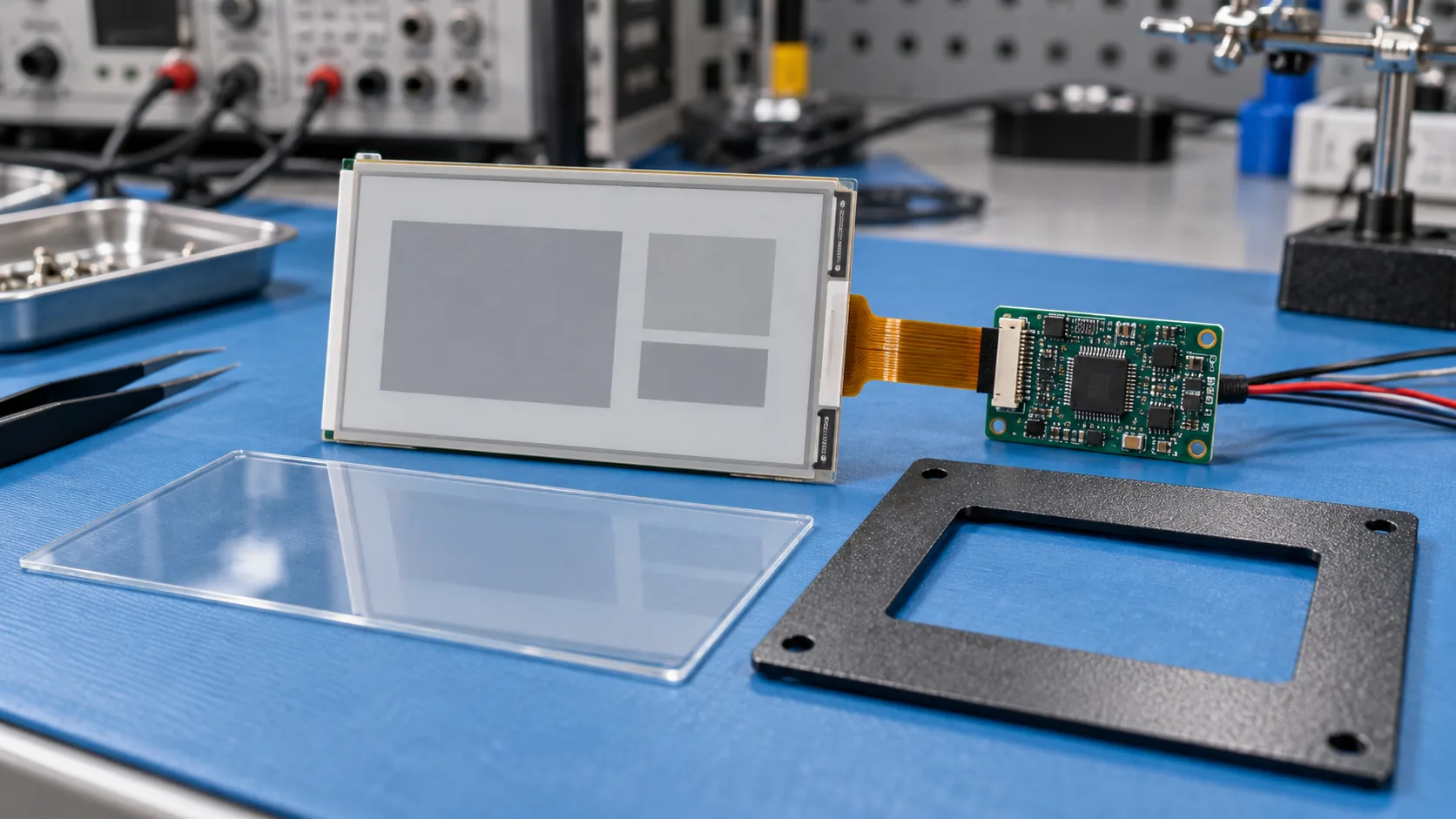 Controller, FPC, lens, front panel, power path, and mounting details should be reviewed as a complete OEM assembly.
Turn the Pilot Into an Integration Review
Once the task makes sense, the module becomes an engineering assembly rather than a rectangle on a drawing. Review the display, controller, FPC, front lens, gasket, mounting features, enclosure, cable route, power path, and update connection together. This is where an e-paper OEM customization project earns its value: a display can be sized and protected for the product rather than added after the mechanical design is frozen.
The front surface deserves the same attention as the controller. Consider viewing distance, glare from task lighting, scratch risk, cleaning method, ingress expectations, mounting pressure, and whether the display must sit flush with a metal door or molded housing. A test piece installed at the real station often exposes issues that a desktop sample will hide.
Controller integration also needs a precise definition. Confirm the host interface, available memory, image preparation route, expected update duration, recovery after interrupted communication, and power sequence. A bistable image can stay visible without continuously powering the panel, but the complete device still needs a carefully designed power and update strategy. For projects that combine a local persistent display with a live configuration screen, the broader range of industrial display modules can support a two-display architecture instead of forcing one technology to do both jobs.
Use the Same Test Cases the Station Will Face
A short bench demo proves that an image can update. A useful industrial test proves that the deployed product supports work. Run examples drawn from the actual station: a new work order, a part-family change, an interrupted network update, a power cycle after an image is complete, an image viewed under direct task lighting, and replacement of the front assembly after service.
Keep the evaluation grounded. Does the user recognize which instruction applies? Can the display be read through the proposed lens? Is the completed image retained as expected? Is the update event placed at a sensible handoff point? These questions produce better design decisions than a generic test pattern.
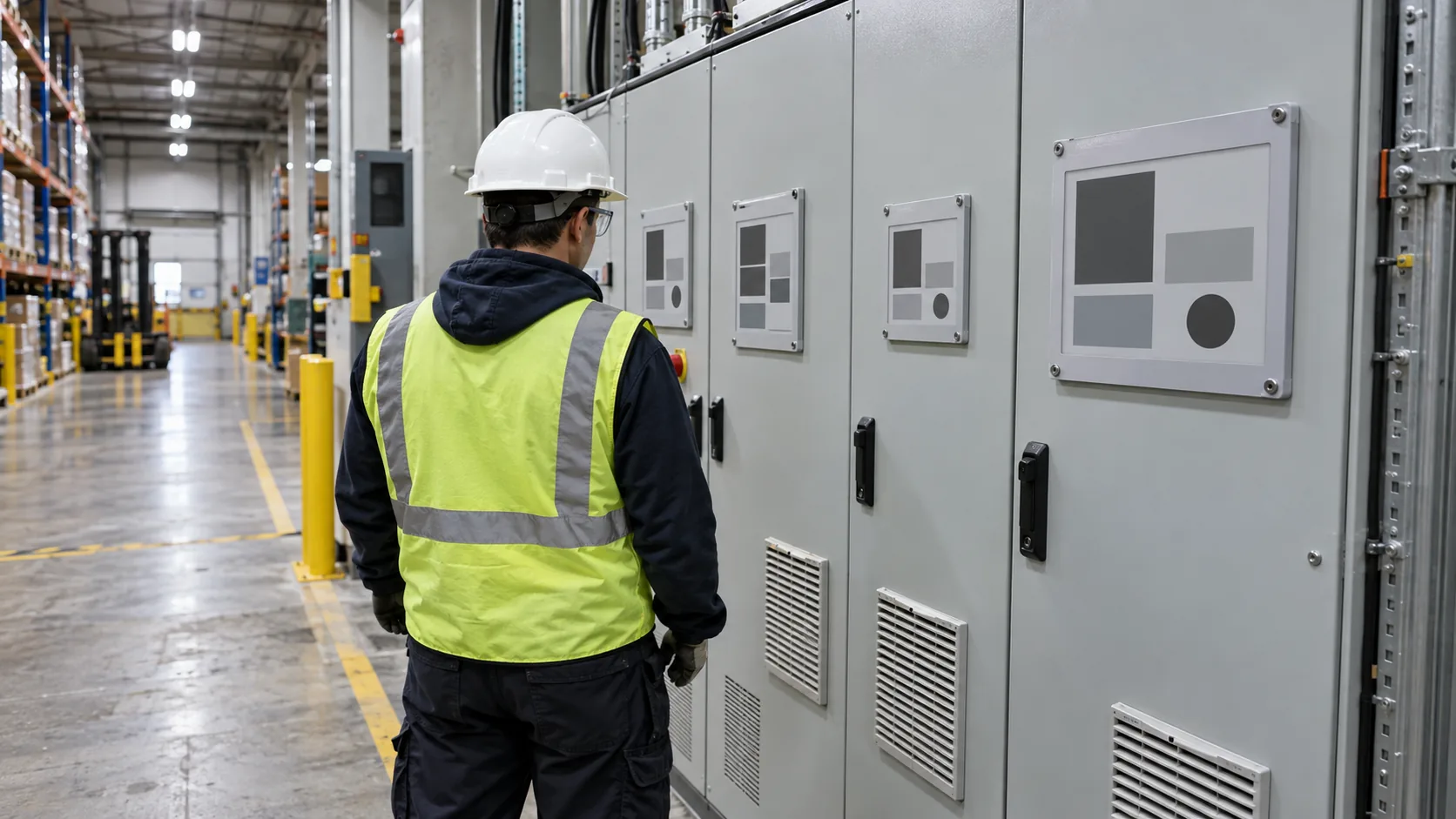 Industrial e-paper displays are most useful when their low-refresh behavior matches the task at the equipment location.
Make the Production Handoff Explicit
After a successful pilot, document what is fixed and what can change. Include the display size and active area, front-panel stack, controller revision, firmware responsibility, image-generation method, enclosure tolerances, environmental target, sample approval path, change-notification requirement, and lifecycle expectations. This gives purchasing, engineering, and field-service teams the same view of the product.
For high-temperature locations or systems with a separate live control panel, assess each display technology against its actual role. Wide-temperature TFT LCD modules and IPS TFT LCD modules can address applications that need active color information or broad viewing angles, while e-paper can preserve low-power, persistent information at the equipment point of use.
An effective e-paper display is not simply an electronic replacement for a paper card. It is a local industrial component with a defined information boundary, an update rhythm, a mechanical home, and a service plan. For OEM teams building low-power inspection, identification, or task-reference products, Sunshine Display can help review industrial display module options and the integration route. Contact Sunshine Display with the station workflow, target screen size, update pattern, and enclosure drawing to start the discussion.
